Yes, but that only works if the breadcrumb is always available via the Show Full Path setting.
That’s an odd take, and extremely incorrect.
Again, how do we really know if one distro is more used than another? We don’t, not with any certainty. Not that it matters for this topic. I was merely attempting to add some levity.
True.
My suggestion is to have a dropdown in the “configure toolbar”, maybe “minimal” and “custom”, where minimal is set as default. Minimal could be exactly like now, BUT add a cogwheel for the “configure toolbars” menu on minimal and be done with it.
If the problem is that the user “does not know”, then a cogwheel would solve that.
1 Like
As I stated before depending on the Linux distro the defaults for the Dolphin toolbar are different, so no point in the KDE devs setting defaults for it.
Distros are always free to override the default settings we offer, but most of the time they don’t, so it’s definitely not true that there’s “no point in the KDE devs setting defaults for it.”
1 Like
This is a gorgeous UI! I want it. Any advice on how to create such a beautiful and useful interface? If you can’t share files, then links to “how to” instructions?
Nice to know that there is someone who shares my view. You are my new best friend now 
Here is the dolphinui.rc -file (which saves the toolbar settings):
The file is located in /home/user/.local/share/kxmlgui5/dolphin - directory. Just copy-paste it there to override the current file and restart Dolphin - and voila!
(As a hint: Next time you install KDE Plasma, it’s very useful to save this file and use it in the new install…)
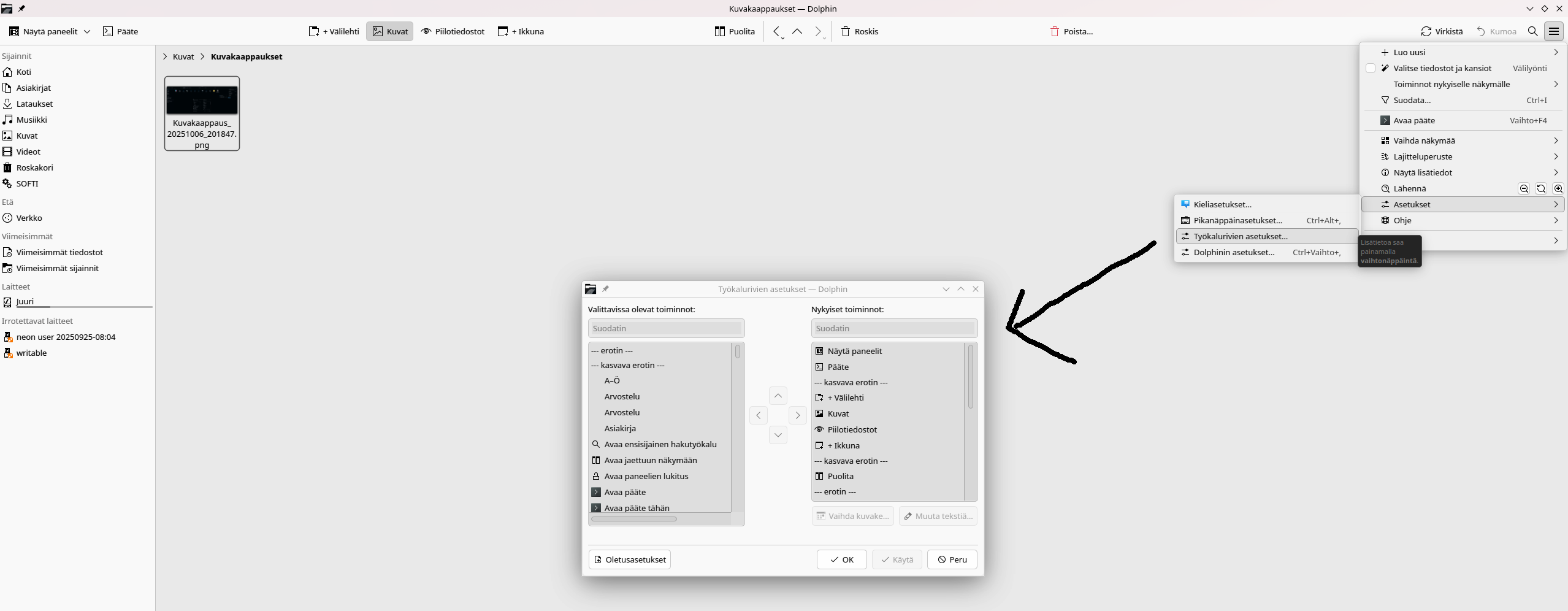
In Toolbar settings you can manually add and remove functions and change their location:
The color-scheme is probably either of these:
I have nine different and I do not remember which I used. They are not yet available in KDE Store, I intend to do so.
Color-schemes are located in /home/user/.local/share/color-schemes. Just copy these two there…
In order to have transparency you need to install a program. Here is a guide:
I used Lightly Application Style and Plasma 5 in X11 at the time of sending the picture. Sadly Lightly does not work in Plasma 6. I have personally only managed to get Darkly working in Plasma 6 Wayland, but the result is not quite as good as in Plasma 5.
I even added the wallpaper….
Could you please let me know if you get other than Darkly working and give me the know-how of how to do it.
Nice to know that there is someone who shares my view. You are my new best friend now
Here is the dolphinui.rc -file (which saves the toolbar settings):
The file is located in /home/user/.local/share/kxmlgui5/dolphin - directory. Just copy-paste it there to override the current file and restart Dolphin - and voila!
(As a hint: Next time you install KDE Plasma, it’s very useful to save this file and use it in the new install…)
In Toolbar settings you can manually add and remove functions and change their location:
The color-scheme is probably either of these:
I have nine different and I do not remember which I used. They are not yet available in KDE Store, I intend to do so.
Color-schemes are located in /home/user/.local/share/color-schemes. Just copy these two there…
In order to have transparency you need to install a program. Here is a guide:
I used Lightly Application Style and Plasma 5 in X11 at the time of sending the picture. Sadly Lightly does not work in Plasma 6. I have personally only managed to get Darkly working in Plasma 6 Wayland, but the result is not quite as good as in Plasma 5.
I even added the wallpaper….
The icons are Ars-Dark-Icons
Could you please let me know if you get other than Darkly working and give me the know-how of how to do it.
Please let me know if the links do not work.