I mentioned the possibility of a second topic only because this one is titled “How to run GUI app as superuser”, and the topics being discussed seemed to be heading toward either how to get specific KDE applications to run using specific tools, or different types of questions about how privileges work.
My thought was that both of those might be more likely to be noticed by potentially helpful folks browsing the topics list if they were in an unsolved topic with a targeted question as the title (using “Reply as linked topic” in Discourse, if desired, to keep the continuity of the conversation), instead of a solved topic (implying there’s nothing more needed here) with a different question. Just a suggestion from the outside looking in
I guess you could infer a sort of hierarchy based on who is in what group, how sudo access is managed, what ACLs exist, etc.
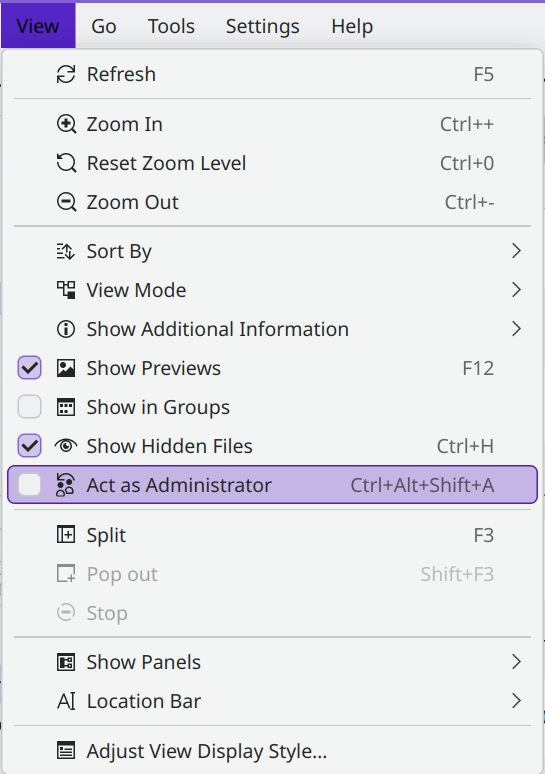
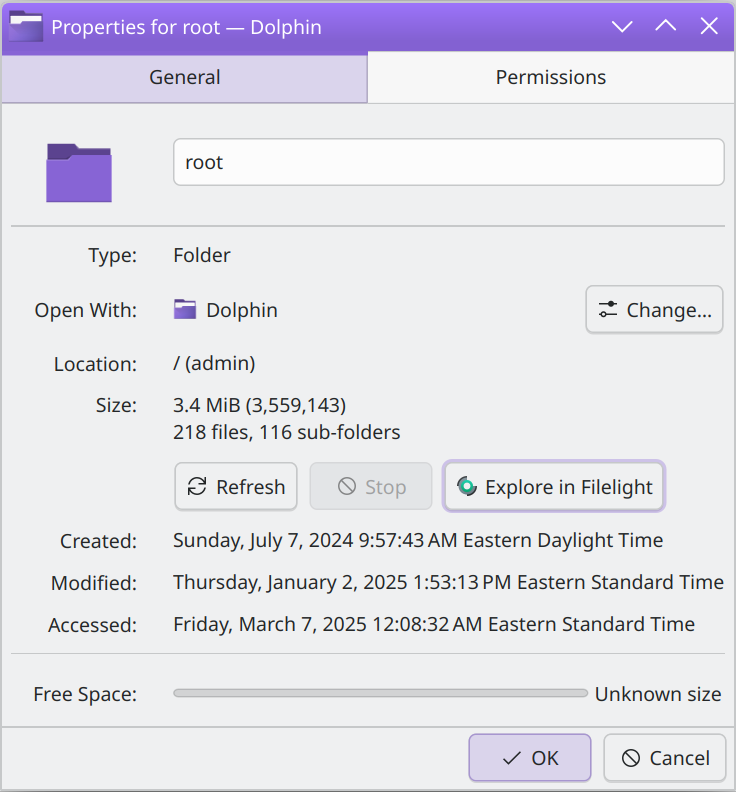
At any rate, the thing that you mentioned as most important that you were trying to accomplish in the GUI as root, works using Dolphin’s Act as Administrator mode - give that a try if you’re still having issues there:
@Herzenschein, thanks for that. Turns out that xdg-su doesn’t appear to exist in Fedora’s default repositories anymore, whereas kdesu is, of course, standard to all KDE Plasma desktop installations (although maybe not on plasma-mobile).
I’ve since located an example of when this is required, too:
One can only guarantee that so many PIDs always exist (PID 1 for systemd, and PID 2 for kthreadd, for example), so, for demonstration commands, where a PID is needed, kdesu is. Checkmate, atheists.
RokeJulianLockhart@Beedell:~$ sudo dolphin
[sudo] password for RokeJulianLockhart:
Running Dolphin with sudo is discouraged. Please run “dolphin --sudo” instead.
RokeJulianLockhart@Beedell:~$ pkexec dolphin
qt.qpa.xcb: could not connect to display
qt.qpa.plugin: From 6.5.0, xcb-cursor0 or libxcb-cursor0 is needed to load the Qt xcb platform plugin.
qt.qpa.plugin: Could not load the Qt platform plugin "xcb" in "" even though it was found.
This application failed to start because no Qt platform plugin could be initialized. Reinstalling the application may fix this problem.

Available platform plugins are: eglfs, linuxfb, minimal, minimalegl, offscreen, vkkhrdisplay, vnc, xcb, wayland-egl, wayland.

Aborted                    (core dumped) pkexec dolphin
kdesu does not.
That might be because I’ve not configured it for the specific application. However, that’s not convenient for a non-developer:
run0
I’ve since ascertained that run0 is the authoritative, newest, and currently-worked on elevator. [1] However, it doesn’t work for my use case, either: