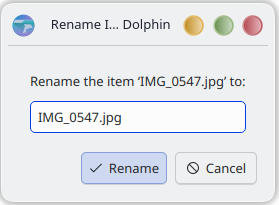
Chiming in to say, I am also experiencing this. It happens back to back when renaming files to categorize, it happen 5 or 6 times in a row just now, and it has been happening for at least a couple of weeks.
Getting this behaviour on Dolphin 25.12.2 on Fedora 43.
Dolphin: 25.12.2
KDE Frameworks: 6.23.0
Qt: Using 6.10.2 and built against 6.10.1
Fedora Linux 43 (KDE Plasma Desktop Edition) (Wayland)
Build ABI: x86_64-little_endian-lp64
Kernel: linux 6.18.13-200.fc43.x86_64
Nothing special on this system. It’s a system that has been regularly updated since Fedora 42 I think.
Just an effing bug. Very annoying. Feels vibe coding.
Currently trying to reproduce the problem, with logging enabled, i.e.
export QT_LOGGING_RULES=“kio.*=true”
in the konsole, then start dolphin from the konsole.
No luck so far. I know it will happen again. I thought it may be related to the directory in which the file is created not being visible when the file is created, but apparently no.
P.S.
There two additional problems that have appeared in my recent Dolphin:
Sometimes “renaming” zeroes the whole filename and just leaves the extension (e.g. .odt) printed in BOLD, then you have to ESC out of that particular wedge. This result in a file named for example “odtdt”. On the console, I see the error message “QTextCursor::setPosition: Position ‘5’ out of range“. Rare, arbitrary error.
Selection of parts of a filename does no longer work properly. You may be unable to properly select part of the filename using the keyboard (click on filename, SHIFT-HOME to unselect and move cursor to first character, start selecting with SHIFT+RIGHTARROW, which fails) as the cursor immediately jumps to the first non-alphanumeric character (which may be the first blank, or the final dot) with no selection performed. No error message on the console. 100% reproducible.
The above may or may not have to do something with the reported problem.
Noticed that my original report has been deleted too. Since when do people have skins thinner than an apple?
Haha off the rails here… I still think there’s nothing iwrong with vibe coding in the hands of a competent coder, such that by the time it gets put forward it’s not going to have any ‘AI’ issues. AI can also be really useful to spot potential errors and suggest improvements…
What we have here is a slightly odd bug that nobody can quite pin down, and only a precious few are able to replicate.
Positive suggestions would be welcome, real criticism is also welcome, but I get the feeling that insulting developers not so much
Something we can do to replicate it would be useful, as I’m still only able to get this ‘issue’ from trying to rename search results.
Here: Such a horror 🤣 - (720x1280).mp4
I have a file that I can copy somewhere else try to rename and get the bug consistently.
I created the following jpeg file with the same name as the video I was using so I can upload it here.
EDIT: Removed the image, saving it just uses it’s GUID as the name.
Steps to reproduce:
Take any file.
Make a copy to folder A.
Rename it to Such a horror 🤣 - (720x1280).
Copy the newly renamed file to folder B.
Try to rename file (restart dolphin if this step doesn’t work).
Step 5 should fail the first time you try it.
You can repeat 4 then 5 as many times as you need in order to test.
Same issue here. I’m on Fedora KDE Plasma, Dolphin version 25.12.2.
I suspect anything related to external state like characters in filename is likely a false lead, for one reason: The rename does eventually work. Sometimes renaming works the first time, sometimes the second time… I think the maximum of attempts I’ve needed is four.
I’ve had it happen with both files and folders, on both btrfs and NTFS drives.
My usual steps:
Select file or folder
Press F2
Rename
Press enter
Somtimes it renames, sometimes it just deselects and returns to the old name.
I can confirm that renaming by right-click works without any issues.
Also tried both settings for “Show selection marker” and it did not solve the issue for me.
Just returning to report that I’ve had no issues renaming with inline renaming off, using the separate window. Unless I’ve just got lucky, it seems to be an inline issue only.