Second monitor suddenly limited to 1024x768 max resolution, was working fine at 1080p before

Hello! I’ve been running fedora 42 kde plasma on my main PC with the RPM nvidia drivers and it’s been fine until today when I woke my pc up from sleep mode. Usually sleep mode has no issues but today my second monitor (Cintiq 13HD) didn’t turn on after waking. After I turned it on, the resolution was set to 1024x768 at a stretched aspect ratio instead of the usual 1080p. I can’t set it back to 1080p or 16:9 and features like DDC/CI brightness control stopped working. Also the name shows up as HDMI-A-1-unknown instead of the usual Cintiq 13HD (or whatever it showed up as before). My main monitor still works fine.

Anyway to cut to the chase I’ve already spent the past few hours doing a lot of research and troubleshooting and I think it’s something to do with the nvidia driver? I don’t know what happened while my PC was sleeping but now it can’t read the edid for my second monitor, when it could before. I don’t think this is necessarily a sleep mode issue, just something that happened in the background before or during it.

One of the outputs from “journalctl --user -u plasma-kwin_wayland -b 0” is this message in yellow:
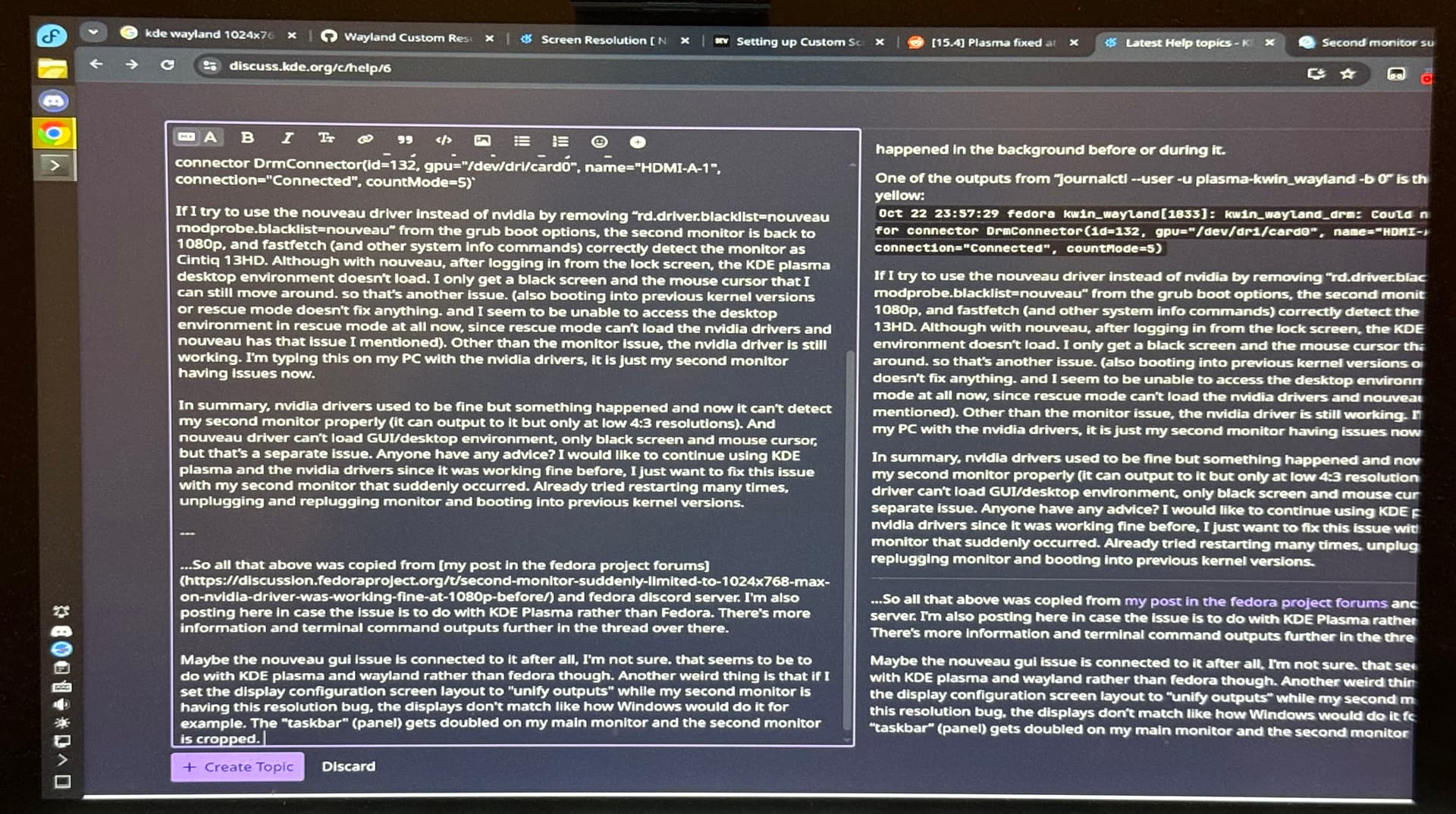
Oct 22 23:57:29 fedora kwin_wayland[1833]: kwin_wayland_drm: Could not find edid for connector DrmConnector(id=132, gpu="/dev/dri/card0", name="HDMI-A-1", connection="Connected", countMode=5)

If I try to use the nouveau driver instead of nvidia by removing “rd.driver.blacklist=nouveau modprobe.blacklist=nouveau” from the grub boot options, the second monitor is back to 1080p, and fastfetch (and other system info commands) correctly detect the monitor as Cintiq 13HD. Although with nouveau, after logging in from the lock screen, the KDE plasma desktop environment doesn’t load. I only get a black screen and the mouse cursor that I can still move around. so that’s another issue. (also booting into previous kernel versions or rescue mode doesn’t fix anything. and I seem to be unable to access the desktop environment in rescue mode at all now, since rescue mode can’t load the nvidia drivers and nouveau has that issue I mentioned). Other than the monitor issue, the nvidia driver is still working. I’m typing this on my PC with the nvidia drivers, it is just my second monitor having issues now.

In summary, nvidia drivers used to be fine but something happened and now it can’t detect my second monitor properly (it can output to it but only at low 4:3 resolutions). And nouveau driver can’t load GUI/desktop environment, only black screen and mouse cursor, but that’s a separate issue. Anyone have any advice? I would like to continue using KDE plasma and the nvidia drivers since it was working fine before, I just want to fix this issue with my second monitor that suddenly occurred. Already tried restarting many times, unplugging and replugging monitor and booting into previous kernel versions.


…So all that above was mostly copied from my post in the fedora project forums and fedora discord server. I’m also posting here in case the issue is to do with KDE Plasma rather than Fedora. There’s a lot more information and terminal command outputs further in the thread over there.

Maybe the nouveau gui issue is connected to it after all, I’m not sure. But it might be to do with KDE plasma or wayland rather than fedora. Another weird thing is that if I set the display configuration screen layout to “unify outputs” (second monitor replica of main) while my second monitor is having this resolution bug, the displays don’t quite match like how Windows would do it for example. The “taskbar” (panel) gets doubled on my main monitor and the second monitor is cropped, with maximized windows cut off on the right. I assume it’s because the second monitor is outputting a 4:3 resolution (stretched to 16:9), so everything outside is cropped instead of being scaled down to fit. It’s kinda hard to describe so I’ve attached a photo of the main monitor and second monitor respectively.
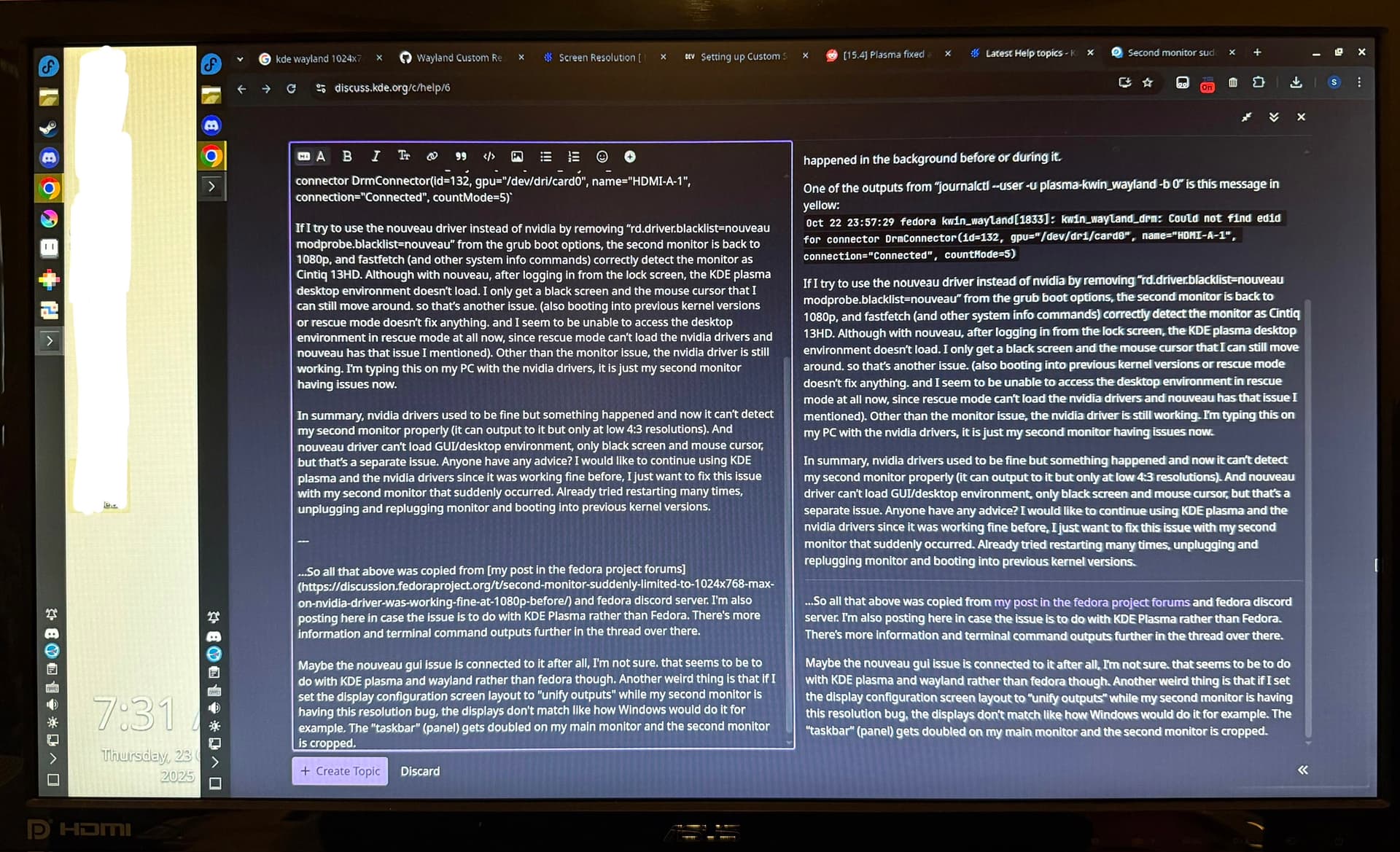
I don’t use duplicated/unified displays though, this is more just another bug I came across while troubleshooting and trying things rather than the main issue for me. I assume it’s something to do with wayland? The main thing I’m trying to fix is being able to output to my second monitor at full resolution.

Sorry I’m kinda rambling and some of my assumptions might be wrong. I’ve spent the past 10 hours trying to troubleshoot this, restarting my PC multiple times and asking for help in other places.

I installed x11 via plasma-workspace-x11 to see if anything would be different on there.

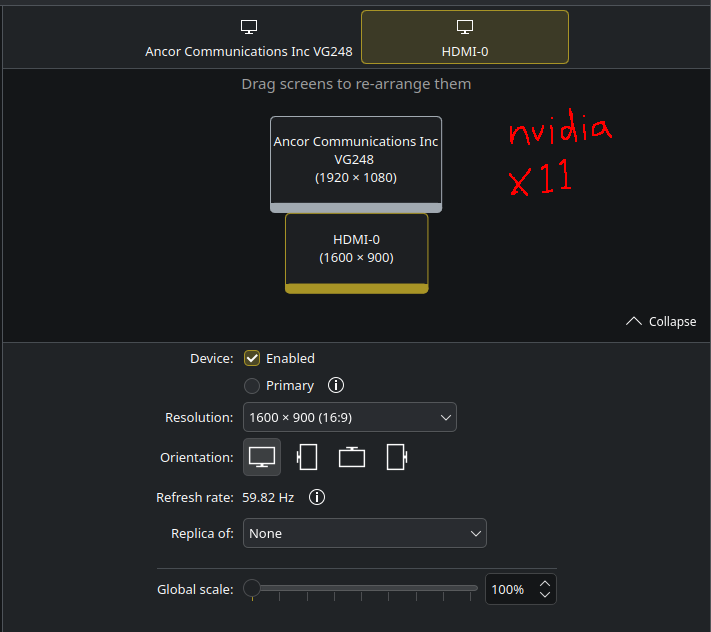
When using the nvidia driver, I can select a higher resolution on the second monitor (1600x900) which is better but still not the full 1080p. It also still can’t get the name of the monitor, so I assume x11 has more fallback resolution options compared to wayland, but still has the same underlying issue when using the nvidia driver.

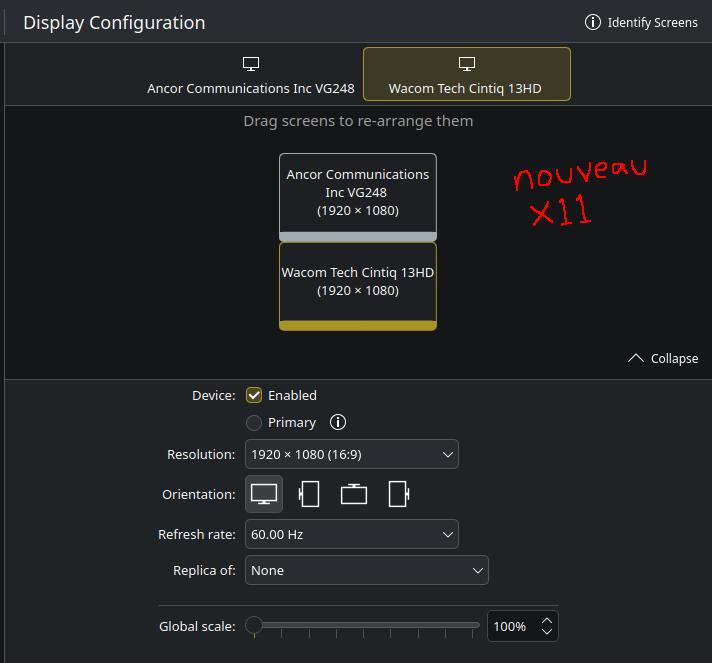
When using the nouveau driver, I can access the desktop environment after SDDM (!) and it properly detects the details of the monitor. can display at 1080p and everything. so the monitor and driver fully works here. However this isn’t the ideal solution because I’d like to use the nvidia driver on wayland as it was working fine up till now. I can’t find pen tablet settings on x11 (without installing some additional drivers for x11 I assume, whereas it’s available out of the box on wayland KDE plasma) and that’s something I need working properly. Also I need to be able to set different scaling on each monitor, something I can’t seem to do on x11.

so brief summary so far:

Nvidia (Ideal) Nouveau (Not Ideal)
Wayland (Ideal) Can use GUI after SDDM login :white_check_mark:. Second monitor details not detected, max res of 1024x768 :cross_mark: Can’t use GUI after SDDM login (black screen, only cursor) :cross_mark:. Second monitor details detected, works at full res 1080p :white_check_mark:
X11 (Not Ideal) Can use GUI after SDDM login :white_check_mark:. Second monitor details not detected, max res of 1600x900 :cross_mark: Can use GUI after SDDM login :white_check_mark:. Second monitor details detected, works at full res 1080p :white_check_mark:

Missing modes are always driver bugs - besides generating some additional low resolution modes, Plasma uses the driver’s mode list without modifications.

You can report the issue at Linux - NVIDIA Developer Forums

Hmm okay, I made a post there about it.

There’s still the isue with the GUI (KDE plasma?) not showing up after logging in from the SDDM with the nouveau driver on wayland, I’m not sure what’s causing it. I can see the cursor and can move it around, it even does the enlargement thing when you wiggle the cursor quickly (it doesn’t do that in the x11 session I’m typing this in now, must be a wayland feature). but nothing else appears and I can’t do anything without switching to other tty terminals.

(should I change the title of this topic to refer to that instead, if the nvidia thing isn’t a KDE issue?)

That part sounds like plasmashell isn’t creating the desktop window and panel, or isn’t rendering them properly.

If you use a compositor-level shortcut to directly start an app, like alt+space for Krunner, Meta+E for Dolphin or ctrl+alt+t for Konsole, do these other apps show up?

Yeah

I can’t seem to be able to edit the title or any of my other posts now. Maybe because I’m logged in and typing this on a different computer?

So just to be more descriptive, after blacklisting the nvidia and nova_core drivers so that nouveau is used, the SDDM displays perfectly fine at full resolution on both monitors. I think the SDDM that comes with fedora 42 KDE plasma edition uses wayland, so I assume that means nouveau and wayland is working fine (it does the mouse wiggle enlargement thing on the SDDM too). but after I type my password and login, it has the black screen issue I mention. I can still hear sound effects and see and move the cursor though.

  • Nothing shows up when I press alt+space, athough I hear a sound effect a few seconds after I press that combination so it is doing something in the background.
  • If I press meta+E, the dolphin window doesn’t appear but I do get the bouncing icon next to the cursor, so that’s interesting.
  • Same for ctrl+alt+T, the terminal doesn’t appear but I get the bouncing icon for it next to the cursor.

Are you using a DP adapter of any sort?

So I get this periodically with my laptop and have periodically over the years on other boxes that I’ll see something like “Nvidia 640x480” or some absurdly low bitrate of one of my 3 external displays (which causes my 4k display to just blink and weird out), and its always related to my dpi-to-hdmi adapter/cables being wonky. Usually to fix it I have to unseat the DP side (assuming it is resetting the conversion chip) to get it to work.

This was somewhat complicated by the fact that I also put them through an EDID ghoster so the system doesn’t know my displays shut off (and kde relocates and loses memory of all my window positions angering me every… damn… time), and at times when it happens I’ll have to reset those EDID devices too as something gets outta wack between them. Worst case I’ll reset my TB dock, of which I’ve even tried two to prevent it, a Lenovo thinkpad pro TB3 dock and a CalDigit TB3, but still happens.

It is really quite annoying, and I’ve tried at least 3-4 different DP-to-HDMI adapters or AIO cables, and every damn one acts like this periodically. I really don’t think it’s even a driver issue, but more like some sort of hardware phy chip issue in either a DP out or the DP chips, every damn one of them, that periodically glitches.

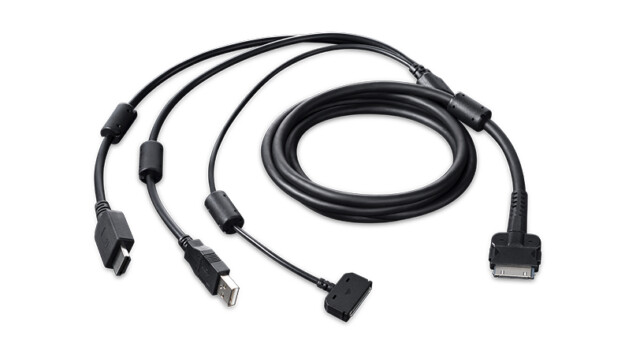
No I’m just using the cable the cintiq came with, plugged into a HDMI port. The cintiq 13HD only works with this weird 3-in-1 cable lol.

It’s not cheap to replace, especially nowadays, so I can’t just simply try using a different cable (something other people kept suggesting to me elsewhere). I’ve also done more troubleshooting and posted more details here.

Basically it seems that the EDID is very slightly corrupted? I don’t know if it was like that for a long time or if it only got corrupted when the issue started, wish I could go back in time to check. But it still works fine on the nouveau driver (ignoring the other issue I’m having with it, mentioned in the posts above) and on windows. It’s only the nvidia linux driver that doesn’t seem to detect the EDID at all as of now.

Ahh ok, so this is some drawing tablet frankenstein vendor adapter, so I wouldn’t be surprised if you see something like it as there’s probably some odd conversion/muxing going on in there somewhere.

Yeah, when it happens to me, xrandr sees only that busted mode too, so I’m assuming the chips glitch out, misreport, and the gpu makes something up for it, thus like mine will show “Nvidia-$res” vs the normal “Samsung blahblah”. First I thought maybe the display rebooting/disconnecting them, but it’ll happen across each (though all the same samsung tv), and in switching cables/edid adapters, eventually narrowed it down to the DP adapter/cable as a common aspect.

My Lenovo TB dock has 2x DP and 1x HDMI out, and when using all 3 I’d never see this with the native HDMI out to HDMI TV in, but either of the DP’s converted to HDMI would do it. My Caldigit only has 2x DP out, and after going back to it from the Lenovo dock being buggy, I’ll get this occasionally on one or the other with it.

I’ve tried Club3d adapters, generic Chinese adapters, finally an AIO cable with DP on input end and HDMI, and finally now these expensive EDID ghosters from L1 Techs that are DP or HDMI in and HDMI out, thinking maybe too many physical interconnects, but they all do it, indicating a more systemic issue.

I finally gave up trying to fix it and just grumble when it happens.

Ok so uh, after some back and forth with a very helpful person on Mastodon, I ended up fixing the issue by:

  • Booting into nouveau mode and extracting the monitor’s EDID from there to a .bin file (since the monitor works fine using nouveau)
  • Noticing that part of the edid-decode output looked slightly corrupted, and that there was a checksum error
  • Writing a little tool in PICO-8 that I could input a hex value into and it tells me what value to change the byte to according to the checksum
  • Using a hex editor to edit the edid .bin file byte by byte in the “problem area” and running edid-decode each time until the weird line hinting at corruption disappeared from the output
  • Copying the “fixed” EDID binary file to /lib/firmware/ and making the HDMI port use it in the GRUB boot options (drm.edid_firmware=HDMI-A-1:nouveau_cintiq_edid_edited.bin)

aaand now the monitor works properly again with the nvidia drivers + wayland.

This was quite an involved and hacky fix and I don’t think it’s a reasonable solution for anyone else dealing with a similar issue (but I hope this is helpful for anyone finding this thread regardless). I still don’t know what caused the issue in the first place (maybe the monitor’s edid got slighly corrupted when entering or waking from sleep?), or why it still worked fine on windows and the nouveau driver.

More details are in the mastodon thread here, I will stop posting in this thread now since I’ve found that fix.

Maybe nouveau already has a quirk for the display or is generally more lenient about broken EDIDs than the proprietary driver.