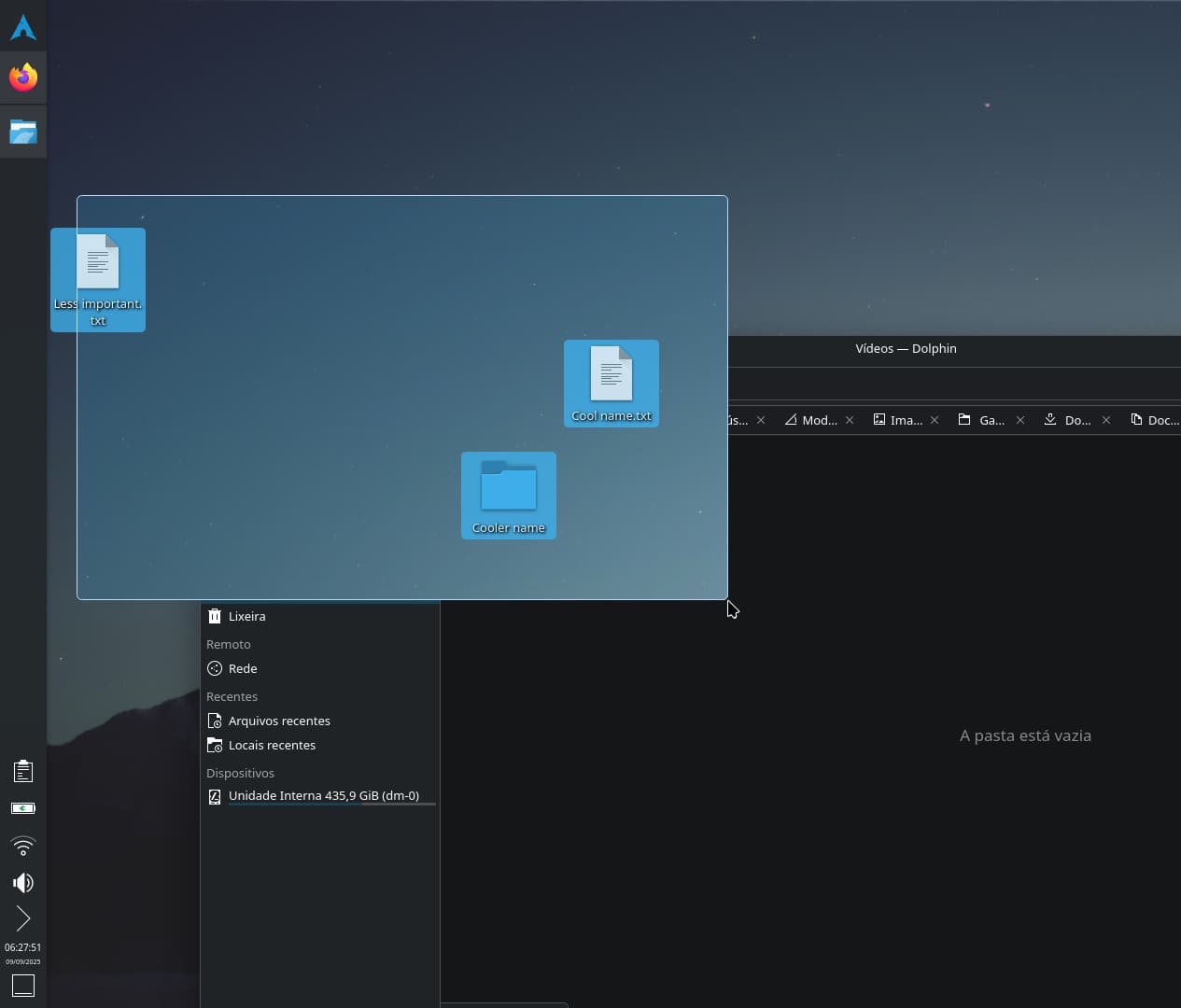
I’m posting this since a dev wondered if this addition would be well received. Bug 509287
1- The rubberband selection should cause the part of the windows that are over the rubberband selection to become see-through/X-ray/transparent; allowing you to select items with precision without having to ever minimize your windows, which can be an annoyance.
2- Obviously it won’t work when windows are maximized.
3- This would be very useful for any window you constantly drag items into, like Dolphin.
4- While this see-through effect is in effect; if an item is selected underneath a window, the rubberband selection will remain active until you drag any of the selected items or deselect them by clicking anywhere else, including the empty spaces of the rubberband selection. (Without this addition it would only be possible to use the see-through feature if at least one of the items weren’t underneath a window, making it gimmicky.)
… It would also work to auto-hide all windows the moment the rubberband selection starts, but I believe it would be visually confusing (and less cool) if it’s implemented like that.
not a developer, but this use case comes up for me on a daily basis…. even on this very forum.
when i want to drag an image to this dialog box i need to make sure i can “see” it to the side of my browser so i always leave a slice of my desktop visible where icons are sorted to appear on the desktop when i, for instance, take a screen shot like this
with your approach, i would not have to be so careful or plan in advance, i could just grab the selected item from the rubber band portal, even if it was behind the browser.
“2- Obviously it won’t work when windows are maximized.”
Actually a shortkey could be made for it, but that wouldn’t address the existing usability limitation of “using a rubberband selection underneath a non-maximized window” that I’m using as justification for this feature.
I will restrain myself from doing that until the main wishlist gets implemented.
I don’t want this to have the same fate of Bug 494988 , they were going to implement it but I kept having ideas.
Actually I would make this a separate feature: a shortcut where you can interact with the desktop in the same way you also can do after pushing Meta+D (by default). The difference would be, it only works as long as holding the shortcut keys down. Releasing buttons result in windows are back. Instead of minimizing windows, they could get transparent (maybe multiplied by window transparency to avoid conflicts with custom appearances). So selecting, opening, right-clicking, dropping files (from file manager or whatever) … everything would be possible this way. And I would love it.
perhaps Meta+D (peak at desktop) could be configurable between toggle (as it is now) and momentary (only peak while Meta+D is held down)
but even as it is Peek at Desktop is the only feature you need access stuff on the desktop obscured by open windows… you can “peek” and select whatever you need and “unpeek” while you drag your selection to the application window (or to the task bar if your application is not already on top).
TIL how to get to things behind my windows without having to resize or minimize them.
Or even better, on hitting Meta+D it toggles, on keeping pressed it will switch as long as keeping pressed persist. This way there is no configuration needed and you can access both.
instead of a configuration setting, maybe the feature could simply have a timer on it so that if you hold it down long enough – just before it goes into epilepsy mode – it could automatically switch to “momentary” behavior and then just switch back to the “not peek” state when you release the keys.
i think the time between initial press and epilepsy mode is related to the key repeat delay timer so it could be adjusted that way.