With the current task manager (icons-and-text / icons-only) it possible to see the recent files. Coming from Windows I’m missing the abilitiy to pin often used files. I think this is better than to use the Kickoff Application Launcher for pinning files.
In Windows you can right click on a recently used file in the context menu and pin it. Also to unpin an entry, the context menu is used.
File explorer special case: For Dolphin it already works like for Explorer in Windows. You see the pinned folders in dolphin also in the context menu.
This is one of the Windows features I miss a lot. There are 2-3 files I use a lot in certain applications and I have to find other shortcuts to open them. Pinning files would remove that friction. The feature doesn’t look like it’s difficult to implement yet there is an uncontroversial ticket open since 2017.
You mean creating shortcuts directly on the desktop? That would be at least 30 shortcuts in my case (Libreoffice, Okular, mainly). I like to keep the desktop clean.
Looks like there is actually a separate widget for pinning folders to your panel, it’s just not part of the task manager. That’s another thing you could consider!
I wonder how other people currently approach this issue in KDE Plasma. The closest workaround I could come up with, was using the Kicker menu, making it larger, turn on list view and add document links there. Manual reordering is possible there. Btw, in Windows 7 you could still reorder pinned items, in newer Windows versions it is not possible anymore.
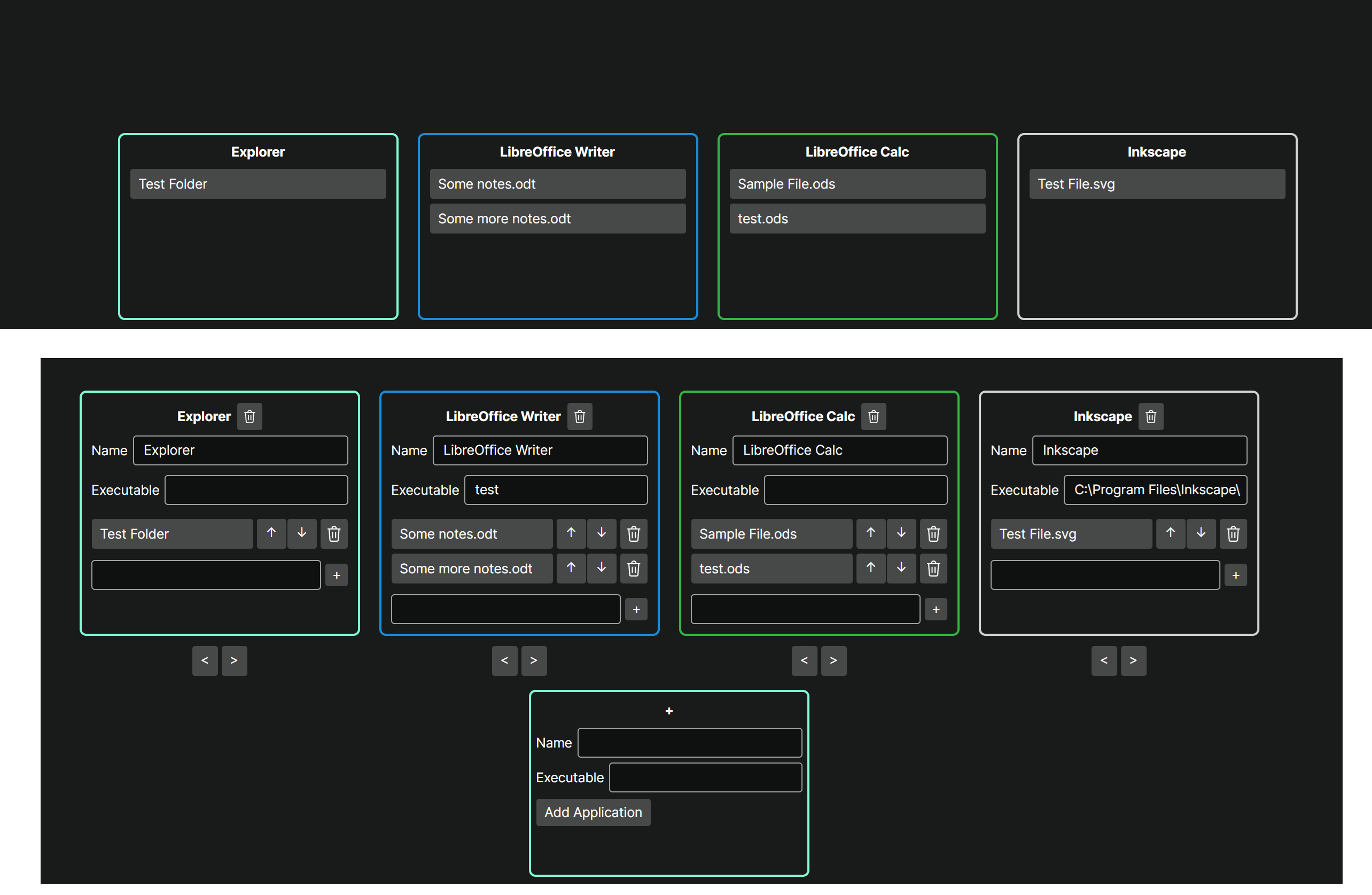
I even tried to create a small prototype in Avalonia for something like a launcher/dashboard for documents as a workaround (started via Shortcut or Task Manager):
I didn’t end up using it, because it would need more work, for example so that adding new items is faster. I also would prefer a built-in solution.
Having pinned items directly per application in the taskbar is probably preferred, but I’m biased after using this feature since Windows 7, when it was introduced. macOS also doesn’t have this feature btw.