I am facing this issue with alt+tab. Whenever I want to switch to other tabs with alt+tab, the present window will still be in focus and registers the tab on the current application.
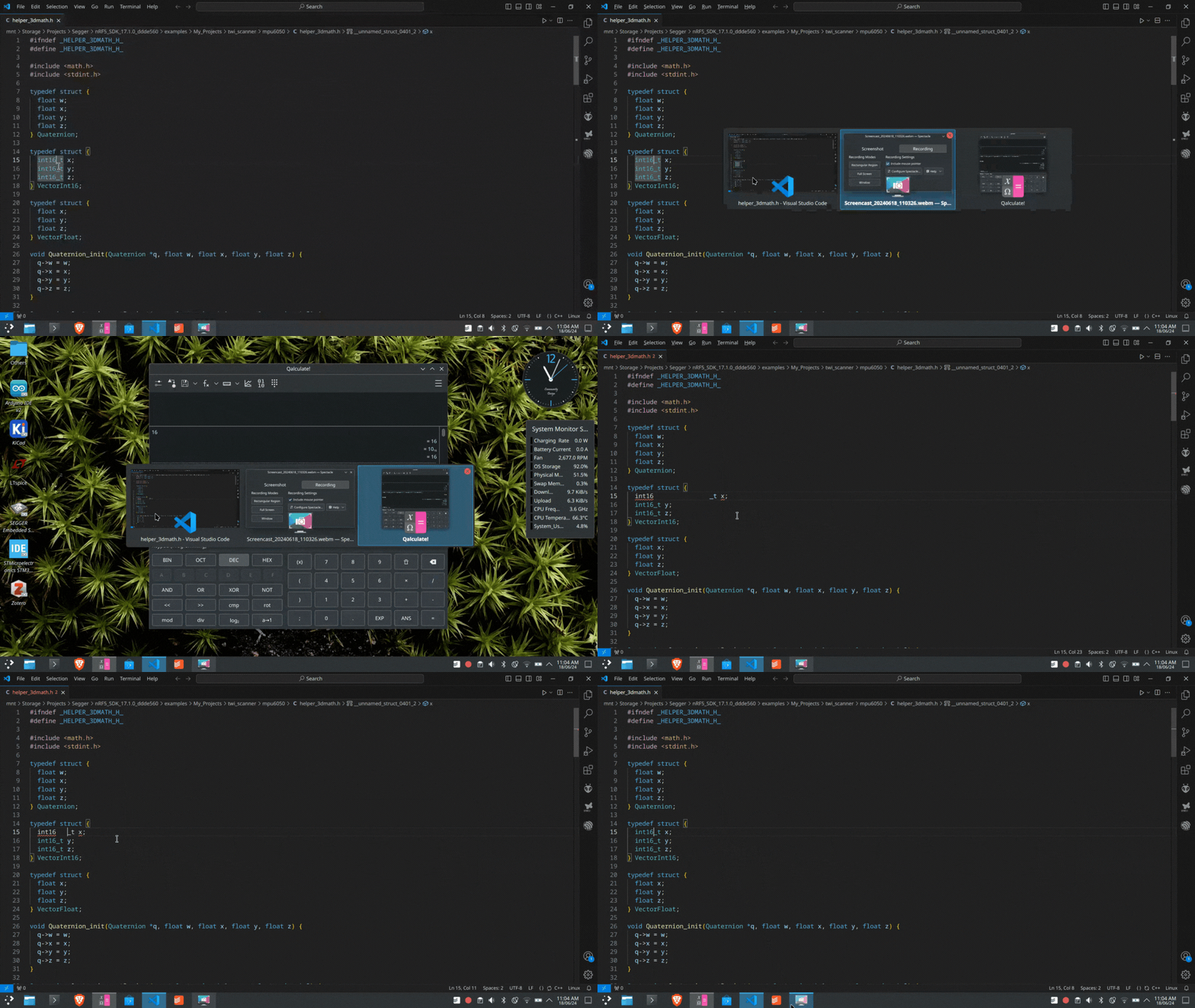
Please help me to fix it
I am facing this issue with alt+tab. Whenever I want to switch to other tabs with alt+tab, the present window will still be in focus and registers the tab on the current application.
Please help me to fix it
I see the same, totally annoying as it’s introducing so many bugs in my code!
Setting System Settings > Application Permissions > Legacy X11 App Support to “Never” fixed this for me.
(See: Bug ID 484992)
Fixed it. Thank you!!!
Thank you so much for this! Those extra tabs were driving me crazy.
Fixed it for me in both Code/Codium and Obsidian.
Fedora KDE 42
I have a similar problem.
When I drag & drop between fullscreen apps (Dolphin > Kate) I always go back to the first app when mousebutton is released. When I drag & drop to the second app and move around a little focus stays at the second app en dropping works fine (file opens in Kate)
Anyone else also experiencing this?
My issue is a little similar, but the solution doesn’t work.
I was going off of GitHub - ken-okabe/wayland-desktop-container: How to set up your nested Wayland Desktop Environment with systemd-nspawn container, like VirtualBox and in a konsole ran $ kwin_wayland –xwayland to get a fresh compositor window to play with.
After I got the gist of it, I closed that compositor window and tried ALT+TAB to a different window, but it wasn’t registering.
I was in the konsole window still and when I press ALT, I see the menu item hotkey highlights, but adding a TAB or 2 does nothing or starts an autocomplete in the terminal.
I had to $ kwin_xwayland –replace to get it back, but even then my first attempt was a long miserable failure trying to figure out what else was wrong because kwin was the only thing to come back up. Plasmashell borked, and trying to load the browser via systemd-run also was failing.
I saw in the log something about not being able to connect to display :2 which I thought was odd since:
DISPLAY=:1
WAYLAND_DISPLAY=wayland-0
But when I grepped DISPLAY from set in systemd-run, it had incremented those.
I looked in /run/user/<#>/ to see a couple of xauth_ entries.
In the end, I was scr*wing things up worse and worse and had to kill that session and start fresh, where I tested the original issue again, which persisted (getting everything back (including ALT+TAB) after a --replace worked fine this time).