
Why are there two entries in the Shortcuts section in System Settings referring to the same thing?
One is the general default shortcut for an application launcher, if there is one. Which one that is depends on the specifics; Plasma has some logic to figure out which one you want most likely.
The other is the specific shortcut for that widget. It’s possible to have multiple instances of any combination of Application Launcher, Application Menu, and Application Dashboard. This allows you to set keyboard shortcuts for them individually. This is also what is set from the widget’s configuration dialog, which allows you to set a keyboard shortcut.
ha! i can beat that.
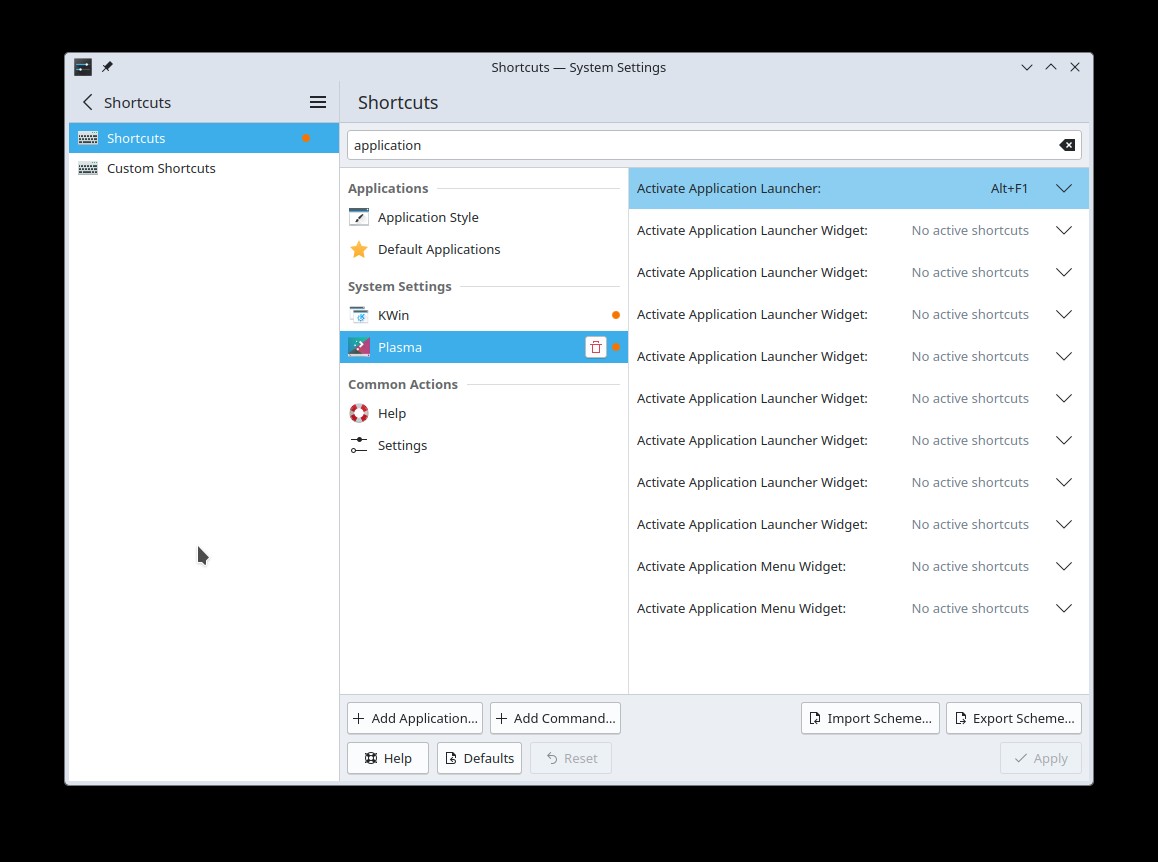
and Alt+F1 doesn’t do anything at all…
meta brings up the launcher or menu widget that is installed on whichever screen has focus.
if i look at kate .config/kglobalshortcutsrc
i can see these entries.
[plasmashell]
activate application launcher=none,Alt+F1,Activate Application Launcher
activate widget 102=none,none,Activate Application Launcher Widget
activate widget 129=none,none,Activate Application Menu Widget
activate widget 131=none,none,Activate Application Launcher Widget
activate widget 158=none,none,Activate Application Launcher Widget
activate widget 219=none,none,Activate Application Launcher Widget
activate widget 283=none,none,Activate Application Menu Widget
activate widget 337=none,none,Activate Application Launcher Widget
activate widget 354=none,none,Activate Application Launcher Widget
activate widget 366=none,none,Activate Application Launcher Widget
activate widget 395=none,none,Activate Application Launcher Widget
is this some accumulation of every launcher / menu i have ever placed on the desktop?
should i be cleaning this up?
why doesn’t plasma clean this up for me?
plasma 5 btw
Sorry, I can’t say much about Plasma 5 at this point.
On Plasma 6, I have as many entries listed there as I have relevant widgets (9). And I’ve added and deleted a lot more Application Menu / Launcher / Dashboard widgets, so something must be cleaning them when I delete them.
for new ones that i create and delete, the entries are updated as expected… so i’ve identified the current entry for my lone widget in the task bar and deleted the rest (all but the first line).
after a reboot my shortcuts setting page now only shows the one widget (and the active application launcher)

the others must have been hold overs from before the cleanup routine was implemented.
Alt+F1 still doesn’t seem to do anything tho.
Why are you stuck on Plasma 5?
If there is more than one widget of given type, can you tell which shortcut is for which widget? Do they have any unique and visible ids?
“stuck?”
i’m on the LTS track because it works and meets my needs.
the upgrade to plasma 6 is right around the corner… i’m in no rush.
They have ids, but we do not show them in the UI (it’s just numbers)
The easiest way is to set the shortcut from the widget’s configuration dialog.