i found that i can select ONE category for each payer/payee to be the default one.
Unfortunately I need very often a split category as i want to record taxes separately? Can i setup rules how to handle e.g. rent payments and split them into rent and running costs? This can vary into the more complicated income like:
income (31%), vat-tax (19%), income-tax(35%), savings(15%) ?
Hello,
your requirement cannot be implemented using the default category feature of a payee.
Does the transactions happen on a more or less regular frequency?
If yes, i suggest to use the “scheduled transactions” feature.
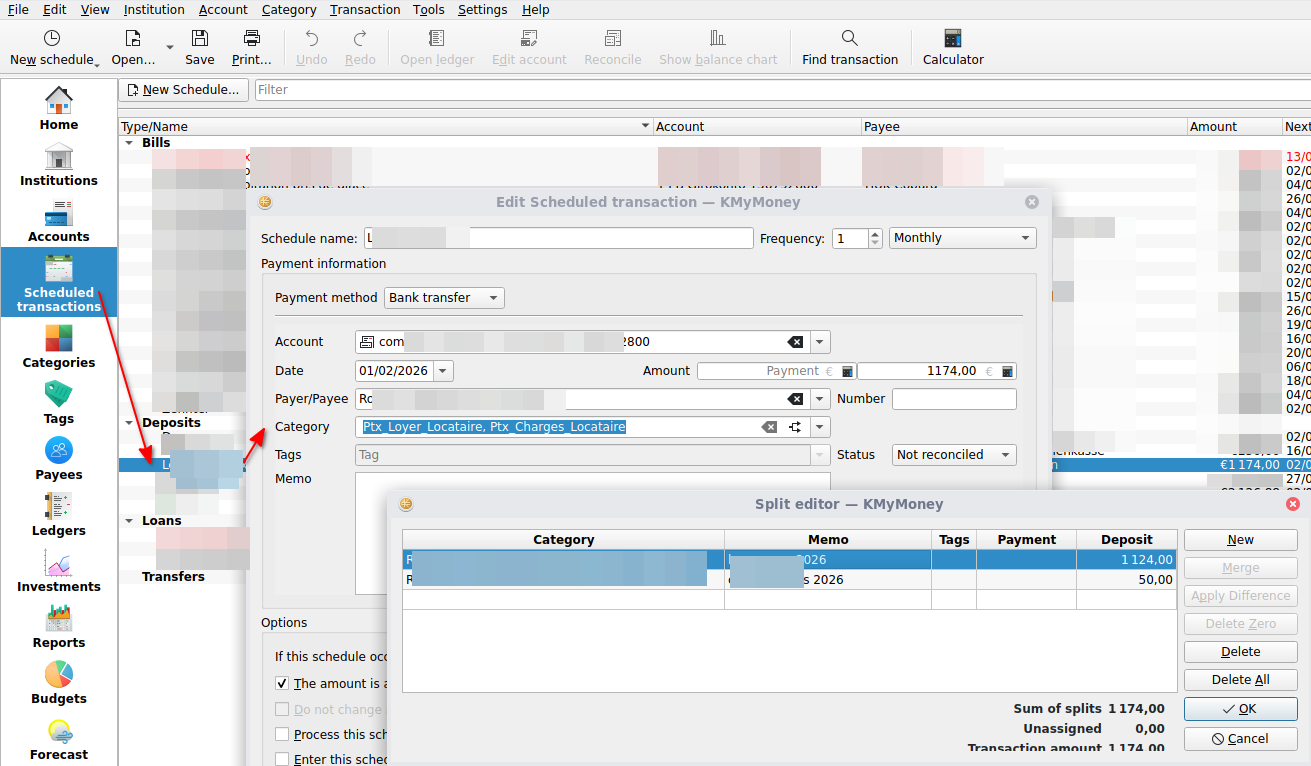
There, you can define all the splits you need, and when the scheduled gets realized (e.g. it is a real transaction in the ledger), edit if necessary the splits and amounts if the values are not 100% the same for each transaction in the time.
Here a deposit example:
Personally, I use this feature for my salary: i split my net monthly salary into
- gross salary
- tax and social security deductions:
- taxes
- pension insurance
- health insurance
- unemployment insurance
This way, i am able to track my gross salary in KMyMoney and all the tax and social security deductions, which is useful e.g. to fill in one’s yearly tax return.
hello surcouf,
thanks for your clearification. I will test this definitely. Do you know what happens, if this booking is not so much regular? what happens if i update all bookings from my bank and this regular booking is one week later or so ?
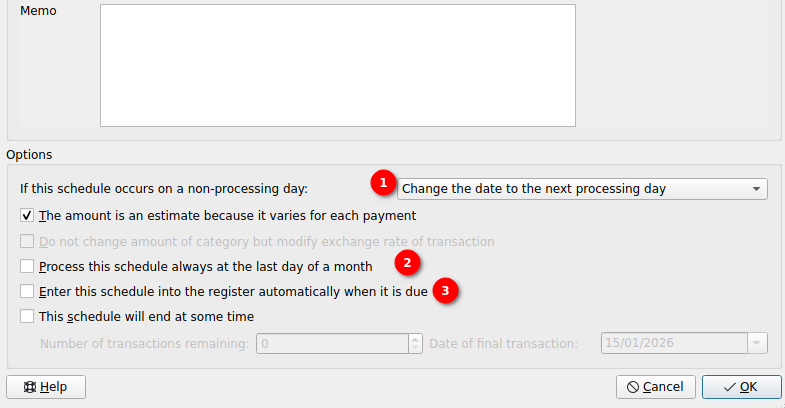
KMyMoney can still match the scheduled transaction with the real one. This depends on several settings:
- The settings of a single scheduled transaction show 3 options:
 for option (3), toe word register is misleading. The word ledger would be more correct in my opinion.
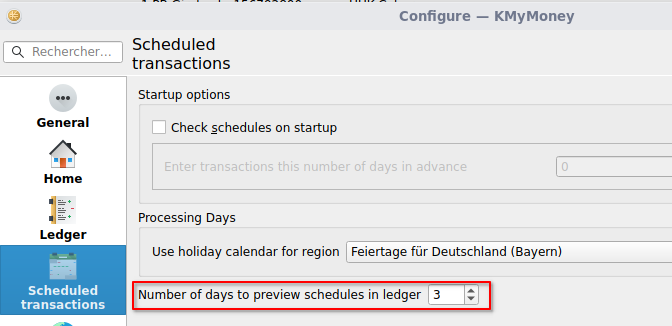
- the software settings also influence what you see:
- Settings → Ledger → Display
- Settings → scheduled transactions
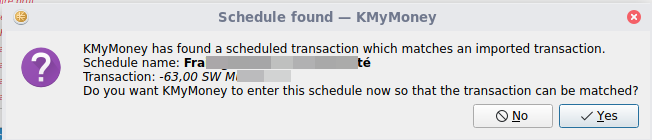
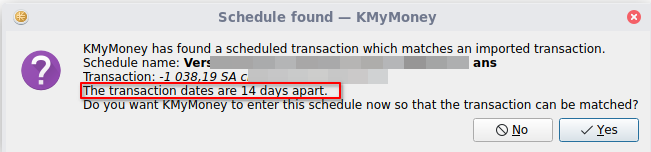
This is how KMyMoney displays the match warning while updating the transactions in the ledger:
In my case, i have a scheduled transaction which is defined to be realized on the first of each month. The real transaction happened today, so 14 days later… and this is how the match (between scheduled and real transaction) warning looks:
After having clicked on “Yes”, the transaction shows as entered in the ledger with date = 15/01/2026.
Yes, that’s a leftover from the old days when the ledger was called register.