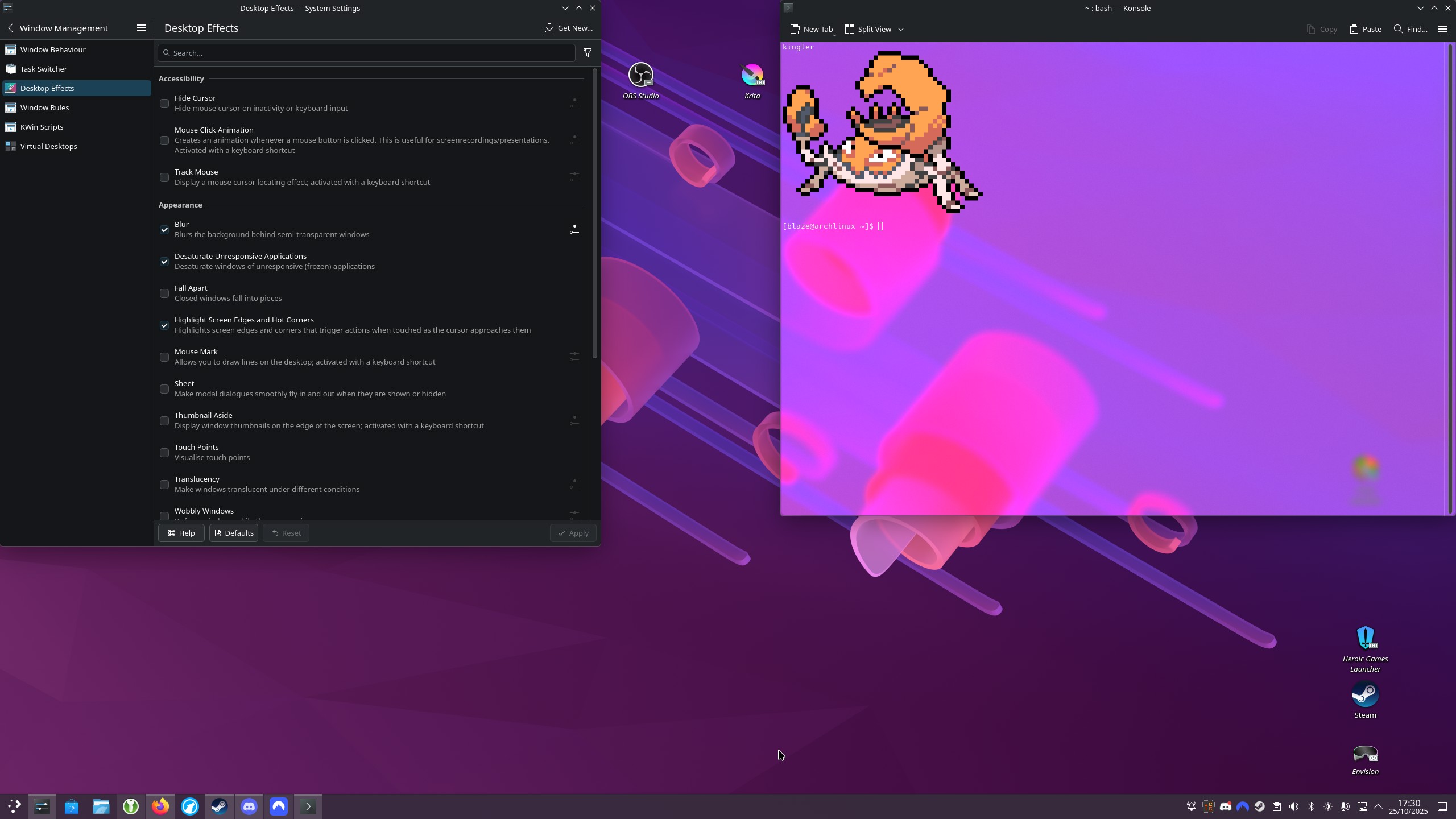
The blur causes the title bar, the bottom bar of the settings app, and the panel to look brighter gray and doesn’t really fit the selected theme. Without the blur, everything looks more coherent and fit. I tried configuring the blur, but it didn’t change the overall bright gray look, which doesn’t fit well.
It might be an issue with the 6.5 upgrade, since I noticed it just today, so I am either blind or the 6.5 update changed something about the blur effect. Does anyone know why the blur effect is brighter gray and how to make it look better with a darker theme like this?
I noticed this too; I really don’t like it. The blur effect really shouldn’t be modifying the colours like that. It’s definitely tied to the blur effect; turning it off has colours show properly through transparent/translucent elements.
Sorry for so many messages mods. but im pretty sure its the contrast toggle thats been removed. when i use better blur kwin effect that does have that toggle available the blur returns to normal, but the moment i turn the contrast dial up in that 3rd party effect the same whitening effect happens.
tl;dr : contrast toggle has been force enabled which is causing this issue
after a bit of digging around i found that the improve contrast behind windows toggle is missing. this was the toggle that was giving me brighter blur in older plasma versions and it seems to be force enabled here. that might a cause…. im not entirely sure as im grasping at straws to find the issue
Ive been having this exact same issue. I’ve tested a few themes (eg: chromosKDE, whitesur, oxygen) they all have the exact same issue of blur being disproportionately brighter after the update to 6.5
I think you’ve got it. I’ve grabbed the Better Blur plugin and it looks good again. Hopefully the contrast toggle being left out was just a minor mistake that will get fixed soon.
also idk if its related but seems like the effect doesnt update properly with the background?
e.g. if i play a video and the color changes only a small rectangle of it would upadte
also, the issue is not visible on spectacle screenshot, kinda the reson i had to just take out my phone camera to capture it
Debian 14 (Testing), Plasma 6.5.0 has the same problem, and I had to disable the blur effect until this is fixed (no big deal), because it was impossible to manually build “force blur” due to missing kwin package somehow.