This looks a bit like a bug, but I feel like it’s an issue with configuration of my system. Corners of semi-transparent panels and plasmoids appear incorrectly and some plasmoids appear to not have background (while having the blur effect). This happens both with Breeze Light and Breeze Dark.
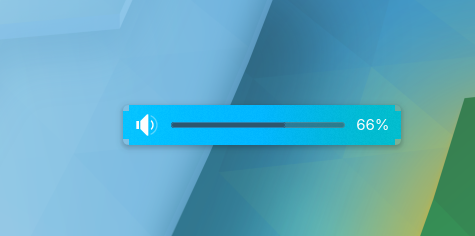

Turning off “Blur” in desktop effects removes those issues, but adds chopped corners:

This doesn’t happen with window decorations and within applications, so it’s specific to the plasma itself.
What could be causing this?