I just posted the below on Vivaldi’s forum and thought I would ask here if there is anyway to disable the side buttons either in Plasma, the OS, or simply in Chrome based browsers. Thanks
I just got a Cherry Storm keyboard and mouse combo that compared to my past Logitech products I’m just loving. The only issue I’m having is the back and forward buttons on the side of the mouse. They are way too sensitive and I honestly have no need for them. There must be away to disable them either from within the browser (I know in Firefox based browsers it’s pretty straight forward to do so) or on the OS level in any OS. I’m currently running both Garuda and Arch both with the Plasma desktop.
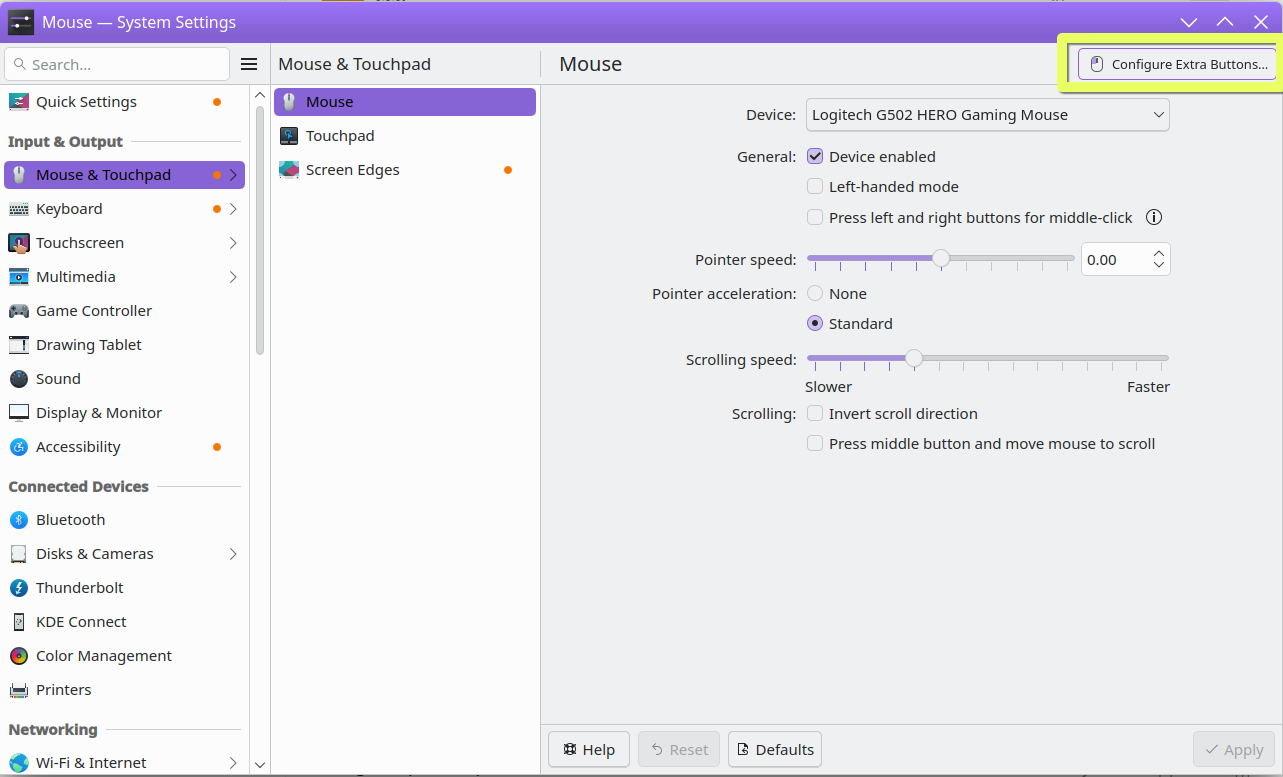
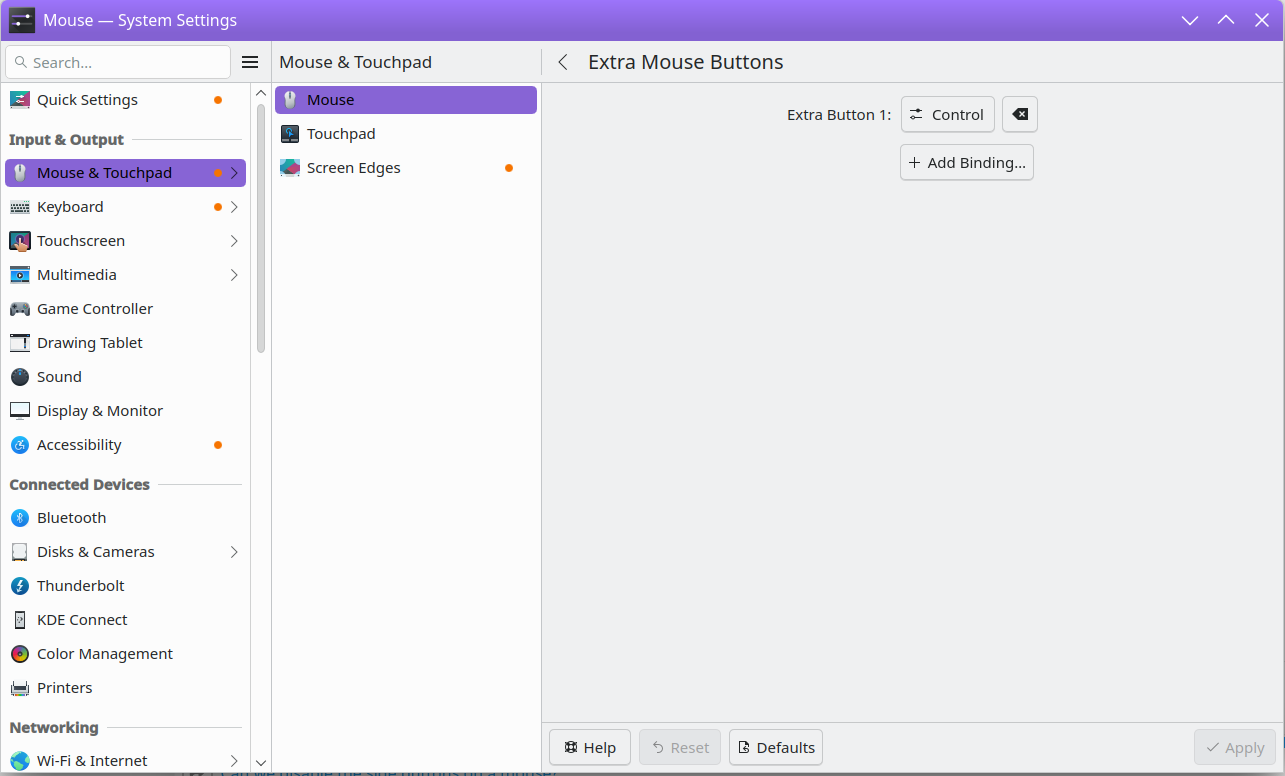
Hi - I was curious to see if Plasma’s built-in Configure Extra Buttons feature could be of use here, and I think it might work for your case to bind those buttons to a modifier like Ctrl:
When I did this, pressing the Back button on my mouse, on its own, no longer functionally does anything. It does also get picked up as an actual Control key, as holding that down and pressing B on the keyboard made the Bookmarks pop up, as I have it configured (hello fellow Vivaldi user).
There might be a way to workaround binding it to a null/non-existent key or something like that, but that approach seemed to work using nothing but GUI tools.
if you are using wayland you can use the GUI settings as suggested to basically neuter the button, but if you are still using X11 you can do something similar using a program called input remapper that should be available in the software store.
using input remapper, you can also type “disable” into the mapping editor to completely disable a key/button.
the GUI is a bit finicky, but it works and if you toggle the autoload option, then add the program to your autostart under settings, it will be a fairly seamless experience.
i remapped my side buttons to copy and paste… copy on the top button because i keep hinting that one by accident causing the browser to go BACK a page (very annoying).
i don’t understand what that does, and the more i looked into it the more confusing it became since none of the definitions on my machine lined up with the text of is snipit.
i’m not a computer programmer and would much prefer a GUI solution.
also X11 is the past and wayland is the future, so spending time learning X11 specific things is a waste when a GUI for this is built right into plasma wayland now.
there is a new setting in plasma 6 under wayland where you can edit these mouse buttons on the mouse settings page… the new configure button is not available under X11 so i have to resort to image remapper to achieve the same result
Yes, OK, for an awful number of human beings, reading and understanding “man pages” is something that will remain as the preserve of those few human beings who indulge in the administration and programming of computers.
For the majority of human beings, a GUI application to set such system variables is, and will remain, the preferred method.
The solution is very easy: a drop of instant glue on each button disables them in all programs and environments. Even after reinstallation of the whole system.
Thank you. I posted here (late) because Google pointed me to this topic.
I’m sure they get missing directories created
Yes, but no. I found the settings directly. But when the message “Press the mouse button” appears it does not trigger the mouse click. Worse, the back function button navigates back to the previous settings panel. So I could not use the UI.
Now after the hwdb rule is successfully applied, the button disappeared completely to assign the mouse buttons.