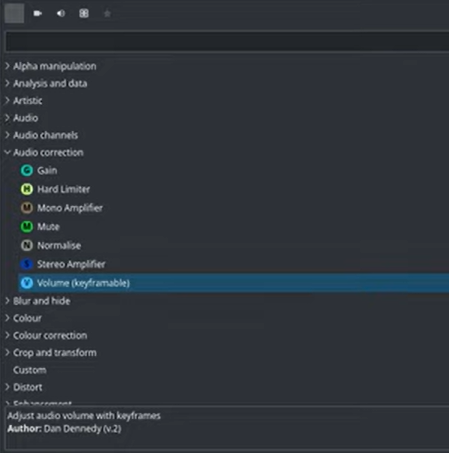
Hi there. I’m new to kdenlive, but I’ve used other video editors (Movavi Video Editor, Powerdirector).
I am having difficulties finding a way to add audio keyframes, which I need in order to increase or decrease the volume of different portions of a video. I found this tutorial https://youtu.be/eQCFteQtKzI but I can’t find the “Audio correction”, “Volume (keyframable)“ in the Effects list. Also, I searched on the Kdenlive manual: Editing Audio Volume with Keyframes — Kdenlive Manual 25.12 documentation but the video there doesn’t work.
Thanks for any help!
Hello @sunyata52 and welcome to the forum.
On which OS are you running Kdenlive (Windows, Linux Mac)?
Easiest way is to enable the built-in effect: Effects and Filters — Kdenlive Manual 25.12 documentation
Maybe a Kdenlive restart is needed to see it.
Start with volume keyframe.
1 Like
Hello @Eugen_Mohr, thank you for your reply.
I am using Windows 11 with the latest updates. I enabled the built-in effects, restarted the app, but I still can’t find volume keyframe or anything like it. When searching for “keyfram” in the Effects list, the only thing that comes up is “Gamma (keyframable)”. I tried including screenshots through some links in this post, but the forum tells me that I cannot include links. Also, only one image attachment is possible for me in this post.
In the tutorial on youtube that I mentioned in my first post, that person had this in his Effects list. I can’t find this:
Thank you for any help
There used to be two effects: Volume and Volume (keyframable).
The first one was dropped and the second one renamed to just Volume. There was no point in having two effects doing the exact same thing.
If you add the Volume effect or enable built-in effects and use that one, there will be keyframes even though the effect’s name doesn’t have it in its name.
We need to update the documentation, though, so thanks for pointing this out.
Tutorials don’t get updated when a new version comes out or some minor changes have been done in Kdenlive.
1 Like
Thanks, @berndmj Looks like that was what I needed.
Do you know if there is a keyboard shortcut for adding audio keyframes? I tried Ctrl+Click, Alt+Click, Shift+Click but apparently they don’t do that.
Yes you can do it but you have to define it by yourself: Keyboard Shortcuts — Kdenlive Manual 25.12 documentation
1 Like