I just did a fresh install Of Garuda and somehow set Dolphin to the below globally when I mean to only do that for one specific folder. How do I revert it globally to be what it is in the second image?

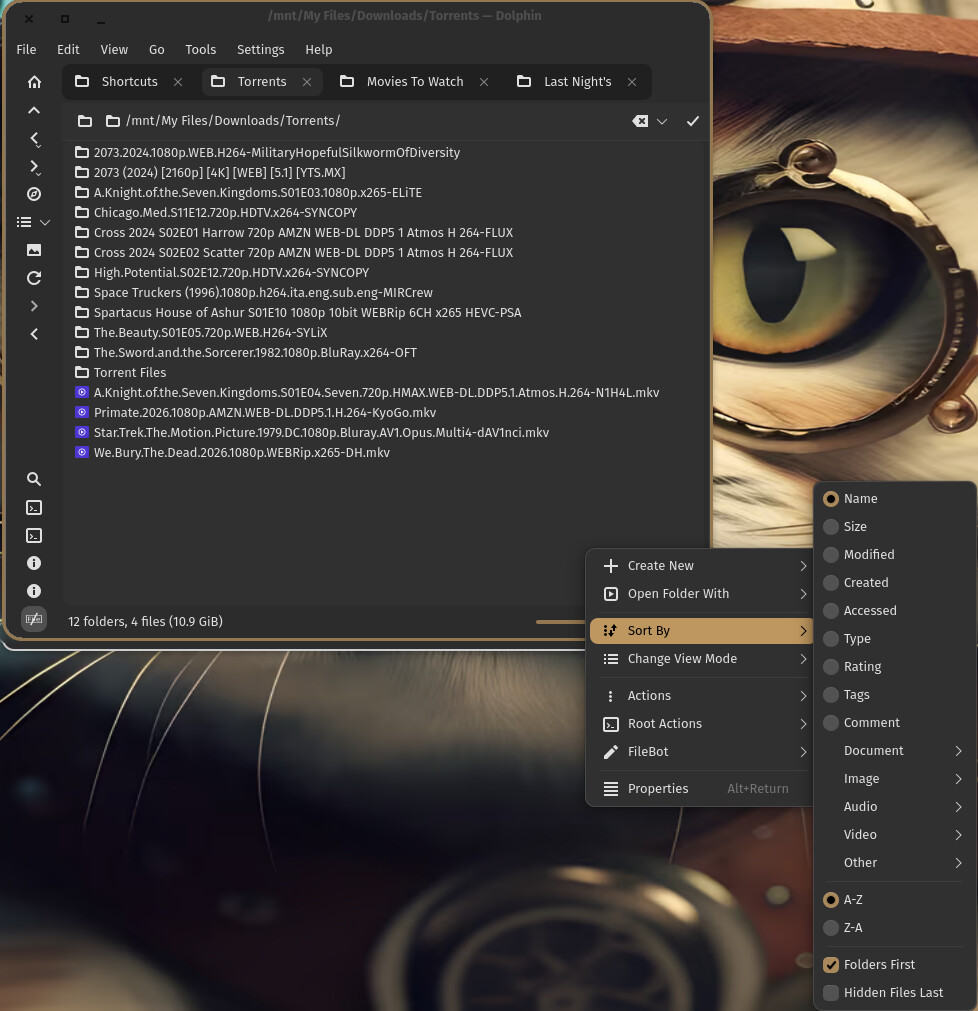
if you go to settings > configure > general > behavior > view
and choose the Use common display style for all folders
you can set it up how you like and that will be your default view
then go back and change it to Remember display style for each folder
and anywhere you have made a change, it will deviate from your default and save the settings in a hidden file within that folder.
or, you can just delete the hidden file and it will revert to your default
I don’t get how the sort order gets changed globally. I install the OS I want to use, install the updates if any, install my apps, launch System Settings and adjust them to my liking, launch Dolphin adjust the toolbar to my liking, then before I go into Dolphin Settings to adjust them I set it to Icon view with Preview cause the vast majority of my folders I prefer that view. Then and only then do I go into Dolphin’s settings and adjust them including “Remember display style for each folder”. That is supposed to be icon display style only and not have anything to do with icon sorting.
When you use “Remember display style for each folder”, you can still choose the default style.
It is in “Adjust View Display Style” accessible in the view mode selector expanded menu at the bottom, or in the menu under “View”.
There, you can tweak view settings and you will find a toggle “Use as default view settings”.
EXACTLY what I was looking for. Knew about it bout forgot where to find it. Now I can reset the sorting back to what I had.
Now it is in the view toolbox in the toolbar it is more discoverable than when it was buried in the menus. This could be improved still.
This was meant to have an UI to change view settings that are already modifiable through the normal UI.
It could become a “set default view settings” dialog instead.
Agree should be in Dolphin Settings with the View options. Still not sure how I made it system wide since the only folder I change sorting on is Torrents to make it easier to do a side by side comparison with what’s in Deluge.