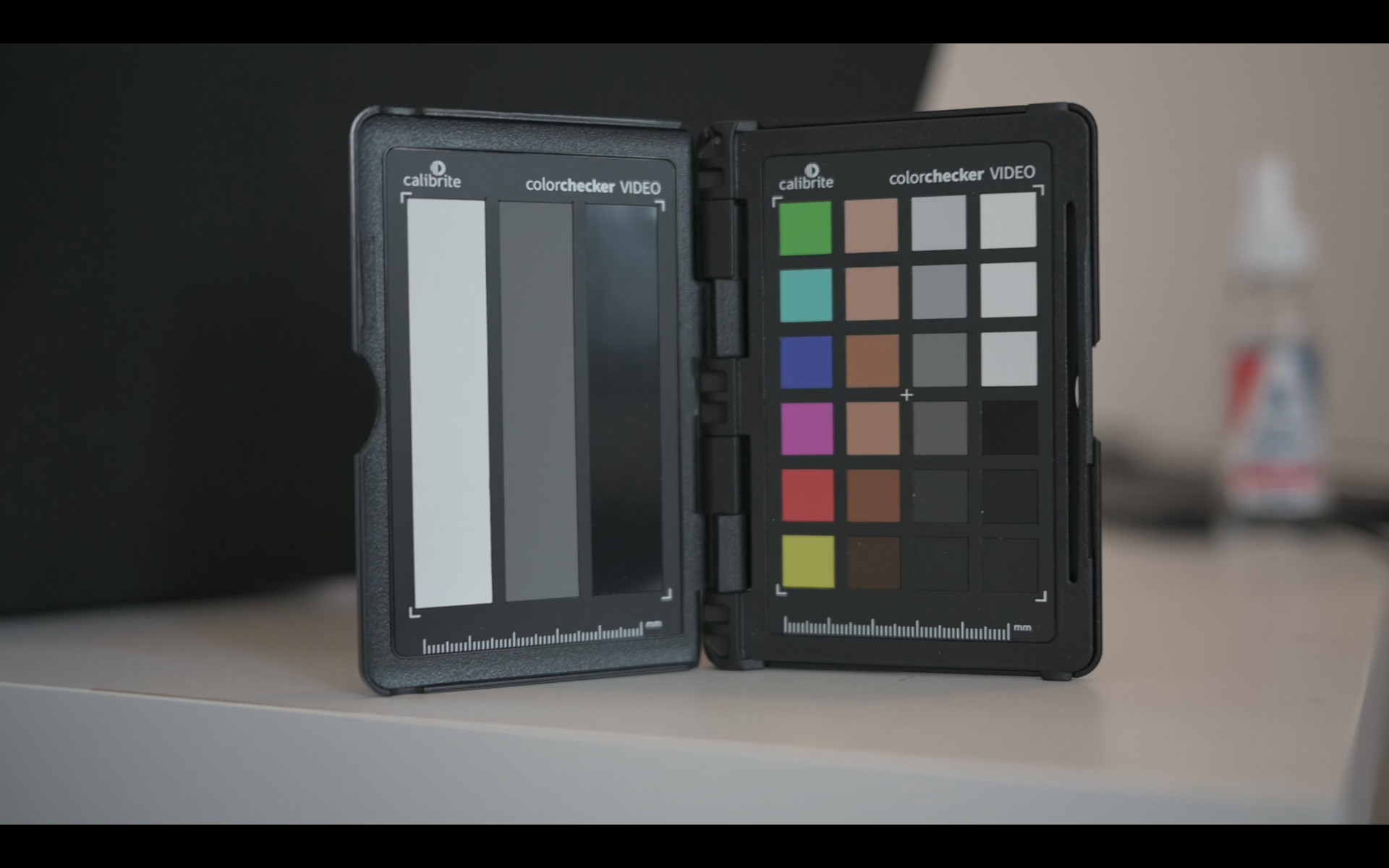
I’ve been noticing a consistent color shift in the Kdenlive viewer/playback window compared to the same source footage viewed in DaVinci Resolve and MPV. Specifically, the Kdenlive viewer appears noticeably greener. This is also visible in rendered/encoded files from kdenlive, not just in playback.
I extracted a screenshot from the same point in all three application viewers/players. I then used GIMP histogram to measure the RGB channel values over the neutral gray card patch on a ColorChecker visible in the frame.
The differences are most pronounced in the Red and Blue channels, with the Green channel remaining relatively consistent across all three platforms.
The observation of a “greener” image aligns with the data, as the Kdenlive viewer output’s Red and Blue channels are under-represented relative to the Green channel, pulling the overall color balance towards green.
@Eugen_Mohr yes, it is 1080p, there is color shift on clip monitor and project monitor, and I’ve tested also with 2 different source material from different cameras, and result is still with green color shift
I have loaded a png file with “5 Shades of Neutral Gray” and checked it with Pick Screen Color of the effect Color Distance and I get the correct RGB values. Then I rendered out the video with MP4-H264/AAC and re-imported the video into Kdenlive and made the same test as above and got the same result.
It seems that the issue is with the video codec or color space used (10bit?).
As @frdbr mentioned, can you share a sample clip which contains the neutral gray.
If it’s something like a clip encoded with Rec. 601 being decoded as Rec. 709 you’ll get a green shift, but that won’t effect any pure greyscale pixels in the conversion from YCbCr or similar. It’s not applying a green mask to the result, it’s pushing pixels that were already “greenish” to be a more saturated green than they were intended to be.
To test for that you’ll need a colour image like the original test used, and what you’ll see from that is that on average the amount of green in the whole image will change, but individual pixels that were greyscale will remain correct, they will not have green (or any other colour) added to them where it did not previously exist.
It’s the conversion between RGB type representations (as used by monitors) and Luma/Chroma type representations (as used by video codecs) where this goes wrong, and greyscale images have no Chroma, only Luma.
ed: Just to be clear, the significant difference between:
a png file with “5 Shades of Neutral Gray”
and the test that the OP originally showed, is the generated png is perfectly grey, while the photograph of a colour swatch greyscale clearly was not, given the analysed RGB values which show the white balance tinting them slightly toward the blue-green side of ‘grey’ - and it’s that slight tint which the conversion error is amplifying and pushing toward green.
I have extracted first 3 seconds of the clip shown in OP using ffmpeg -ss 00:00:00 -i input.mp4 -t 00:00:03 -c copy output.mp4 . File will be available for the next 7 days for download on this link . It is recorded with nikon Z6 II, but I experienced the same color shift with GoPro Hero 8 too.
Thank you for the sample. The color space is BT.709 which is read correct from Kdenlive.
Then I hovered over the neutral gray color stripe (the one below “calibrate”) and indeed it looks like:
Red: 189
Green: 200
Blue: 200
I checked in Shotcut and get the same result as above.
Then I made a screenshot in Kdenlive, VLC, Premiere and MPV (player) and checked the neutral gray color stripe (the one below “calibrate”) of the picture in Photoshop: same result as above.
Then finally, I hovered over your 3 cropped pictures in your first post: same result as above.
What are your RGB colors when you hover over the gray scale stripe, the one below “calibrate”?