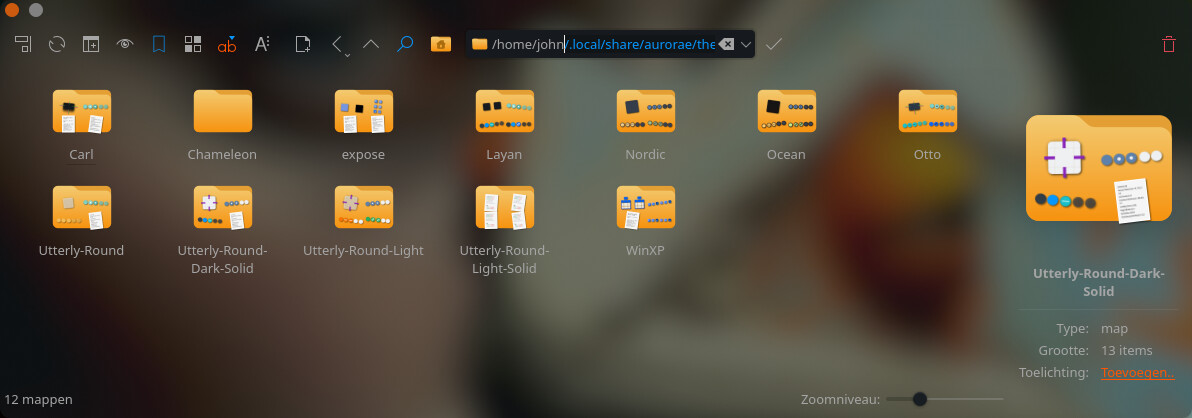
Huh. It sure does seem like there currently isn’t… Looking through other sections, there’s supposed to be a trash can icon next to the edit pencil, but for some reason it’s missing for “window decorations” and “application style”.
This is probably a bug or oversight.
Also, “System Sounds” is missing a “get new” button (even though sounds are available on store.kde.org) as well as the delete icon for me. (I’m still von plasma 6.6 for now)
As for application styles, I guess it’s (partly) a safety measure . An application style is a lot more complicated and resides in several directories. On top of that, it depends how the application style was installed. Discover, an install script…?
if these are 3rd party addons that you got from the Get New… button, then you need to go back into Get New… and find them in there (you can sort by Installed)
when you find them they will have the Trash icon you can use to remove them.
just be aware that you are relying on a 3rd party developer to completely remove everything they installed and sometimes that doesn’t always work out.
from my notes, here are the locations where you might find “left overs” that you need to delete manually.
## THEMES AND COLORS ##

# a global theme can add items to these settings, but may not remove them all upon uninstall
- Appearance > Global Theme
- Appearance > Plasma Style
- Appearance > Colors
- Appearance > Windows Decorations
- Appearance > Icons
- Appearance > Cursors
- Appearance > Splash Screen
- Startup and Shutdown > SDDM
# need to manually check each settings page, select the red trash can(s) and hit apply
# or look thru the following folders
~/.local/share/plasma/look-and-feel/      # Global Theme, Splash Screen
~/.local/share/plasma/desktoptheme/       # Plasma Style
~/.local/share/color-schemes/             # Colors
~/.local/share/aurorae/                   # Windows Decorations
~/.local/share/icons/                     # Icons
~/.icons                                  # Cursors
/usr/share/sddm/themes                    # SDDM
~/.config/kvantum/                        # kvantum themes