Sometimes in response to my pressing something on the keyboard and/or clicking something with the mouse at the same time splits windows into tiles. It’s easy to go back by pressing ESC, but how can I disable this behaviour completely? It’s so annoying when you didn’t mean to ask for it. Thanks.
Search System Settings for ‘edge’ and disable any of the edge/corner activations that may be enabled. This will take care of the possible mouse activations.
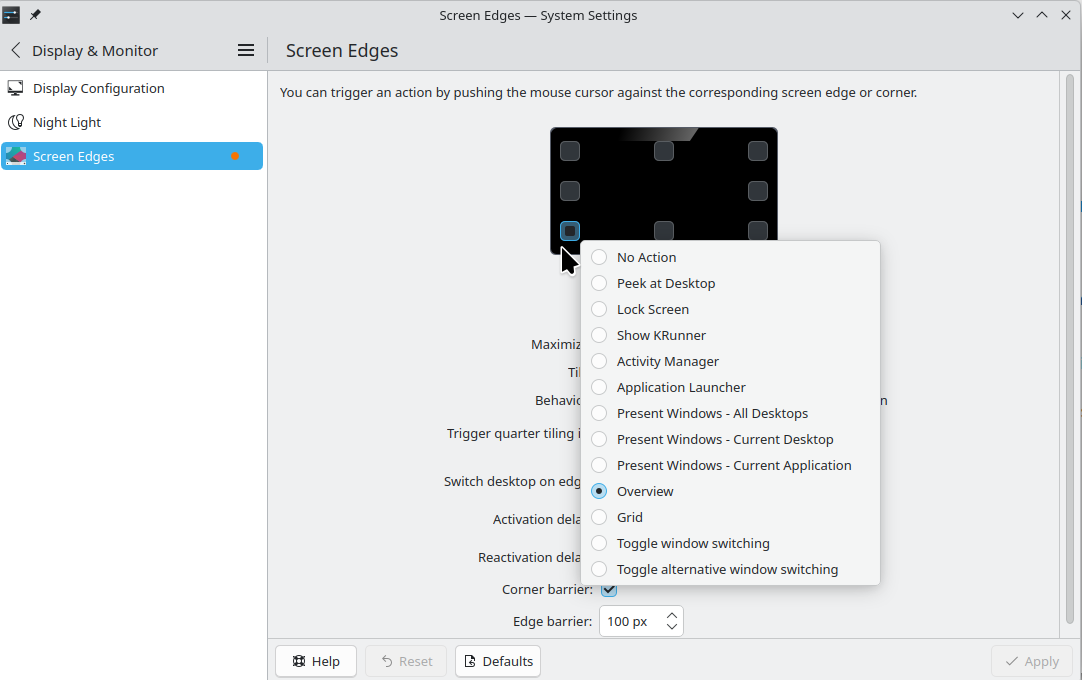
For keyboard combos, this will be a bit of work, since you don’t know the keys you are pressing. As a guess, I’d say you are probably activating an Overview, Present Windows, or other possible ‘view’ type of actions. So look at your keyboard shortcut section, specifically the Window Management area. You can find those that fit what you see, then uncheck the shortcut(s) associated with them.

I finally managed to get it how to repeat this freaking behavior semi-consistently. Simply have a fully maximized window open, like a web browser, and move the mouse cursor to the upper left corner, where the window icon is. Bahm! - you will most likely get the desktop split into tiles (repeat a few times if you don’t) that you can get out of by pressing Esc. And apparently I sometimes move the cursor there by accident. Please help me disable this programmer’s trolling his product users.
My previous post shows where to go to disable that 
Oh. I just disabled Maximize, Tile & Corner barrier checkboxes in Screen Edges. It didn’t help right away, hope it will after I reboot or relogin. I do this daily, so will update here not later than tomorrow. Thanks.
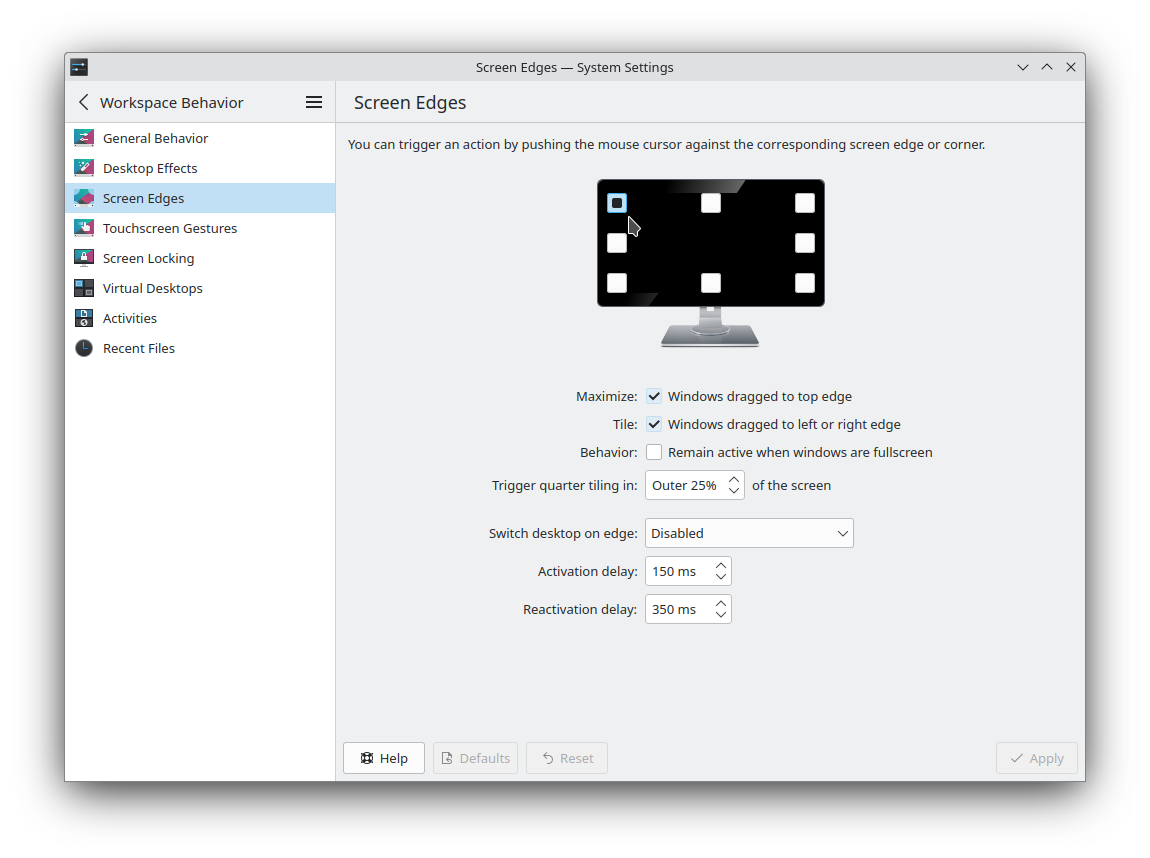
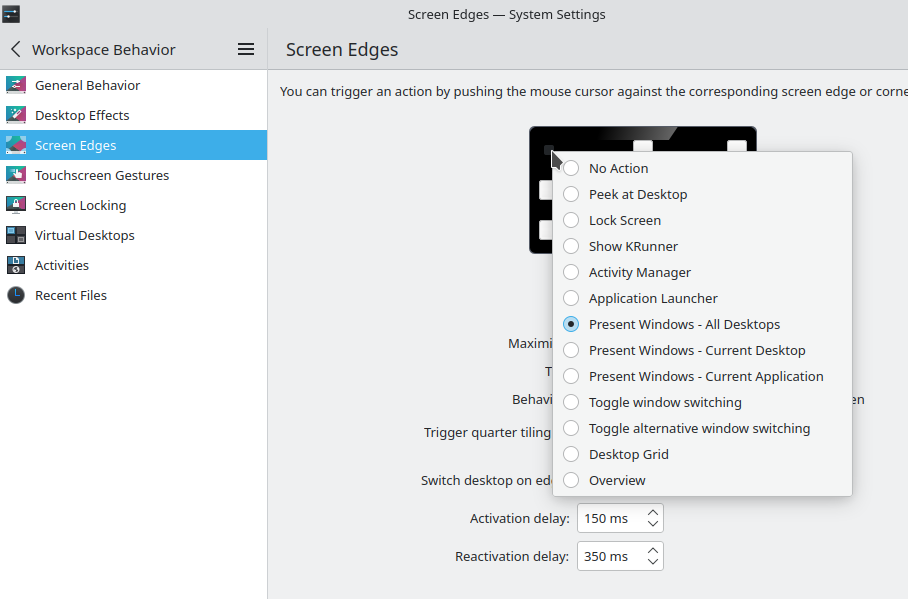

And if i click the top left corner on settings page - it’s the same as yours. Present window - all desktops.
Then change that to ‘none’ or use a different location so you don’t trigger the Present Window action when going to that corner with your mouse, as you described.
Changing the top left corner to None did the trick! Tiling no longer takes place no matter how hard I try. The other checkboxes can be left ticked. Thanks a lot!