Hi, new Linux user here. After trying both Gnome and KDE, I ended up with a strong preference for the latter, with Dolphin playing a big part. However, I still encountered a few papercuts in its Folders pane that, if addressed, would make for an even smoother experience. Please let me know what you think.
Keyboard shortcuts
When I select a folder in the Folders pane and press the Delete key, I’d like that folder to be deleted. Instead, I get a message in the file list saying that nothing is selected. The same goes for F2 to rename.
Selecting folders
Unlike the file list in Details mode, where you can click across the entire width of a row to select a file or folder, the Folders pane requires you to click within the folder’s name. It would be nice if we had full-row selection there as well.
Expanding folders
On Windows, I use an extension called Open Shell which lets me not just select, but also expand folders by clicking anywhere in their row:
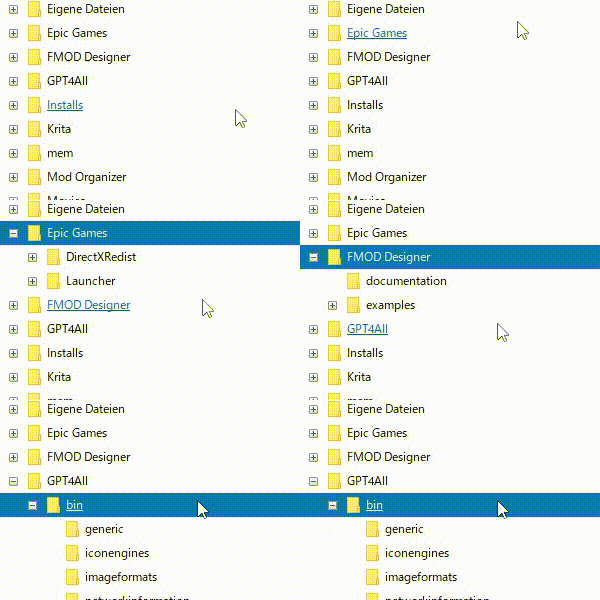
The larger clickable area means you don’t have to be as precise with the mouse compared to clicking the small “+”, which in turn lets you reach your desired folder more quickly. Maybe something similar could be added to Dolphin?
Of course, this behavior would not be for everyone, so the most I’d ask here is a checkbox for opting into it.
Separated Places and Folders panes
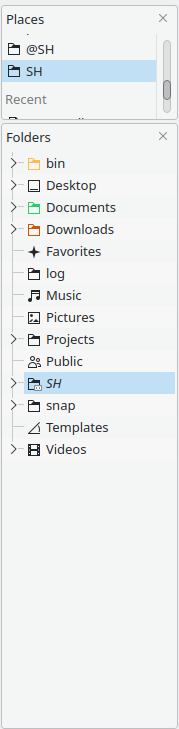
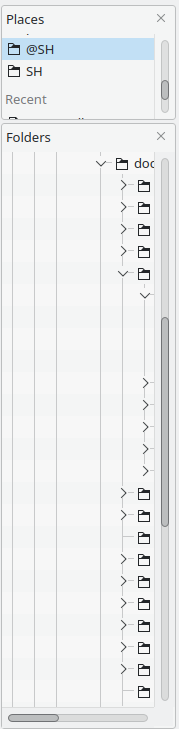
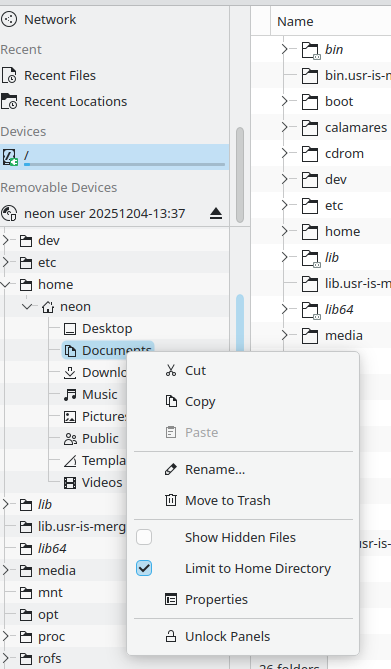
I’m dual booting with Windows and keep all my data on a secondary SSD. When I select this drive in the Places pane, this jumps to a mount folder in the Folders pane, which I find a bit jarring:
- I have to move the mouse all the way from the Places pane to the mount folder in the Folders pane to start exploring the drive’s folder structure.
- Said mount folder is surrounded with “clutter” from the OS drive. I understand of course that this is simply how Linux works - but at least for me, it’s a technical detail that I don’t necessarily want to see.
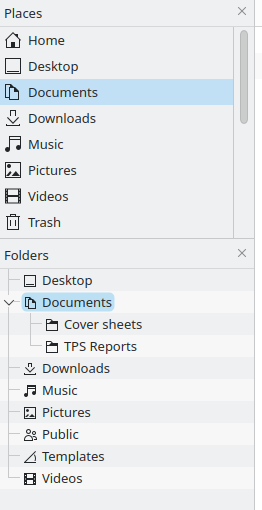
If instead of a drive, you select a Place such as “Downloads” or “Trash”, you get a much cleaner result already: the Folders pane only shows the subfolders of that place, not its parents or siblings. However, it’s still a separate pane.
What would you think about combining the Places and Folders panes into one, so that it becomes possible to expand a drive and see its folders immediately below it?
Mouse back button
The Back button on the mouse works after selecting something in the file list, but it doesn’t work for the Places and Folders panes. It would be nice if it did.