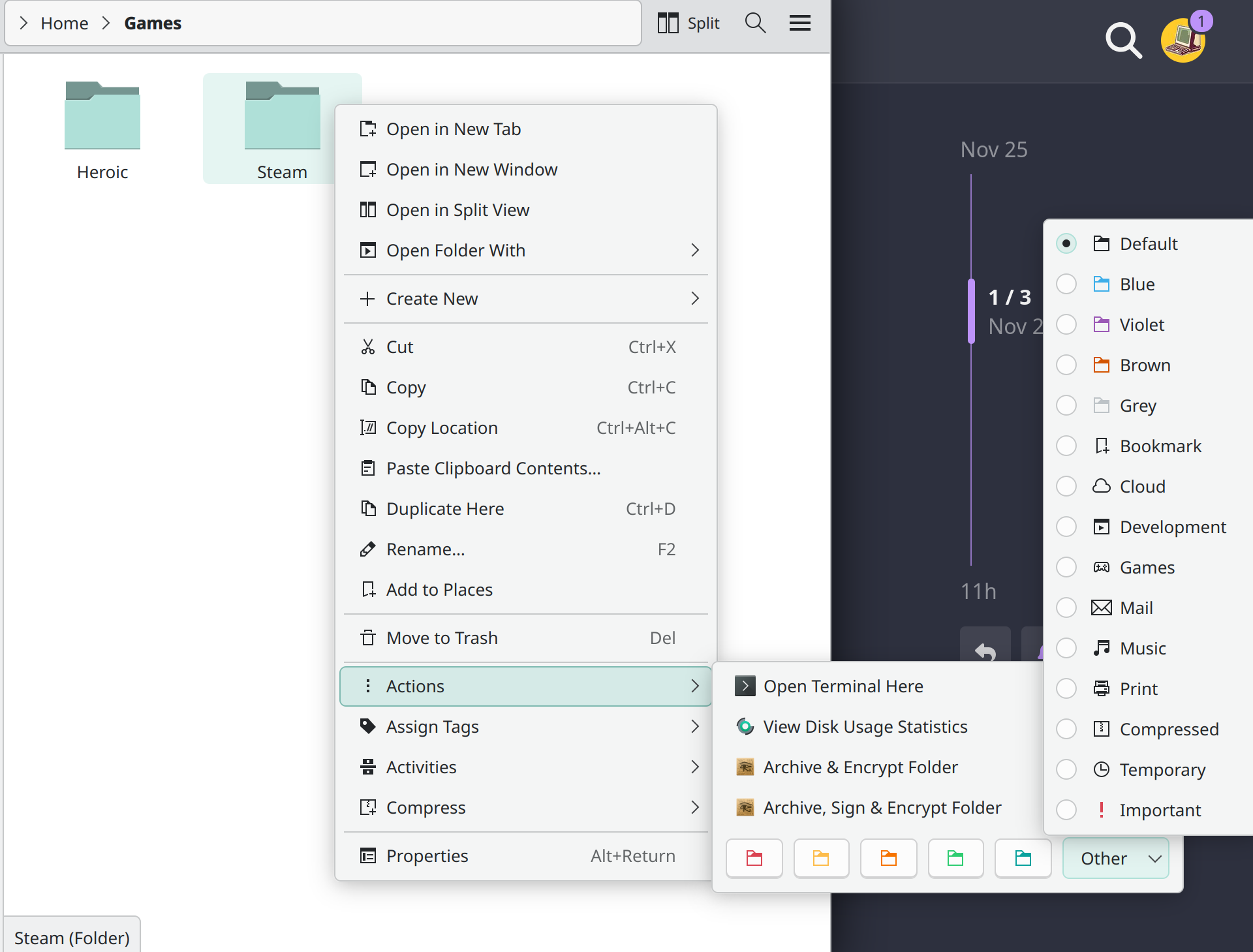
Hi. This may sound real dumb but I cannot find an answer to my question. I really like Dolphin’s way of putting images inside the folder icons to make them stand out - like how music has a note, or documents has a page, or you can assign a little controller to games, etc.
There is an action menu in the right click context menu where I can assign a small selection of these. And if I go to change the folder icon entirely, I can see many more options.
Is there some way to add more basic images (probably svgs) to the selection to add into / on top of the basic folder icons?
I can’t really find any info on this and maybe it’s too basic. Not sure. Any help or direction would be appreciated. Thanks!!
Is it possible to have more icons available to put onto the folder. For this Steam folder I could certainly use the Games icon, but would be cool if I could put a steam icon too.
For those that say I can change the icon entirely I definitely can. But I like this elegant looking solution.
If it’s static for now, that’s perfectly fine. I quite like it!
I had planned at least to have “look for other” button, that would open a popup to select a file.
Like what is available in the properties dialog, as noted by @skyfishgoo :
That’s a lot of options in the context, do you use them all ?
You can hide some in the settings.
could a goal be to make the items dragdable so that the context menu shows the five you want easy access to and the rest can be dragged to the “overflow” area under Other v (sort of like how firefox does the toolbar).
You’re probably right there that it would get too busy. But it’s a great implementation as is. It’s always cool to see how things evolve in this world.
better/simpler to just leave things fixed then… having things move on their own makes the UX less predictable and more confusing.
maybe exposing the choice between keeping the menu at the root or tucking under the Actions submenu would be better time spent, given the confusion that has caused when it shows up in different places for different users.