m33o44
April 19, 2026, 6:15pm
1
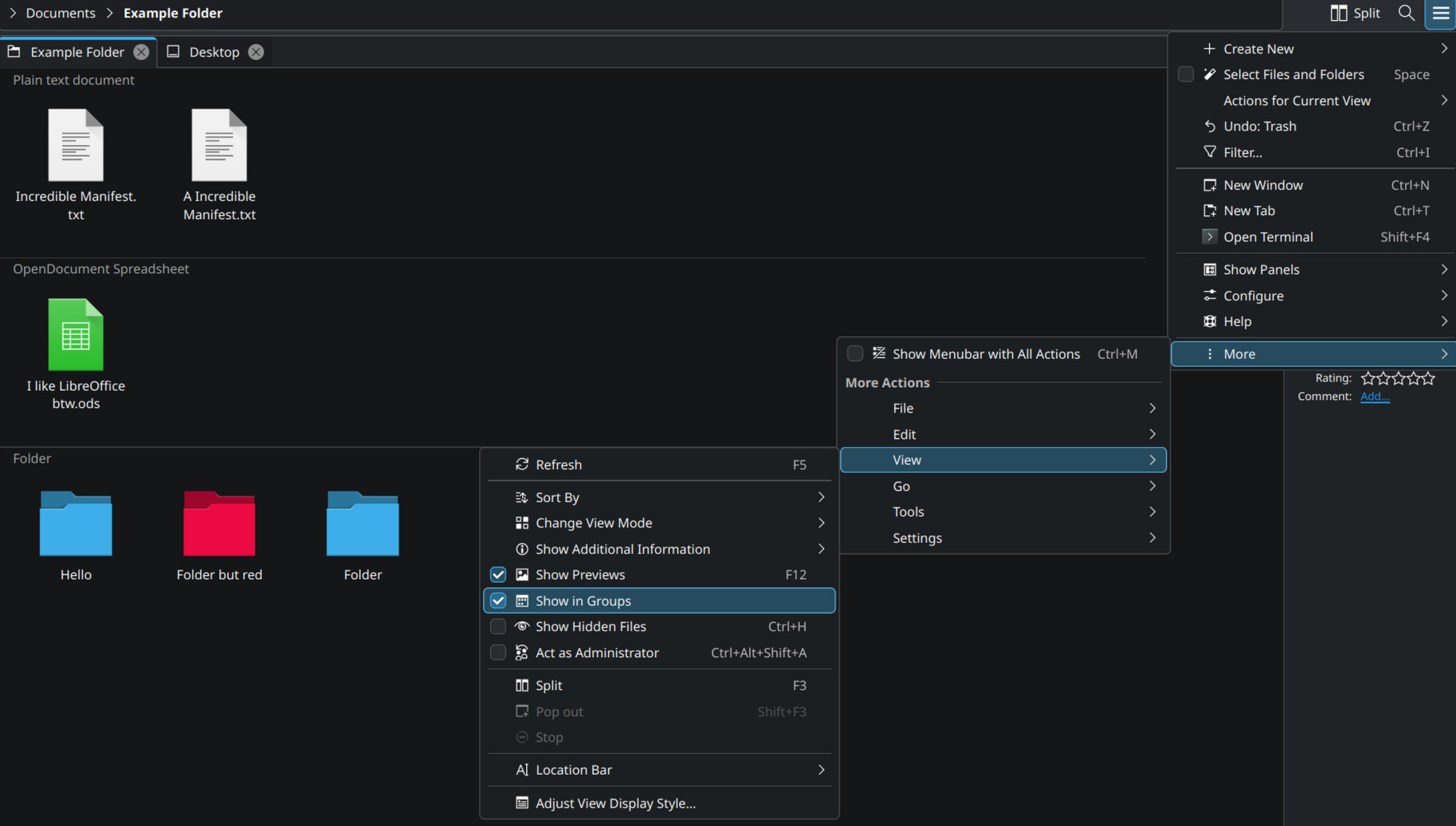
To access the “Show in Groups” option, by default it’s required to go through the Burger Menu > More > View > Show in Groups
It is also possible to set up a shortcut for this action:
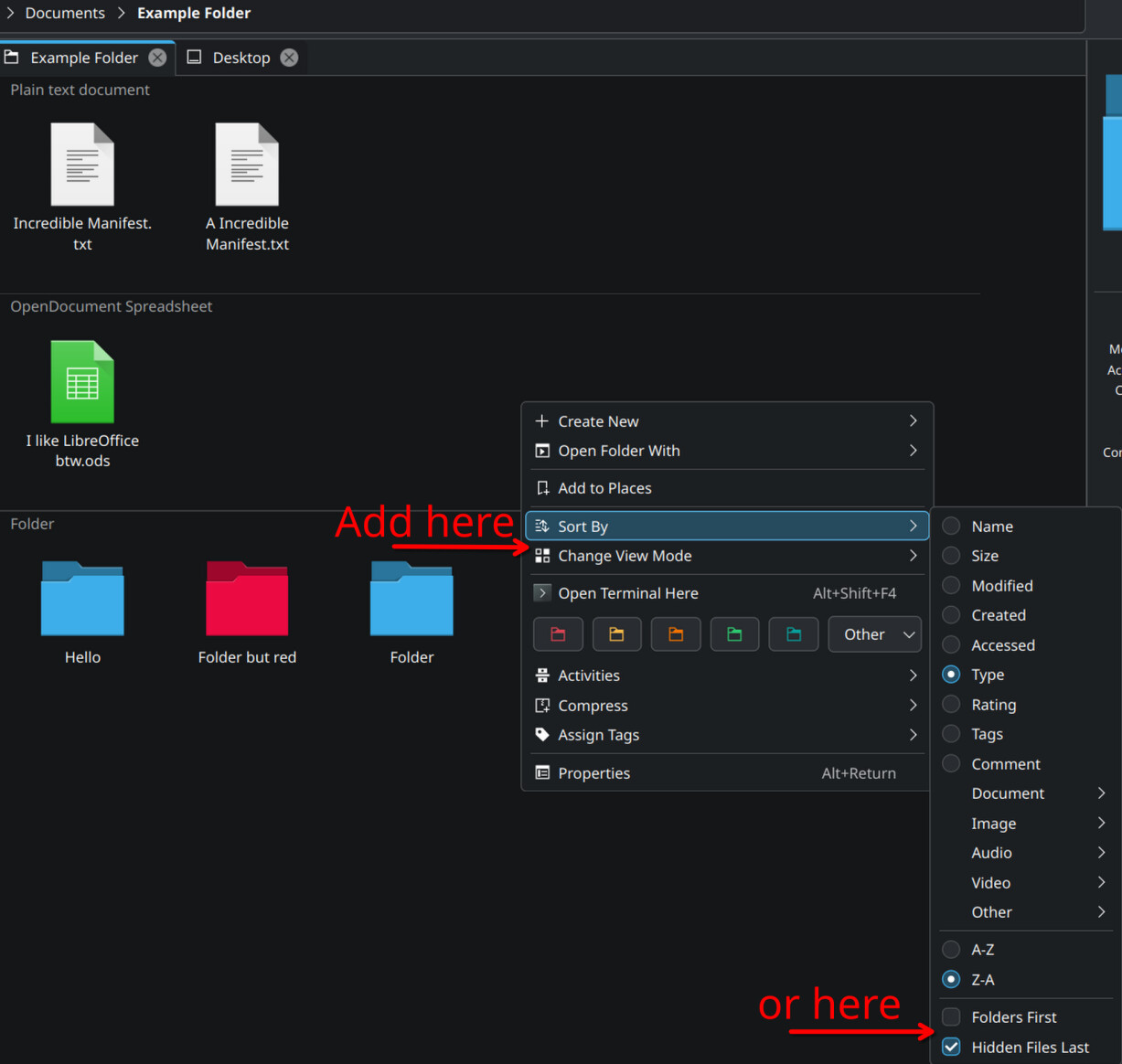
I’d like the “Show in Groups” option to be available in the context menu, when right clicking on an empty space
dzon
April 19, 2026, 6:20pm
2
Make a servicemenu which emulates the shortcut. Depending on what you’re using, xdotool or ydotool, kdotool…
here’s a simple example:
m33o44
April 20, 2026, 9:54am
4
Thank you for all your replies
I found that “Adjust View and Display Style” can be directly added to the toolbar (based on @jinliu ’s post)Right click on toolbar > Configure Toolbars >
I haven’t found a way to customize the context menu from the GUIBurger Menu > Configure > Configure Dolphin > Context Menu
from: @dzon
Probably this would lead to what I’m looking for, but I think there should be a way to customize the context menu within Dolphin’s GUI
dzon
April 20, 2026, 6:26pm
5
It’s not that hard. And besides, you’d still have to know what the exec would have to be.