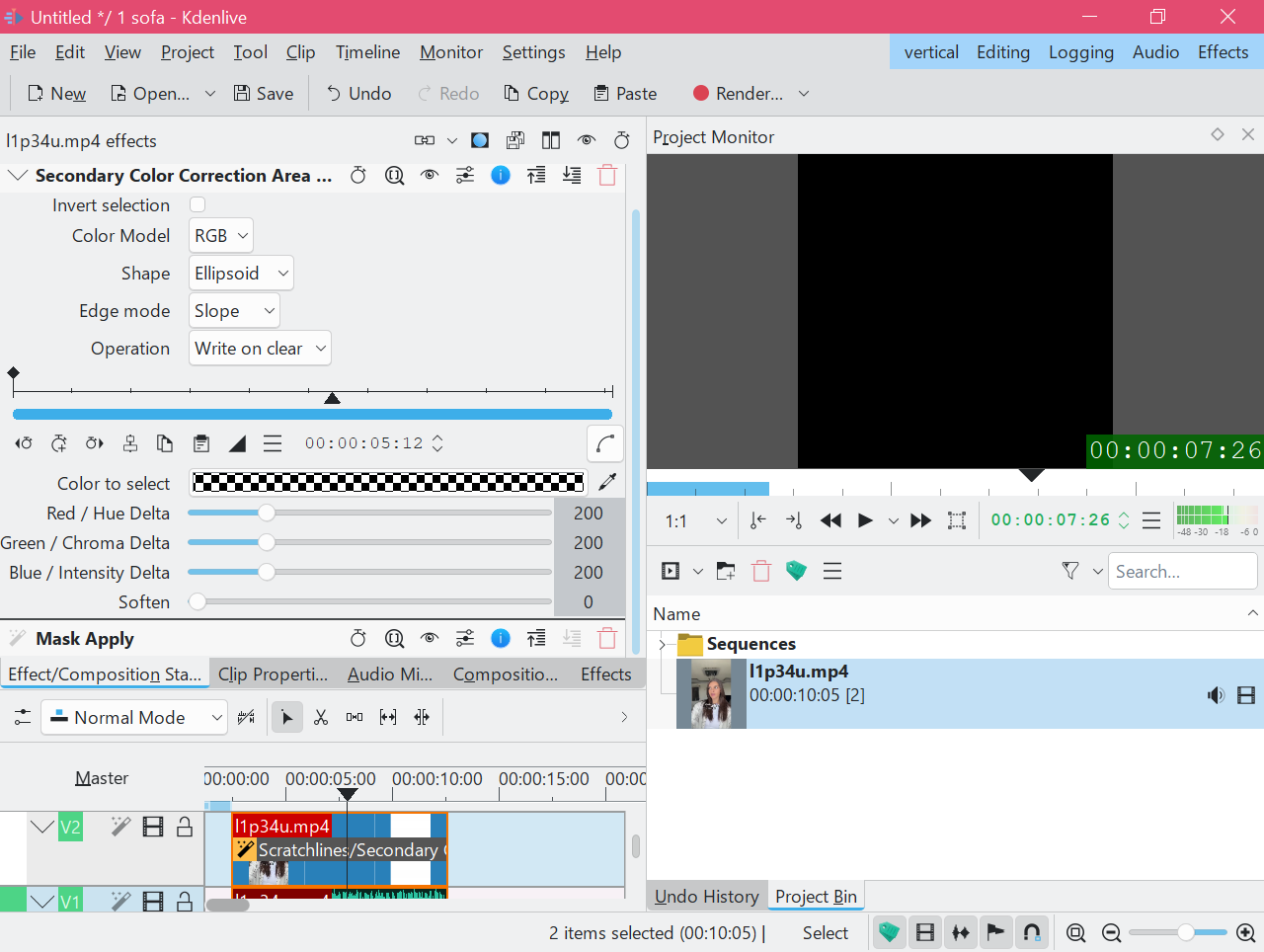
How to reduce the impact of any effect? For example, the Motion→Vertigo effect. By default, the effect transparency is 0% (and it is unknown how to regulate it). How to make any effect 50% transparent? Or 75% transparent? Or 25%.
The transparency of the effect can be casually attributed to effect influence/strength. Of course it’s not the same thing
for some reason I can’t see the bottom node. I created a bug report.
However - after creating new nodes - the line on the graph became non-linear. So, at least a something other than blackness should be visible, isn’t it?
Levels is not the right effect here. The SCCAS (Mask) effect creates a copy of the frame to which the effects are applied. The Curves effect on the alpha channel basically changes how the two two frames are mixed together.
It works like a charm here (Pop!_OS with Kdenlive 25.04.3 Flatpak). Can you just start from scratch and apply SCCAS (Mask) first, then Mask Apply, and see what happens? If the project monitor doesn’t show anything we have to look elsewhere (is the track enabled?). If you see the clip, add the desired effect (you can drag effects around in the effect stack and change their sequence). Continue adding effects as long as you still see the clip.
I tested the project with the supplied source clip, and it works perfectly. There must be something wrong with your Windows setup. I tested it on Windows 11 with Kdenlive 25.04.3
In this screencast I showed Kdenlive working in my system. All effects are enabled. It seems there is no mistake on my part.
We will try to figure it out with the development team. Thank you
It does matter. Kdenlive applies effects in order from top to bottom. In this case the Curves effect is used to change the strength of the Vertigo effect.