Hi all,
I’ve just upgraded to v5.2 and it looks soo much better. A big thank you for your effort!
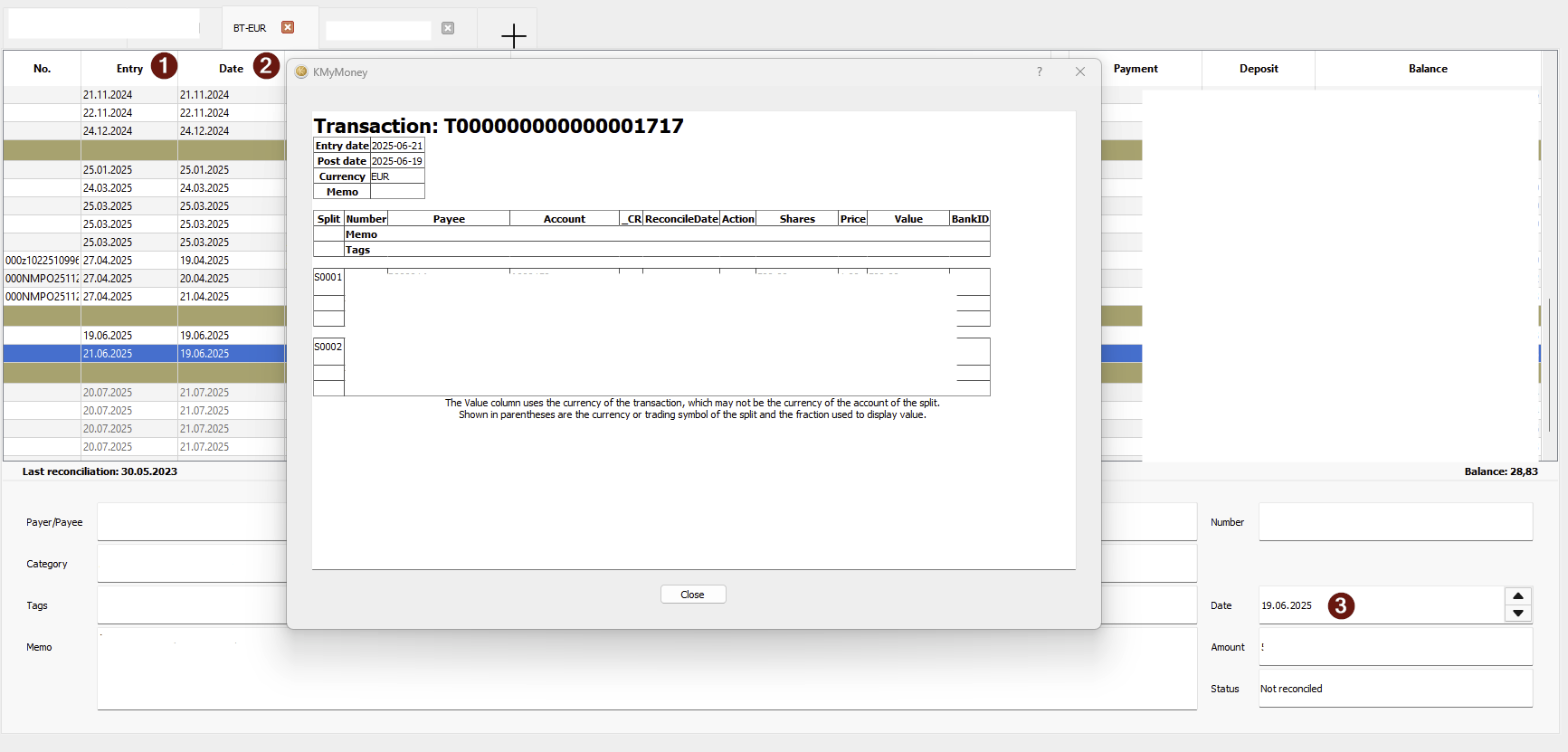
I am a little confused about the entry date and the post date in the ledger screen. Post date seems to be the transaction date ( 2 = 3 in the picture) but entry date is not editable anywhere. What’s the purpose of entry date?
And since we’re talking about dates - many card transactions take 3 to 5 days to be processed that means if I pay something today, the transaction date on the bank statement will be today + 3/ +5 days. If I use the “today” date in KMyMoney then the balance at the end of the month in KMyMoney will not match the bank statement balance at the end of month. I am manually reconciling the transactions so I’m not sure which date is more important.
What is the best way to handle this scenario?
Thank you.
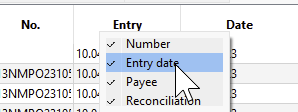
Just replying to myself: Seems like Entry date is the date when the transaction was entered in KMyMoney and can be removed by right-clicking the ledger grid header and uncheck it
I’m wondering now if a plugin could provide a “Payment date”
You are correct. Entry date is the date the transaction was created by the program and cannot be changed (I don’t think.) Post date is the date the transaction took place (which may not be accurate depending how the transaction was created, but it can be edited. That check box you show (and the others) do not delete any of those values, they just show/hide that column from the ledger display.
Thank you for confirming my finding. Do you know if there’s a way to globally hide the Entry date?
There’s no global setting but once you have hidden the column that change is made permanent for the view. There are three views to which this applies: Ledger, Payees, Tags.
Hope that helps.