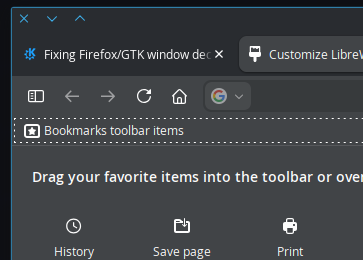
TLDR: Firefox/GTK apps are not correctly using window decorations.
I would like to be able to keep my tabs on the same bar as the close, minimize, fullscreen buttons, and also have those buttons (window decorations) match the window decorations for Aurorae.
This is something that’s definitely possible, as I’ve seen screenshots with it working on Plasma, but I haven’t been able to track down how people are doing it.
Changing the window decorations through the settings app updates a folder in ~/.config/gtk-3.0 called assets with svg files of said window decorations. As far as I can tell, window_decorations.css in the same folder is supposed to configure GTK apps to use these decorations, but is not working. Using “Configure GNOME/GTK Application Style” under “Application Style” in settings changes the color and some aspects of the theme, but does not change the window decorations. What does seem to change the window decorations for GNOME/GTK apps is changing the Icons through the “Icons” menu in settings.
For Firefox specifically, I’ve also found people recommending various combinations of userChrome.css and about:config settings to tell Firefox what window decorations to use, but nothing has worked so far. Specifically widget.gtk.non-native-titlebar-buttons.enabled (if I understand correctly,) is supposed to fix this, but does not seem to have any effect.
I also tried all suggested fixes in a virtual machine to see if my system configuration was the problem, but to no avail.
In case it’s not clear, I would like to change these buttons.
It seems this is a Fedora issue (which means you might have a greater chance of finding a workaround there).
Firefox and derivates like Floorp and Zen browser are more Linux-friendly than Chromium and derivatives.
I’ve always seen the former automatically adopting the window decoration / aurorae theme, window control buttons used system-wide by the user in Debian and derivatives, while the latter usually offer “Classic”, “GTK” and “Qt” theme options, and oddly choosing the GTK option works, not the Qt one under KDE Plasma.
If I’m not mistaken, I believe FF dropped the custom gtk for csd. I tried about:config settings, userChrome css, gtk 3.0 css, scripts….no dice. Unless I’m missing something, FF goes hardcoded for this one. As you can see, FF on my rig uses a extensive css. But those close/min/max buttons? Zero.
I don’t care about changing KDE Plasma default (Breeze) window control buttons so my experience regarding this matter seems very limited as I always see Firefox and derivatives appearing exactly as expected: those Breeze window control buttons on the top right corner of the app window (without title bar whatsoever).
However, this is not so with the others, all those Chromium-based browsers, some of which will allow these default/Breeze system-wide window control buttons only if one chooses “GTK Theme” only, while some cannot even do that, e.g. Vivaldi (unless you do some tricks with a custom CSS) and Opera, which seem to have definitely no way of changing them.
Though personally I like my tabs below the address bar. at least in firedragon or floorp you can with css? I think it was. change them. Though I did this with a premade theme.
It is possible with themes. But I’d have to make what I want in theme “format”. That’s because I already have an elaborate userChrome.css for FF or Floorp. In terms of purely css, I don’t think it’s possible. But….who am I to tell. Aaanywhoo…no floorp settings, css.
Darn. Unfortunate! I guess I’ll look into custom css then. Apparently you picked the perfect keywords to describe the problem, because you are 100% correct and I’m not sure how I didn’t find any info about it until now.
I am still curious about what’s supposed to be happening with the gtk-3.0 assets folder, and why changing the system icon theme seems to work if anyone knows anything about that. Otherwise this is probably just a “Firefox dropped support for it” issue and the fix is using custom css.
There used to be a setting in the about:config ( lord knows the name again) that allowed it. That setting no longer applies. It was that one that enabled the assets folder. Oh well, FF has always been a pain in terms of ui synchronicity. And some..
This is the only way to make it follow the system window decoration.
Otherwise, of course, you can play around with userChrome.css to try to make it look as close as possible.
edit: if showing the title bar makes the window header too big for your taste, then you could set about:config > browser.compactmode.show = true
Nice! That worked for me. Incidentally, I looked for similar in Thunderbird but it’s slightly different there: hamburger menu, Settings > Appearance and uncheck “Hide system window titlebar”.
Unfortunately, no it is not. While this does show the system titlebar, it’s on a separate bar from the tabs which is specifically not what I want to accomplish.
I’m glad some of you are happy with the system title bar as suggested by @kilgoretrout but I very specifically made this post because that solution is not what I’m looking for. I was hoping to also be able to help anyone in the future having the same issue as I was because there is definitely some way to make this work the way I want it to. To any future readers: see the marked solution.
And thank you regardless to everyone for trying to help, I appreciate your time!
You want tabs and buttons on the same row, I get it now.
Personally I wanted the same for my configuration, and settled for a Plasma Panel at the top, with the Window Title widget and the Window Buttons widget, so that the panel ends up looking like the very header of the window.