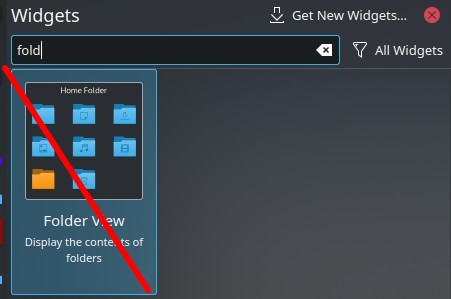
I’m so stubborn in finding a way to have a proper quicklauncher, I’ve gone mad trying different combos.
So out of nowhere I found a “trick” to make Folder View Widget display the KDE Menu categories by giving the Custom location field the “applications:/”/applications:/folder" (if you have added a subfolder yourself) parameter.
Alas, this “hackery method” does seem too far out of this widget’s scope as every time you launch a shortcut, you get the “executable prompt” window, even though you use pre-made Kickoff entries. Icon order isn’t kept as well and you cant move stuff around.
Has anyone ever succeeded making this work so you can fire up apps with 2 clicks (if nested), without any side effects?
My only solution so far to be able to launch apps quickly without using the start menu and the broken Quicklauncher widget, is by placing shortcuts on a floating, autohiding, side panel like that:
Its a dumb method, but at least you can reorder and can access stuff without having to open the start menu, add everything to favorites and then find out you can’t even customize the Favorites category at all; can’t have subfolders, spacers…
if you are using the quick launch widget (not the folder widget) you can just drag icons to the it from either the task bar or from the app menu and they will launch without any pop up or dialog, which is what you said wanted.
I’m not looking to simply plaster icons all over a panel, rather put em in a well-organized dropdown menu, be it in categories (Audio, Image, Video) or split with separators. Maybe once the QL popup is fixed, it’ll work. Until then… one gotta look for alternative.