Gauging Interest in a Rounded Breeze icon theme?

The interest in this idea comes from another thread i mentioned this in, regarding a potential redesign of the KDE Plasma, Frameworks and Gear logos;

I find that the end result of the rounded logos is much more pleasant than any of the other offerings, including the current one itself. Though, i’m not here to justify my support of that idea.

My opinion is that Plasma would benefit greatly from a more rounded and less angular design, and i want to see if other people share this opinion and if something could possibly be made to happen.

At bare minimum, rounded shapes are more friendly and inviting, and evoke less of this sense of edge- something that feels like it came about as a response largely to Windows 10 embracing that utilitarian, no-frills style as well, even where other competitors were offering flat and utilitarian, but still human-friendly designs.

It’s something people take for granted now, post-Windows 11 & MacOS 11, and the more of a departure something feels like- the more dangerous, the more risky it feels- the more friction there’s going to be in a user’s perceived experience, even when nothing is any different.

But on top of that, it’s starting to feel like in other ways, Breeze already has started to embrace that friendly, soft future style- with the addition of the default floating panels and rounded corners on windows.

I feel like the visual synchronicity of rounded icons along with the generally rather rounded visual design (excluding the current icons) feels correct for Breeze.

Rounded icons, in my opinion, would also mesh far better with most other icons- something that could be argued pretty strongly, especially after the team made the decision to remove theming for third-party applications like LibreOffice.

I think i’ve made enough points to justify it potentially being a good idea, but i can understand it might still be a controversial idea, especially given that it comes from a place of changing things purely to be noob-friendly to Windows 11 & MacOS users.

Upkeeping the square Breeze icons shouldn’t be a significant undertaking especially as third-party icons in Breeze are deprecated, and it might be doable so as to not alienate existing users- but realistically i don’t understand the full scope of an operation like that at all. I speak purely as a casual user who just has things to say and some minor experience on the psychological side of design(and not so much the practical side of… anything else).

So, what do you all think?

1 Like

This is a common request, and there is work already being done towards the next iteration of breeze icons, dubbed Ocean. There is a new icon set, a new theme and a new design language. For now you can also download the icon pack and try it yourself

You can find some video examples over on Andy’s channel
https://www.youtube.com/@anditosan/videos

4 Likes

I don’t want to se everything being rounded. There are places which makes sense, other which I do not care of one or another design (see Plasma design of the other thread you mentioned), but there are also some points where I dislike round corners. For example I wished the Corners on bottom of every window would stay as sharp edge. Sometimes rounded corners bring more noise into the screen. The window corners of GTK default design is such a case where I just hate the corners completely, because they are so huge and bringing noise to my screen (luckily I use GNOME on phone where everything is maximized).

I know you’re speaking about icons, but the same applies here. I like the sharp corners of min, max, close buttons and alike and I wish the hover icon wouldn’t be a cycle (more a square with rounded edges or just the accent icon color without background). But that also doesn’t mean to me that everything has to follow the edge-design and depends more on the actual elements they’re applied on or what the design is representing.

And by the way, it has nothing to do with Windows at all. I do not care what Microsoft did or not did. I just care if the desktop looks like something to do serious or less serious work with or if it looks like a toy for my child.

So I really would like to know where exactly you want to make more corners round. At least some examples.

2 Likes

Huh, damn, first i’ve heard of this, alright. I’ll definitely give it a look!

It’s Plasma. All the things that you want to change are configurable and themeable. This is setting a default for most users.

I like the sharp corners of min, max, close buttons and alike and I wish the hover icon wouldn’t be a cycle

You might want to check out Klassy. It provides all the things you want. Go ham!

2 Likes

I have used Klassy! I don’t currently use it, just mostly using Breeze defaults because i appreciate the simplicity and general synchronicity of everything. It’s a whole design scheme, i like that.

I suggest this mostly as a matter of new-user-friendly defaults, but as the other person said, it’s already happening, Ocean is a thing. I’ve tested the icons out and uh… i’m still not 100% sure how i feel about it, but i imagine it’s also massively unfinished and probably won’t go live until Plasma 7, or god forbid even later, so it’s got a lot of time and room to improve.

I would rather want to keep the current style available than going with an additional powerful third party program that includes tons of stuff I do not need. Before updating to Debian 14 I probably should backup the Plasma 6.3 icon theme. I actually like some changes and dislike others.

In example I like the change of

grafik

to

grafik
(ignore the background color)

while I dislike

becoming

grafik.
(it’s from thumbnail, so ignore the rotation)

The Ocean one looks like a desktop icon for kids and like a copy of GNOME Adwaita:

Not only that, the context is a display and it gives vibes like “it is cool to round the corners” like they’re often on smartphones. I remember when the company Purism was speaking about rounding the corners of the Librem 5 Linux phone, which many users did not want (therefor it did not happen) and the last two symbols give me that bad feeling, too. It is interesting, because there is no downside as “cannot display all screen stuff properly” on an icon, but human brains can connect those feelings by just seeing a symbol.

Long story short, I would love to have something in between without much work of selecting icons manually with a context sensitive decision where roundings are positive changes and where they’re not.

To be honest i’m kind of in agreement, i think the iconography in Breeze is fine and Ocean goes out of its way to change it too much instead of simply removing the corners like i care to. I dont think the Desktop icon is the worst example, admittedly- though i’d prefer if the corner arrows returned, otherwise it just looks like a generic screen icon instead of a display config icon.

Some choices are weird- like the new Discover icon being at a strange angle, as well, and the new Folder icons look like the crappy old Adwaita icons. i don’t like that. But it has a lot of time to go so i do feel like these kinks will work themselves out over time, especially if people like us contribute even just on feedback when it comes to readability and etc.

I just made a quick and dirty GIMP edit how I would prefer the desktop icon:

I can think of few further changes, but as example it is enough. Some corners are round, but not too much, some others are sharp to keep it looking serious and technical. I may would round two other corners, too (if they’re looking well after testing), but in general, that’s my preference.

Thank you very much for sharing this.
I’ve already begun using it for a test drive, and seems I might keep it (with very little customization).
Is there any room for user feedback on this Ocean theme set?

Yes you can open an issue on gitlab : Issues · Andy Betts / Ocean Design · GitLab

1 Like

I agree that Breeze icons is very sharp and need to be rounded a little bit. I like the styling however, the subtle roundness at the bottom of the window make things more pleasant imho.

I like how the ocean’s styling is going but not the colors (not contrasted enought) and the icons (especialy the colorful ones) need a lot more work.

1 Like

The Ocean one looks like a desktop icon for kids and like a copy of GNOME Adwaita:

“Desktop icon for Kids” is not a meaningful comment. And KDE is for everyone, we are not targeting just professionals/enthusiasts. The icon set needs to be understandable by everyone. The icon design uses a lot of prior iconography across different design languages and systems. Being different from breeze is not a bad thing if the prior icon wasnt doing best to convey a certain action.

I just made a quick and dirty GIMP edit how I would prefer the desktop icon:

I appreciate the work you are putting, but you are completely disregarding the icon guidelines that we have set up for ocean. The strokes need to be consistent 2px all around (that means appropriate curves/rounding and spacing). Often times the design that
Andy ended up using in Ocean is because of these constraints.

1 Like

It is very meaningful. I did not want to make a negative comment without description. It actually is the description. If we look at toys, we have Lego and alike that are for kids and adults and we have Playmobile that is targeting kids with huge round stones so that it is safe to use for kids. The Ocean icon design feels like creating Playmobile and targeting “everyone”.

From the shape Ocean does not look much different to the previous version (from what I see). I don’t think it is easier or worse to understand than the previous design. At the end I also don’t care if there is a triangle inside the screen icon or if there are one or two vertical monitor stand lines. If removing the triangles help others to understand, I’m fine with it (even if I like them), that was never my critic point.

That was with purpose to criticize the icon guideline for Ocean. To be clear, I was not attacking Andy. Usually I’m very open minded to icons and I am very easy to make happy about (in fact, I usually don’t argue anything about), but Ocean and Adwaita are hitting the one spot I don’t want to deal with on desktop.

To me it is like the guideline team tried to improve things that were criticized from others long time ago and the team was going to fix this into the right direction, but not just one step to the goal, but even two steps further, failing the target with twice the distance they started.

But that is just my opinion. If you think in another way, I respect it. I also respect the work of the guideline team and design team, even if I disagree on some of the icon rules.

1 Like

Changing guidelines are fine and accepted, but you need to back your comments of some sort of research or study. The current design was chosen based on prior work, design systems and ux studies especially in consistency department. Since looks are subjective, designing based on people’s opinions is hard.
So yeah feel free to comment on the design and guidelines but you got to do a bit more than I like the old one. even if categorized as bikeshedding, discussions like these are quite helpful in understanding the perspectives

I have a feeling colors aren’t final, on account of the fact that Ocean Light is literally all pure FFFFFF i’m pretty sure lmao

It seems Issues · Andy Betts / Ocean Design · GitLab is not the place to share some comments about the Ocean design, so I’d rather do it here.
I have to state for first of all that these are just from a user perspective, and from someone with no skills in this field.

  1. I like the general improvement Ocean represents compared to Breeze, particularly concerning monochrome icons. For instance, I appreciate the use of monochrome icons in the sidebar of System Settings as another step forward in achieving design consistency. It seems this is still a work in progress as I can see there are still some places where we are presented with a mixture of monochrome and color icons. For instance, Dolphin context menu displays mostly small color icons for “Open With” (both default app, and other options), except for LibreOffice. This is also the case for “Icons-Only Task Manager” (where I heavily use “Actions” to create context menus including some frequently used apps in the same category as the one pinned there. What’s more, some apps are shown there with a monochrome icon not only in the context menu, but even when they are launched, although one would expect a color app icon (this odd behavior persists until the panel width is no smaller than 58 px, although 48 px should also be acceptable).
  2. I liked the new folder icon, but I feel it could be less whitish, and more bluish. Another big change here is that folder icons no longer change color when the accent color changes. This feature, although might look attractive, doesn’t work very well, and some folders remain in the previous accent color. In use cases like mine, using a sideshow of wallpaper images, this problem naturally causes mixed feelings. So, it might be better idea to remove a problematic feature like this.
  3. I find the new app icon for Discover software center odd and out of place due to its 3D looks among all those flat app icons.
  4. I personally didn’t like the new icon for System Settings, as that gear looks too mechanical, too industrial to me.
  5. As for the new desktop icon, I would say it looks more like a desktop now, but the fact that it’s less colorful than the Breeze desktop icon might make some users prefer the old one.
  6. Finally, the file manager icon, is almost the same except the recent addition of a dolphin drawing on that folder design, which is removed now, and I think this is a step backwards.

I would immediately start using Ocean icons for the use of monochrome icons in the side panel of System Settings, but unfortunately this is outweighed by the inconsistency it introduces in my Unity-style left panel consisting of “Icons-Only Task Manager” plus a couple of other widgets, but I’ll keep an eye on it in appreciation of the hard work put in it.

I feel a modern consistent monochrome set is more in need than a change in roundness – though I agree, Breeze icon set was always a little “too” square & sharp. But monochrome icons are what we see on screen 95% of the time, and especially on smaller display sizes (the majority of Linux devices to these days).

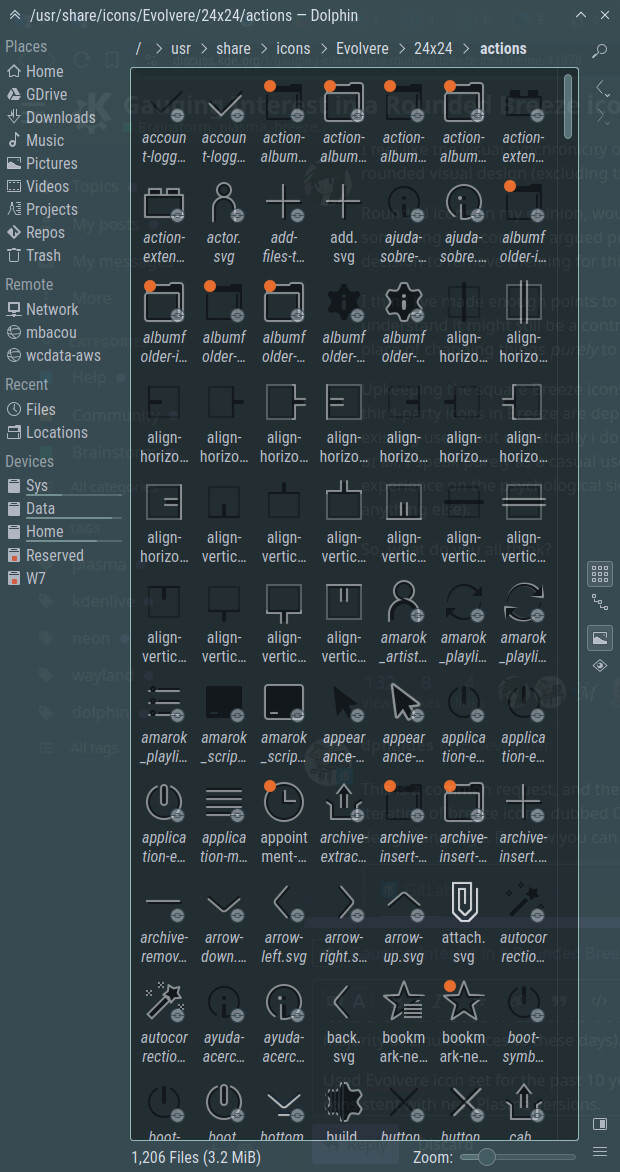
E.g. used Evolvere icon set for the past 10 years or so for this reason (it is a more rounded option), but it’s no longer fully consistent with newer Plasma versions.

Will give Ocean a try!


(KDE 5.27 with Evolvere monochrome icon set)

More consistent monochrome icons are apparently a pretty major consideration with the Ocean icon theme that’s in development

A lot of those look really good imo, especially the symbolic icons, I’m not as much of a fan of the non-symbolic ones. I’d really love to eventually have a little per icon theme menu that allows you to use the symbolic icons from another theme (because the majority of 3rd party icon themes still does not have fully up to date symbolic icons),

…maybe also the folder icons from another theme (I think there are even icon packs out there that only have folder icons) and maybe also let’s you pick other icon themes to inherit from/fall back to (so one could combine smaller icon theme sets that follow a similar design and each support a different subset of icons)