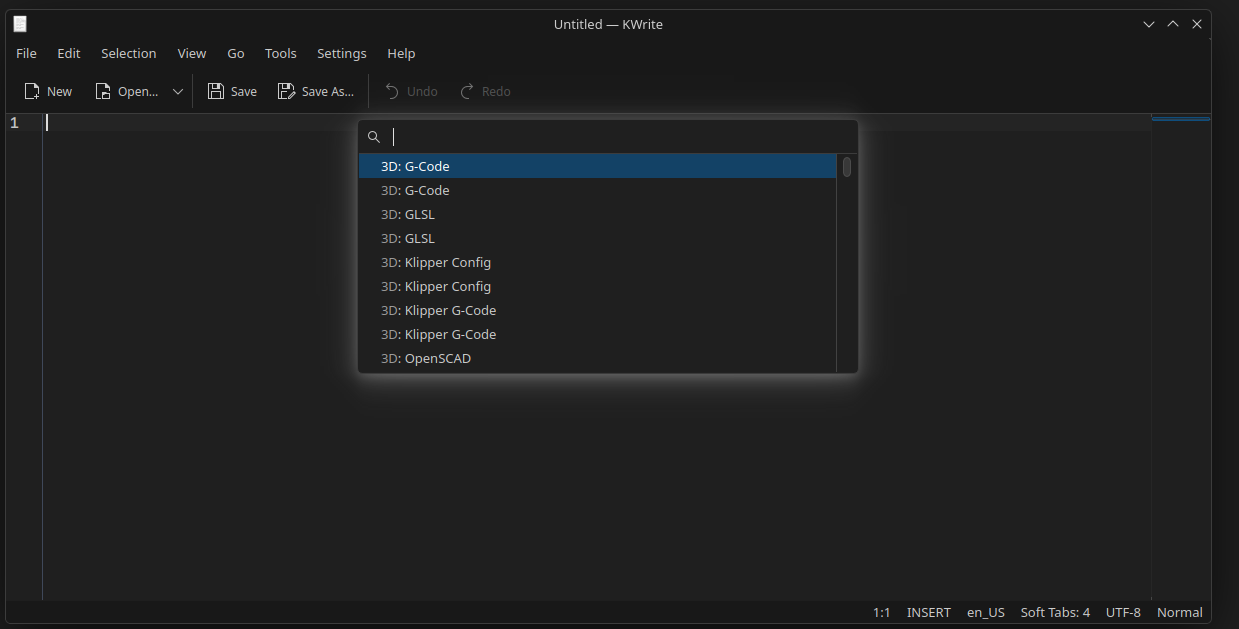
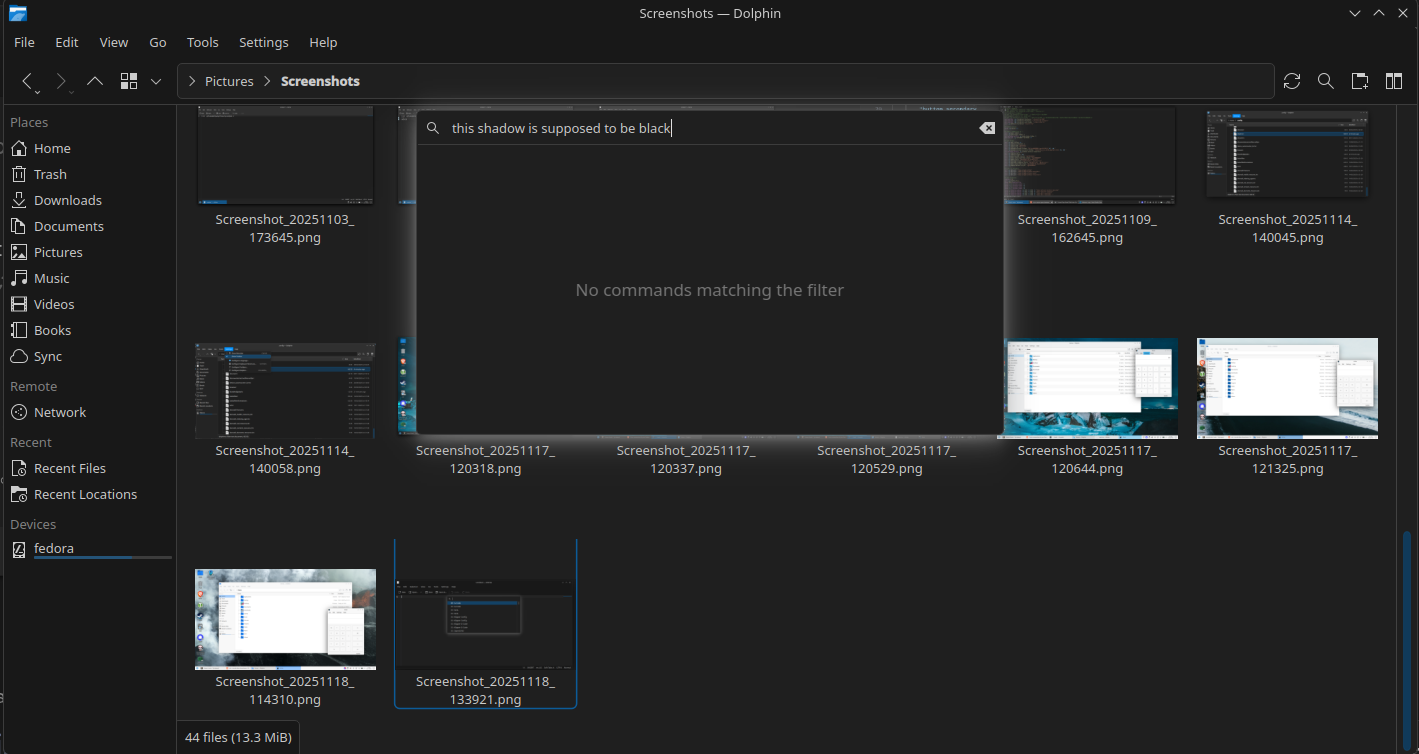
I can’t find which color scheme option changes the outline of these menus. (press ctrl+alt+i to open it in kde apps)
settings > window decorations
you can edit the current theme, under shadows should have the color setting.
The shadow color is set to black in the settings, doesn’t seem to apply to these shadows.
That isn’t right, these are not normal windows. This is actually affected by your Color Scheme, and should relate to the Window Background color for your current color scheme.
See src/kcommandbar.cpp · master · Frameworks / KConfigWidgets · GitLab
for those windows specifically (ctrl+alt+I) i don’t get any shadow at all on my plasma 5 desktop… seems like another regression in plasma 6.
if they are going to show a shadow in plasma 6, then it should be controlled by that setting i mentioned just like this window in dolphin.

That’s not what “regression” means, it’s intentional for that to have a shadow.
then it should be controlled by the same setting as all the other shadows, yes?
that’s the regression part, in my mind.
Not for the settings meant for windows, I’m not sure if we even have an easy way to read that. It could certainly choose a better color for the shadow though.
mine chooses no color at all… and it works just fine, the menu is clear and easy to utilize.
not sure it needed “fixing”.
Just a little update:
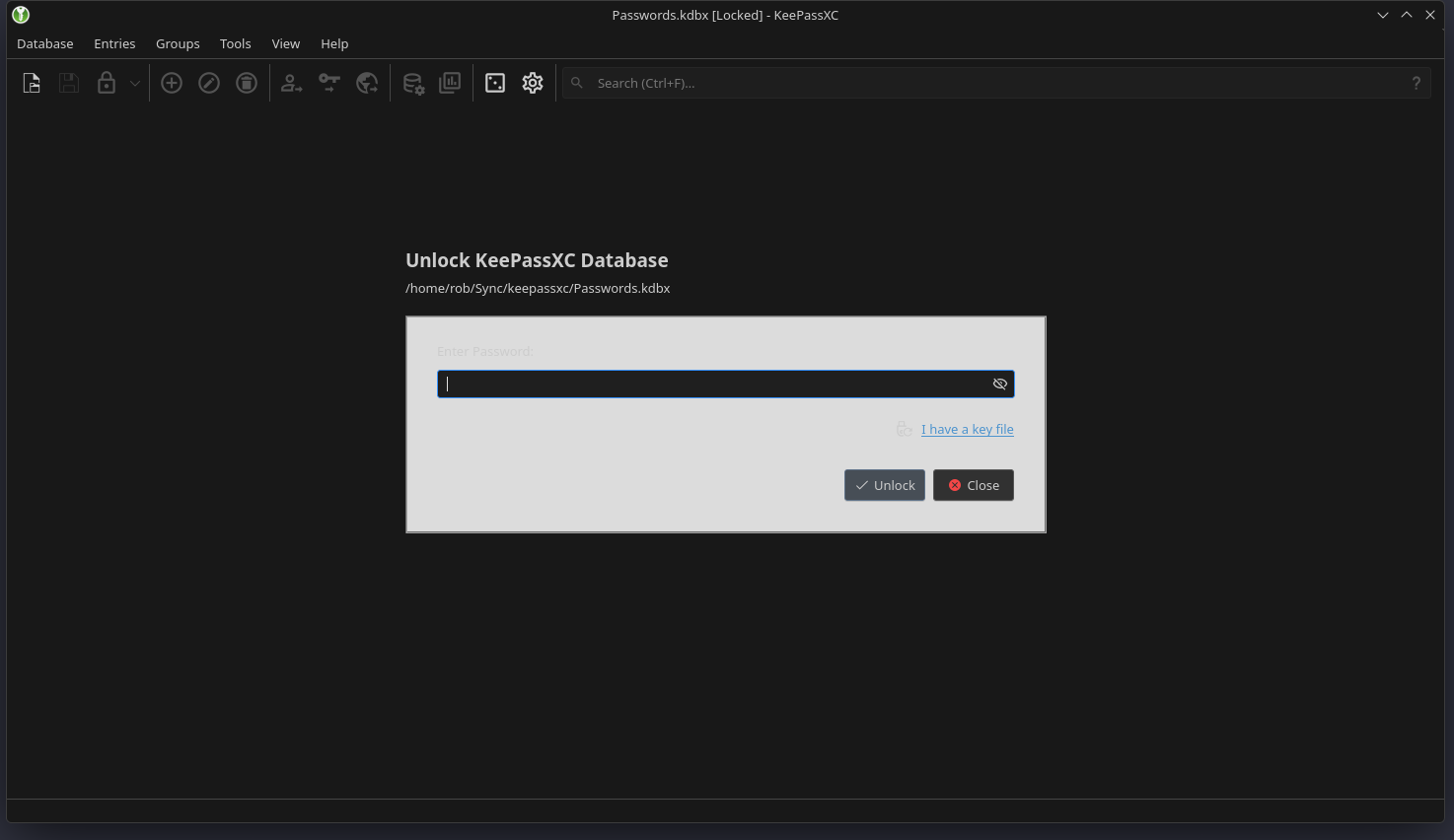
The color of this shadow and other UI elements get messed up if the [Colors:Window] BackgroundNormal color is darker than [Colors:View] BackgroundNormal.
Before:
[Colors:View]
BackgroundAlternate=31,31,31
BackgroundNormal=31,31,31
...

[Colors:Window]
BackgroundAlternate=24,24,24
BackgroundNormal=24,24,24
After:
[Colors:View]
BackgroundAlternate=24,24,24
BackgroundNormal=24,24,24
...

[Colors:Window]
BackgroundAlternate=31,31,31
BackgroundNormal=31,31,31
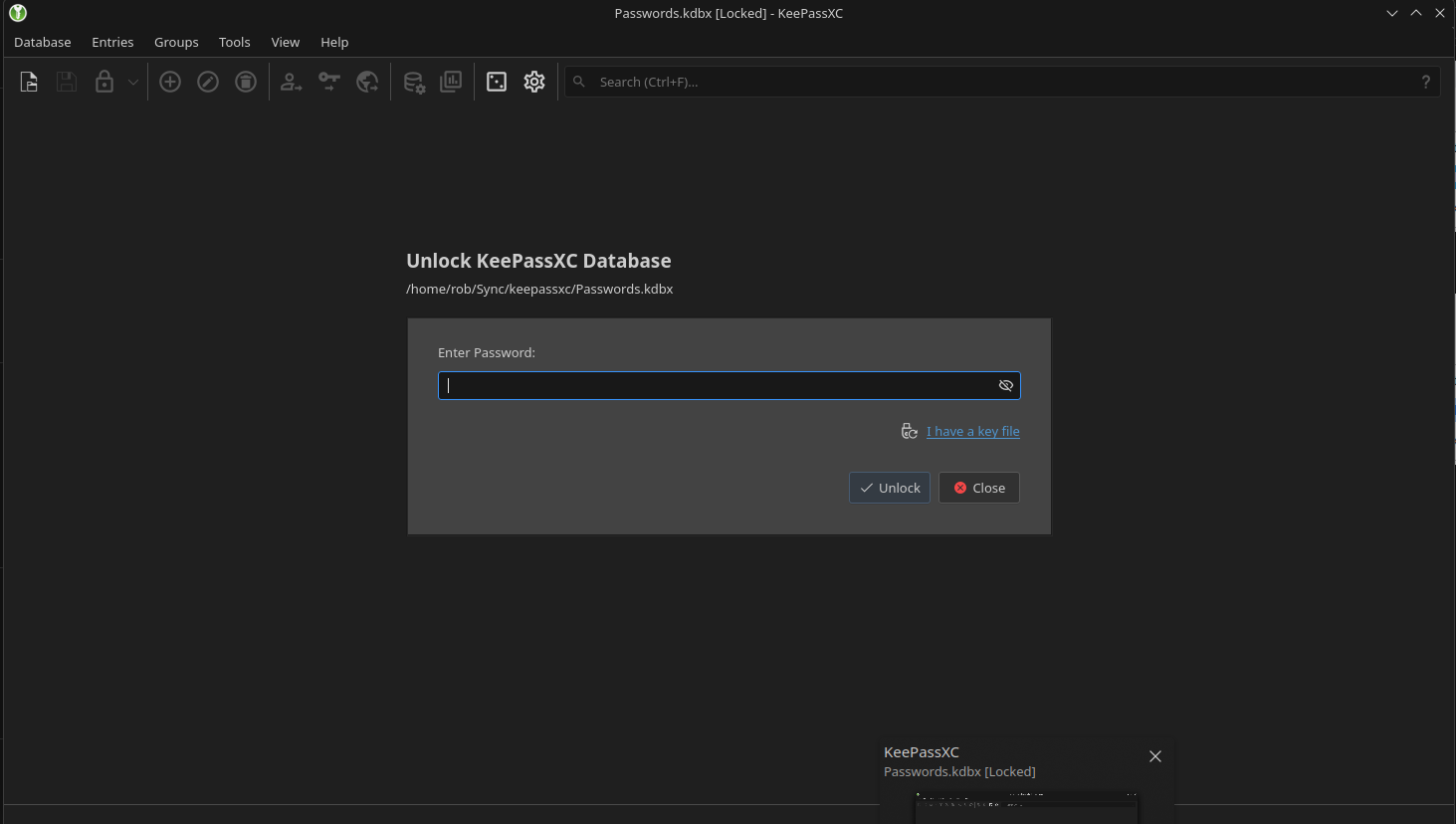
This is probably a kde bug