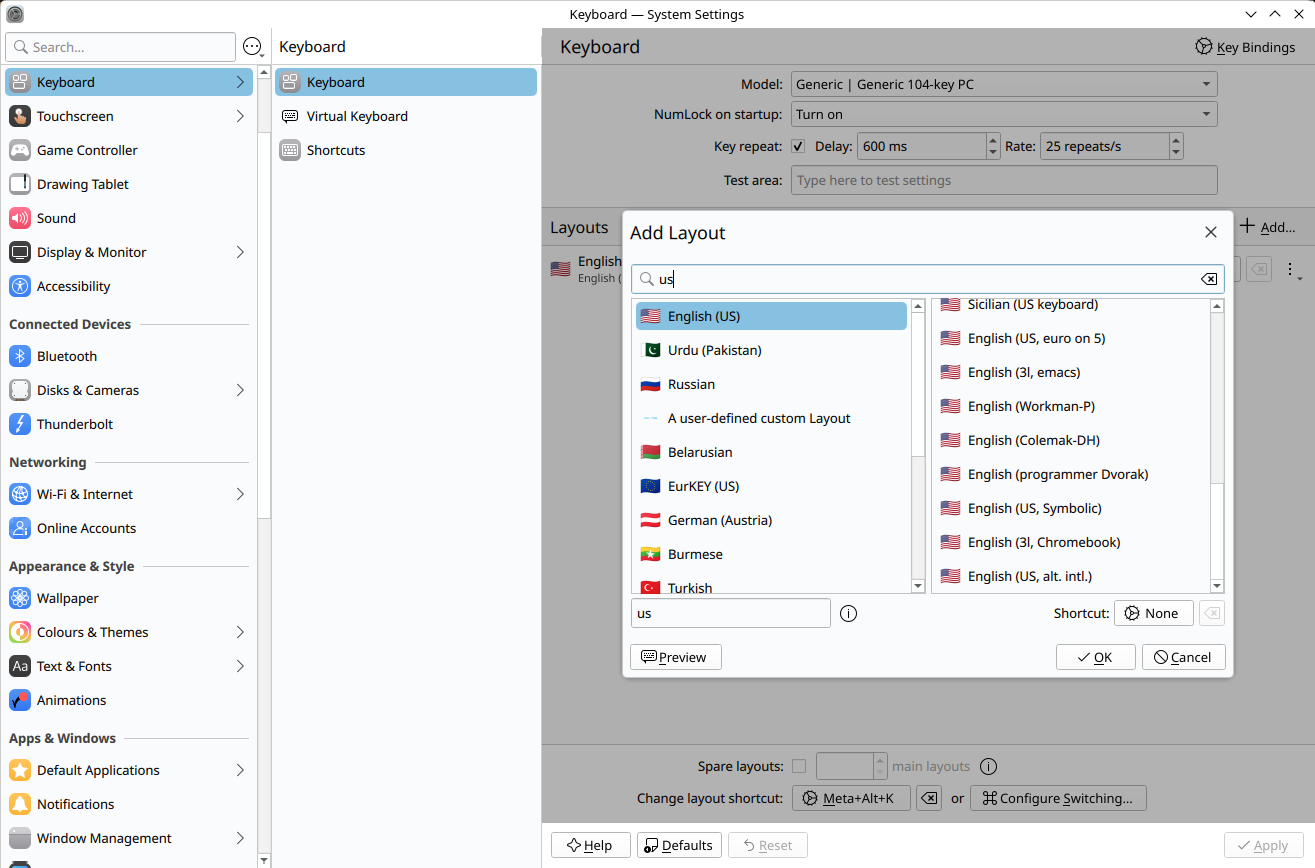
I’m trying to get my custom keyboard layout to show up in this list:
I’ve added the (for now very basic) custom keyboard in:
/usr/share/X11/xkb/symbols/us
/usr/share/X11/xkb/rules/base.lst
/usr/share/X11/xkb/rules/base.xml
/usr/share/X11/xkb/rules/evdev.lst
/usr/share/X11/xkb/rules/evdev.xml
But so far, no luck
How can I get a custom keyboard to show up?
1 Like
Additional info: I’m running CachyOS with KDE Plasma (Wayland).
Storm
October 18, 2025, 4:41pm
3
What you added/edited is only for xorg and as you stated running Wayland. Try switch to Xorg.
Keyboards configured this way should work in Wayland too.
I set up my custom layboard slightly differently, using my $HOME. The files I needed were:
~/.xkb/rules/evdev
~/.xkb/rules/evdev.xml
~/.xkb/symbols/[my custom symbols file]
So I’m guessing a bit, but maybe you need to modify evdev as well as evdev.lst ?
I got it to work. I edited the correct files, but apparently the name I used for my custom keyboard caused an issue somewhere. I changed the name and it now works as expected.
Thanks for the help!
1 Like