I upgraded my Kubuntu install this year, to 24, and the Calendar no longer supports the view mode I want. I want a 24-hour clock, ISO dates 2025-09-09, and a 24-hour time format. This was all configurable in the past, but not anymore.
I understand it may be depending on the locale setting, but I’m unable to find one that uses these formats, which is also in English.
How do I get the formats I want in the calendar?
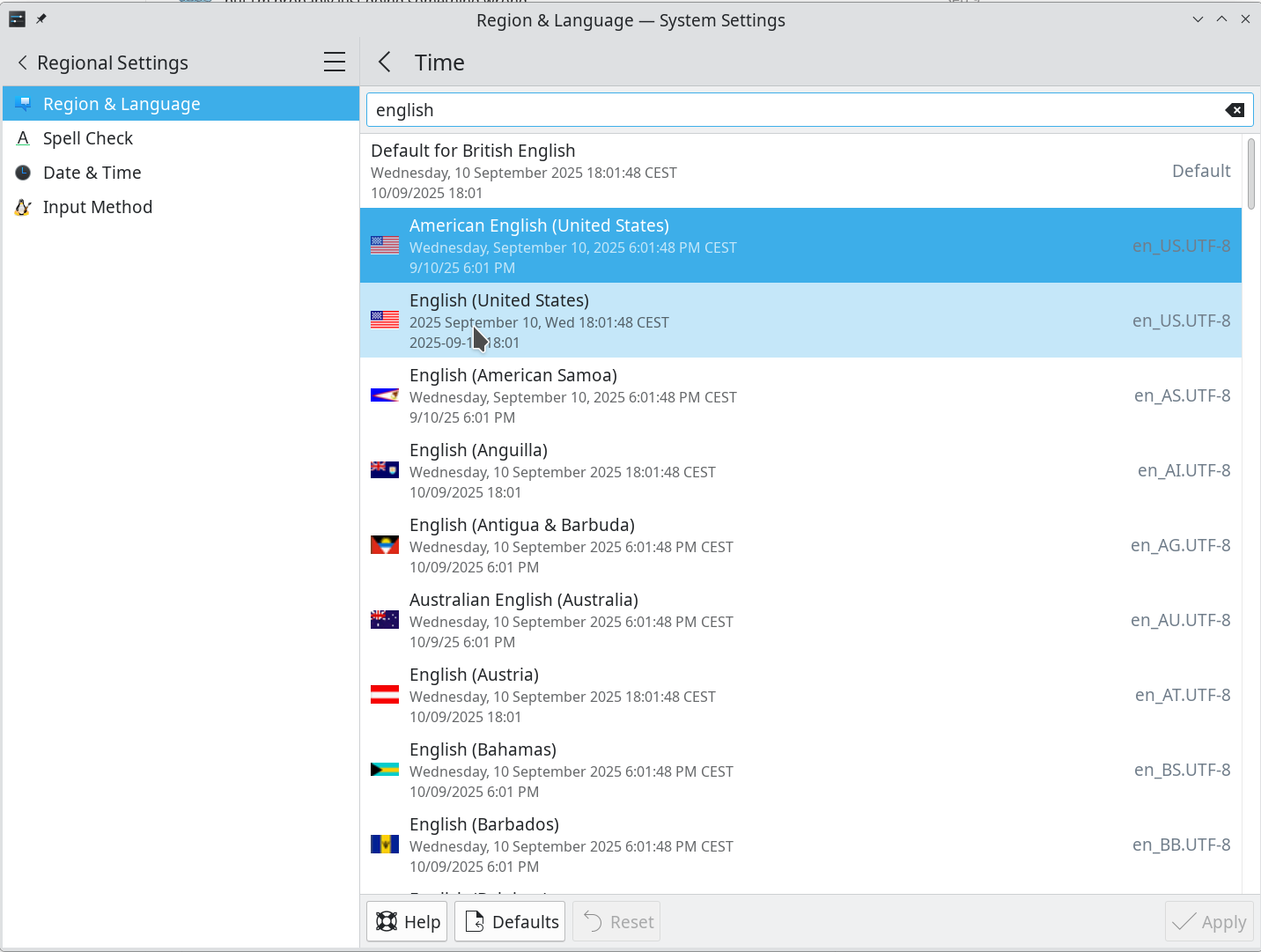
search region and language > time entries for “english”… be aware that a restart maybe needed for the new time format to take effect
english (united states)
shows the format you are asking for
english (sweden)
shows the format you are asking for
english (canada)
has the date but the time is 12hr
mekruo does not seem to have a setting for week starting on monday, you may need to use korganizer if you need that.
Yes, I had tried the “English (United States)” one, but it doesn’t work. That is, if you select it in the region nothing happens. I don’t get an error, the region simply doesn’t change. Also if I select another region first and then try to switch. It just doesn’t do anything.
I Korganizer became Merkuro. I much preferred it when it was KOrganizer. If that project is still maintained I’ll switch to that.
i would try selecting it in the Time section Modify... rather than language.
but yes, korganizer is still very much a thing (such as it is) so if you wanted to switch back to it you could… might need to fully uninstall mekruo and akonadi-server tho, ymmv.
Not necessary, it is enough to install KOrganizer
Don’t do this. KOrganizer requires akonadi to work properly
akonadi comes back when you install korganizer (along with a lot of other stuff).
it’s been my experience that korganizer and merkuro like to fight over the server and i’ve not had a good experience when both are installed.
but i’m probably just doing something wrong
I have KOrganizer installed. It looks like it is also deferring time formatting to the locale, so I still can’t get my 24-hour clock.
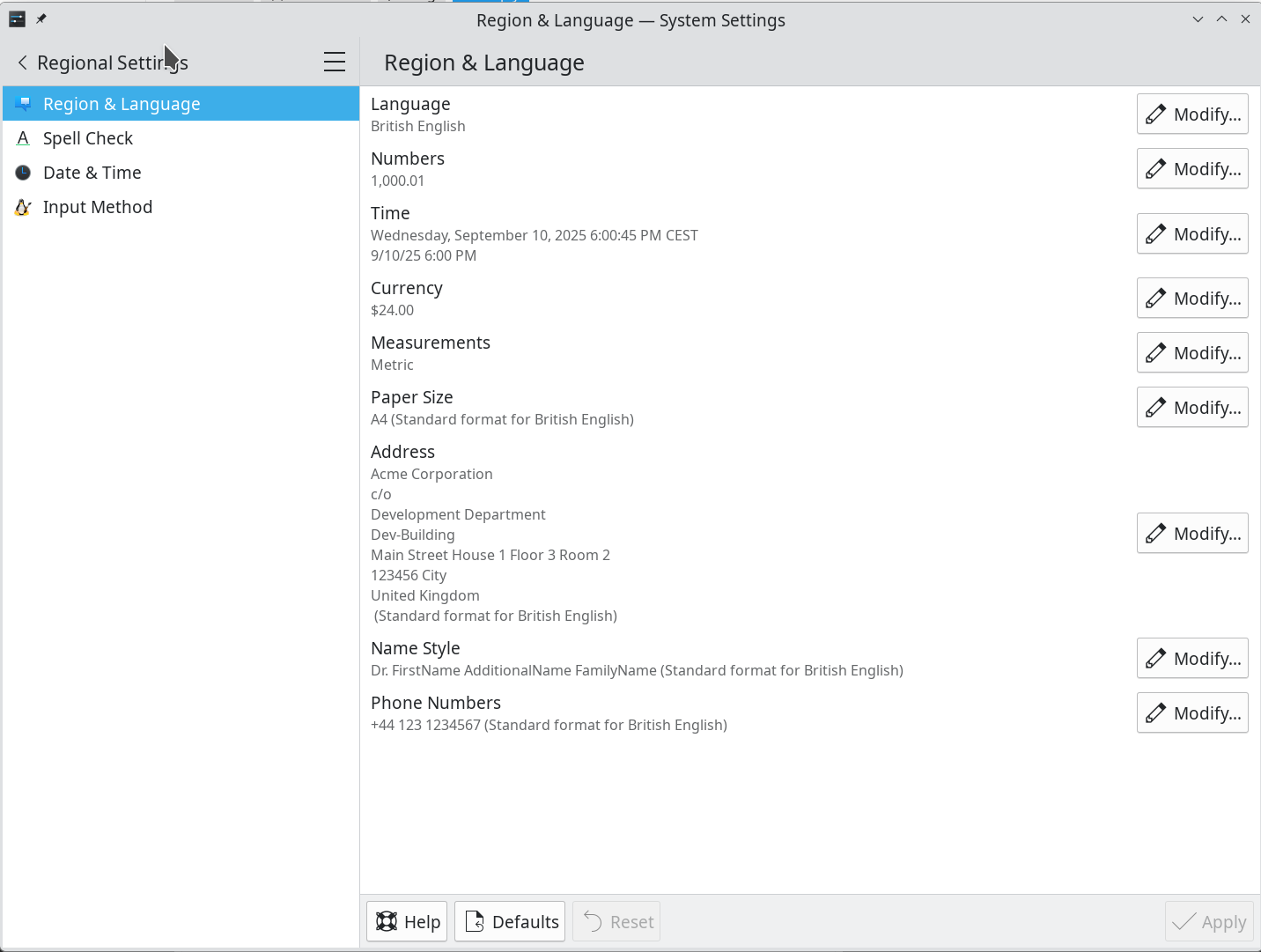
Reproduction of region select defect. I go to the Region & Language screen and select “Modify” beside “Time”. I get this screen.
I click that one with the 24-hour clock and iso date (English: United States) . But when I get back to the region screen, nothing has changed.
you need to relog for the changes to take effect.