I’d like to know how to make the folders I’m sharing with Samba/kdenetwork-filesharing to appear on my smart TV. I know It’s possible because I once did it on Fedora Silverblue (Gnome).
You need an app on the TV that supports samba/CIFS, I think. Some file managers do, or have addons for this.
If you want to play/view media files, maybe a mDLNA server on the computer, instead of Samba?
Yes to the latter.
I remember that on Fedora Silverblue I could make folders appear on my TV with a single toggle. I want something similar.
You can set up a directory to be a Samba share via the right-click properties options.
You may need to install kdenetwork-filesharing or whatever your distro might call it, if it isn’t included by default.
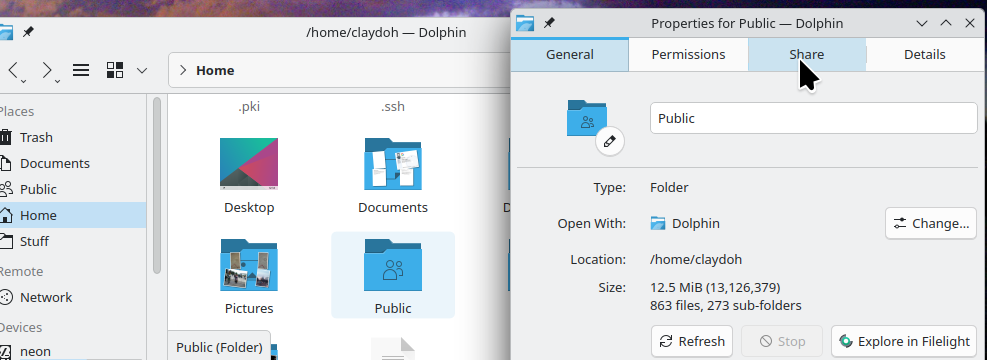

I guess I should have asked what OS your TV uses  Mine does not support Samba/CIFS or anything like that as far as I can tell. But I can access Samba shares if I install a file browser or other app that does support it. Or a media player that supports mDLNA, and I have something with mDLNA running on the PC.
I did that and the folder didn’t appear on my TV OLED55C1PSA. I checked if the TV is using the same network and it is.
It appears the Gnome uses a minidlna server (Rygel iirc) to do this, not Samba. I don’t see any Dolphin context menu addon that does anything like this after a brief look. Probably no one has felt the itch to do something similar for Plasma.
Installing a minidlna server is not overly hard, and there are a couple of GUI apps in Discover that might be useful (search for dlna), but there won’t be any sort of KDE integration, unless I have missed some third party tool.
1 Like