Unlike in Linux Mint, the KDE-based Feren OS (or Windows 10, for example) displays a welcome screen at the end of the boot process, even if automatic login without password prompt is set.
I would like this screen not to appear during boot.
You may well note that this login splash can hide desktop loading (in)activity, depending on your system. I used to disable it on my systems sometimes, but now that I have a potato PC that has a number of things starting up, compared to my more recent laptop that doesn’t. I turned it back on.
Oh, I don’t mean the splash screen, but the so-called welcome screen where you enter your password if necessary. Since I start without a login password, I don’t need this screen. As mentioned above, Linux Mint does not display this screen when logging in automatically without a password.
KDE Plasma does not have a “welcome screen” where you enter a password, other than the SDDM login screen (which would not show using autologin) so I am unclear on exactly what you are seeing. If this is a Feren specific thing, disabling it depends on how or where they have set this to run at login.
But installing Plasma would also install the SDDM, which would need to be set to autologin itself, as Mint is using a different login manager, and the settings for this are not shared.
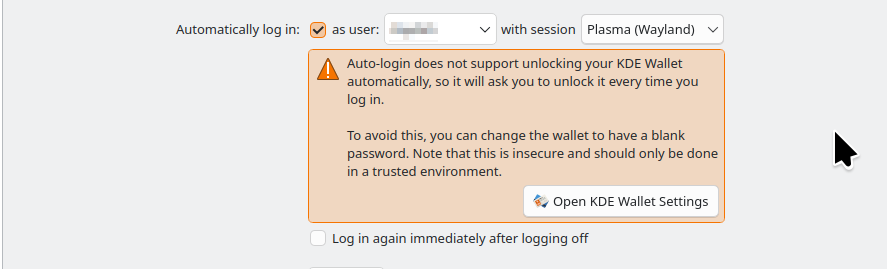
However, when setting SDDM to autologin, this does disable the automatic opening of kwallet, which stores things like your WiFi password, among other things. You get a message to this effect when setting autologin in KDE’s System Settings. If you set this using a different desktop environment, you would not see this.
The main workaround, as mentioned in the message, is to set a blank password to the wallet, so you never see a password prompt when logging in, and need wifi, or for saved SSH passwords, Chrome’s password store, etc.