Hey! Does anybody know how to change the position of volume OSD that appears when I change the volume level through keyboard?

I know that there is a lot of topics in the internet discussing this, but no of them seem to work. I’m using kde plasma 6.3.6, wayland, debian linux.
Short of patching KWin, there isn’t a way to change this right now.
Is there any issue tracker/etc in bugzilla for this? Would like to add my +1 to it and get notified when this is fixed
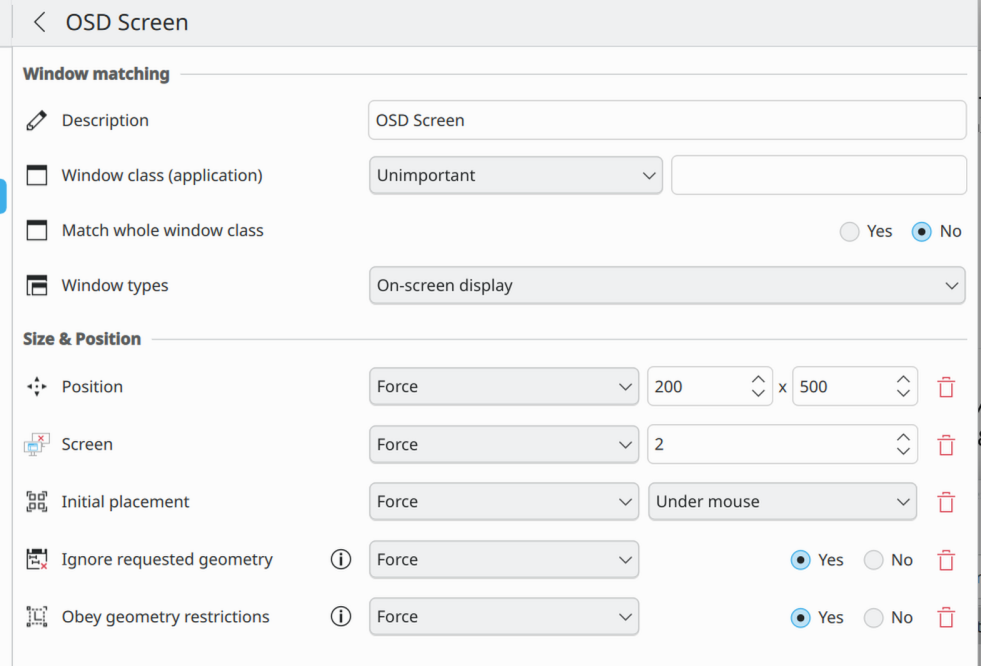
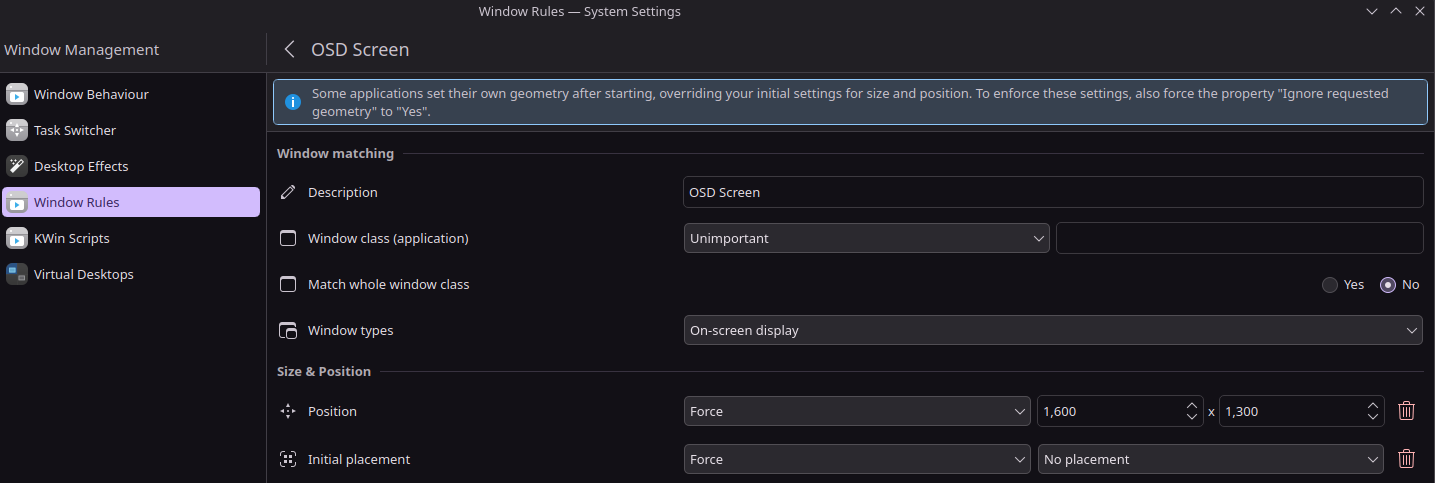
While not fully customizable, I’ve found that you can do a few things here using a window rule on “window types: on screen display” and adding “Initial Placement: Force”.
not all the options seem to have an effect though, but at least “under mouse” and “in top left corner” do work. I find “under mouse” to be at least marginally better than the default, but still sorta annoying
sadly other obvious ones like “Position” and “Screen” don’t work
Where exactly should I change this?