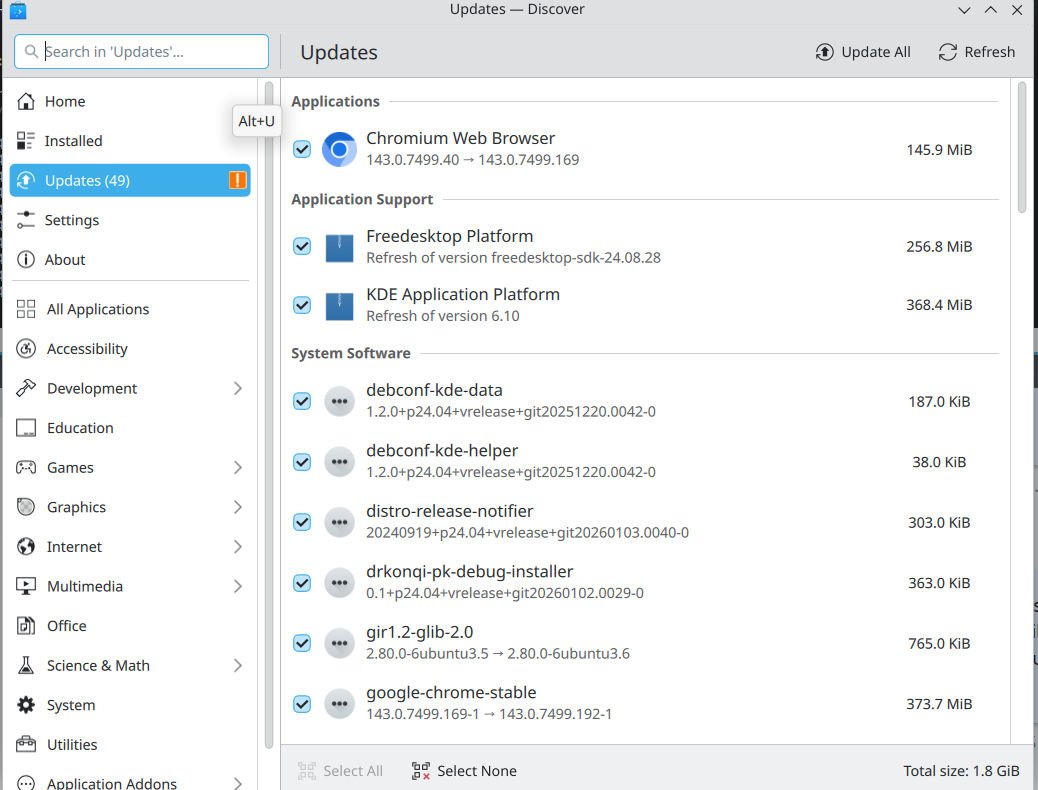
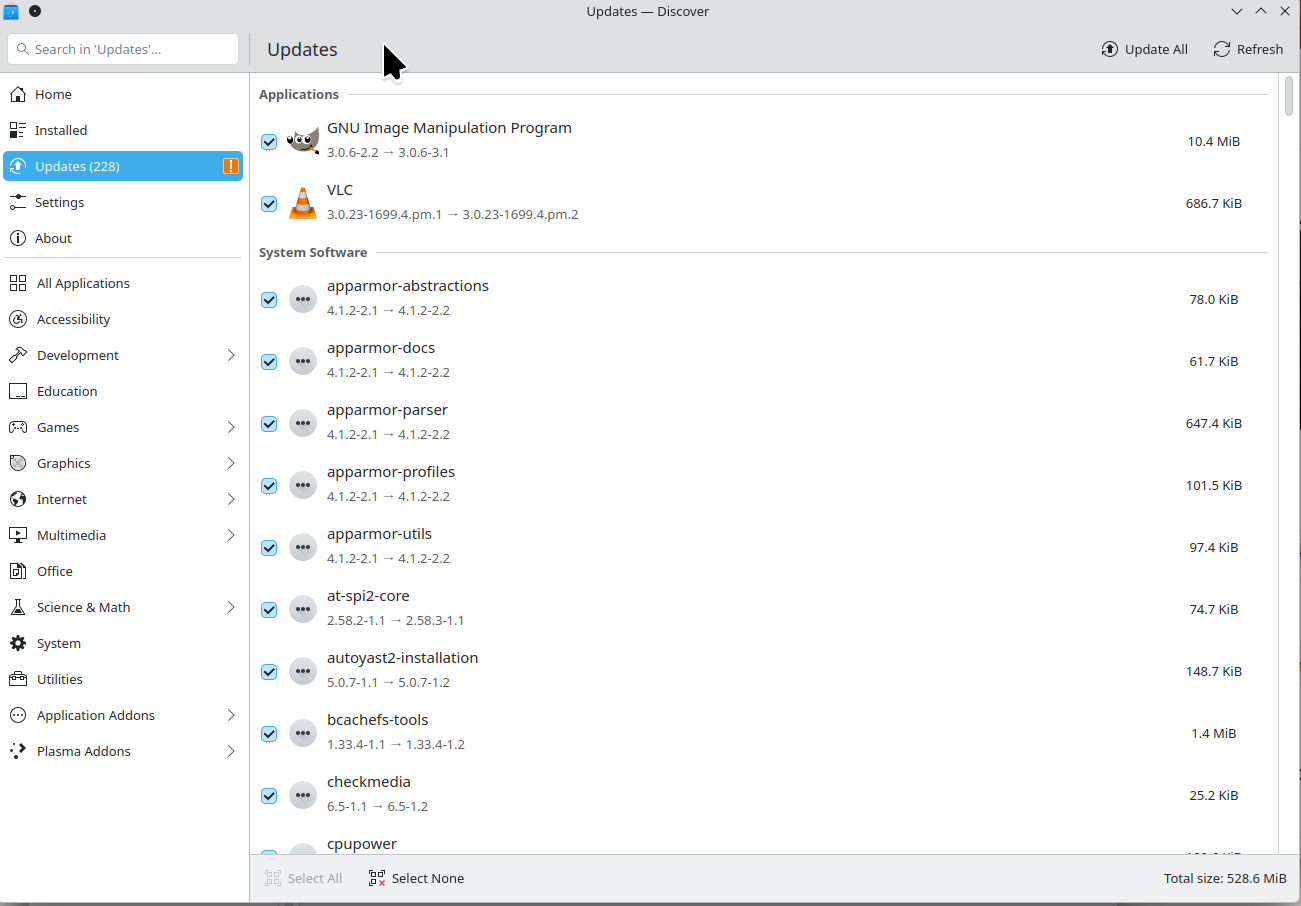
How to get Discover to show the list of updates

How do I get Discover to show the list of updates without having to click on More Information?

Operating System: openSUSE Tumbleweed 20260103
KDE Plasma Version: 6.5.4
KDE Frameworks Version: 6.21.0
Qt Version: 6.10.1
Kernel Version: 6.18.2-1-default (64-bit)
Graphics Platform: X11
Processors: 12 × Intel® Core™ i7-9850H CPU @ 2.60GHz
Memory: 128 GiB of RAM (125.1 GiB usable)
Graphics Processor: Intel® UHD Graphics 630
Manufacturer: HP
Product Name: HP ZBook 17 G6

I love these questions, questions where the person who asks them also gives the answer. It’s not the answer he likes but nevertheless it is the answer.
One thing is missing though: you should mark this question as solved.

Seriously, I don’t know of any other way to show the updates so I always use the one you described.

Most likely by switching to applying updates immediately, instead of rebooting.
With this option, you will see all the individual packages.
There does not appear to be a way to do this otherwise, as far as I can see.
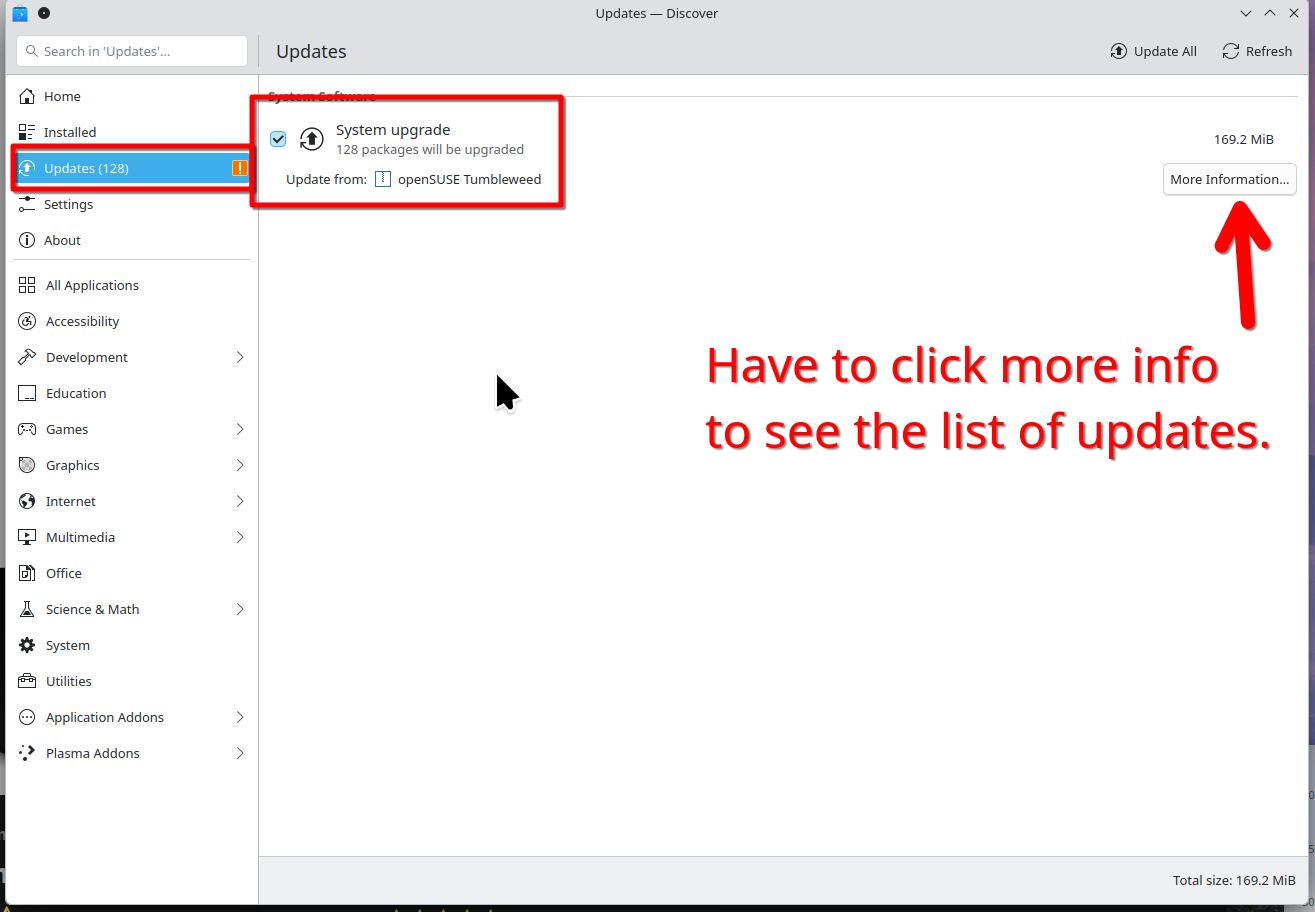
On my other computers the updates are listed and there is no More Information button which is why I ask the question.
Justin stare

That was it. THANKS
1-man-applauds