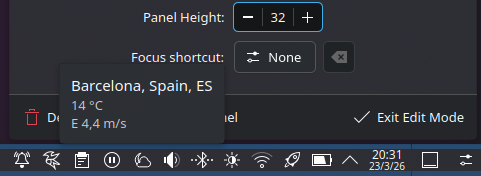
I have standard weather widget in my tray (KDE 6.5.6),
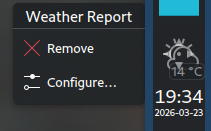
however there is no way to remove it, I enter into edit mode, and try to drag it, do anything, nothing happens, when I right click on it, I see standard context menu “Configure weather report”. (In fact every icon/widget provides just standard context menu in edit mode, so I can’t move or remove ANY widget from my tray…)
I don’t have that specific widget in my panel, but I guess the same applies to all of them. I think you’re nearly there - additionally, you must click on the panel/taskbar you wish to edit and then hover the mouse over the widget you want to edit/remove.
Right, the weather report is likely a part of the system tray widget and not a separate widget.
In that case, you’ll want to hit “Configure” System Tray widget instead, which will bring up a window. Find the weather report in the list of entries and set it to be hidden always.
This sounds like something is somehow wrong with your “edit mode”.
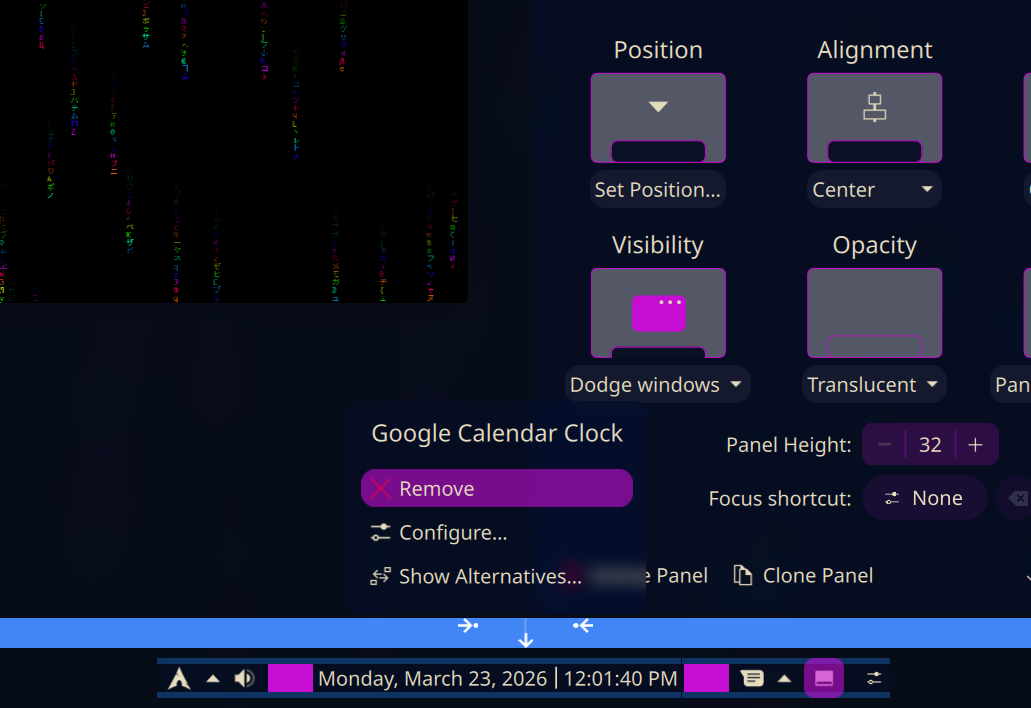
The weather widget should (and on my system, definitely does) provide a “Remove” option when editing the panel configuration. Like @nathaniel.krebs said, it shows when hovering the mouse over it - doesn’t need a right-click.
It’s because the weather report can both be a standalone widget or be embedded in the system tray. The one we appear to be dealing with is the one embedded in the system tray.
I’ve configured the embedded one just now in my system tray so I can hopefully guide you a bit better.
Right click on your desktop and “Enter Edit Mode”.
Left click anywhere on your taskbar/panel, so we can edit the widgets in that panel.
Hover your mouse over the System Tray widget.
A menu will appear above the widget. Select “Configure”.
A window will appear. Find the entry named “Weather Report” and configure it to never display.
It should look roughly this inside the system tray configuration.
Messing with it now… I added one just today, but I wanted to move it.
Right click reveals three options…
Configure the widget
Add or Manage Widgets
Show panel configuration.
So we should take the middle option, and this gives us the sidebar, and when you hover the panel all of the widgets are highlighted and a popup ‘Show panel configuration’ which is activated if you click the panel.
However, there’s no way to interact with widgets…
However, if you try clicking about (Right Mouse) you can occasionally get the context menu to pop up, but I haven’t yet managed to actually interact with it.
Something definitely messed up there.
However I just found a post saying there’s no problem with 6.6.3 on Manjaro (Unstable).
Instead, take the last option (“Show panel configuration”). Then mousing over each widget will offer “Remove” and “Configure” as in my screenshot above. You can also click and drag the widgets to move them around.
“Add or Manage Widgets” might be better titled simply “Add Widgets”. Most ‘management’ tasks are better achieved from “Show Panel Configuration”.
I’m on 6.6.3, but as far as I can remember it’s been like this for the year or so I’ve been using Plasma (since 6.3.something).
However, I use the Weather Report as standalone widget, not the one in the system tray. The latter one is handled differently, as @snackbar94 said.
The system tray icon can be “hidden” to just be in the overflow menu. That is the arrow at the far right of the system tray (to the right of the battery icon in your screenshot). Or it can be disabled completely so it doesn’t even show up in the popup. To achieve this, open the said overflow menu and click the settings icon:
I think I saw menu with red icons (possibly remove), when i right clicked on widget icon in edit mode, but for a split second - like 10ms, and then it dissapeared.
and no, advanced weather widget doesn’t appear in tray configuration items list