Hello, a messenger application in form of an AppImage is producing desktop notifications which are not displayed when i have an MPV player in a Full screen mode. When MPV is maximized, it is shown.
Please what to do exactly, steps in order to show this single app (AppImage), or all AppImage notifications even MPV is in Full screen mode? If not possible, then to set notifications on the top for all apps and then somehow toggle this setting when needed. ? Thank you
It’s not an issue of MPV. Its all windows under kwin_wayaland - a full screen window, even if not set to “Keep above other windows” will always hide notifications (plasmashell surfaces on the “notification layer”) even when those are set to “Keep above other windows”.
I haven’t checked (not time ATM) if there’s already an open issue ticket for this, but one should probably should be created if it does not exist.
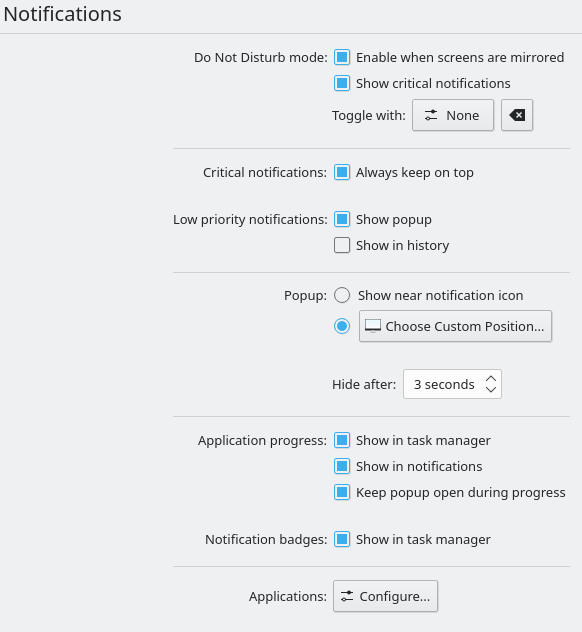
I am on Fedora 42 with Plasma 6.4.4, but for me there’s only “Critical notifications” and “low-priority notifications”, the “Normal priority notifications” bit is completely missing like in @postcd’s screenshot, the only difference being that there isn’t even a gap, “critical” and “low-priority” are directly ontop of eachother:
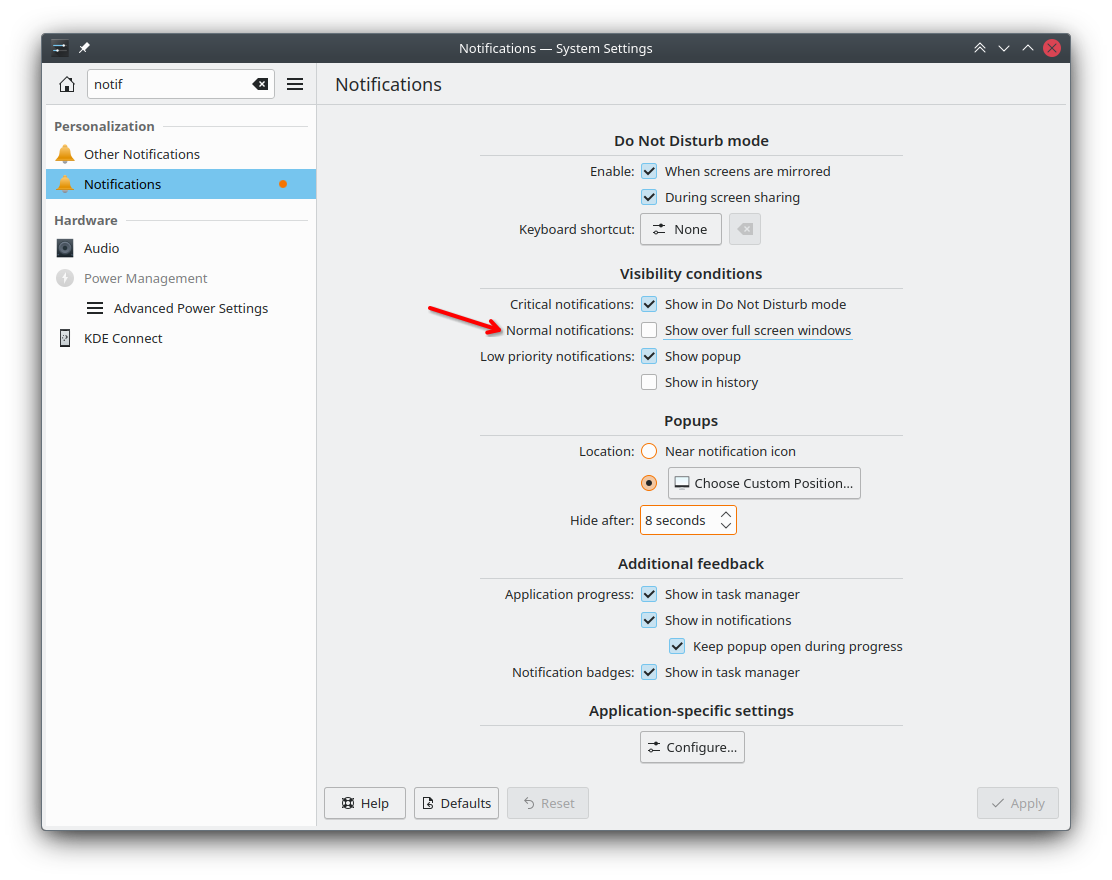
This is also the same for me on Plasma 6.4 now, but as you can see from my older screenshot - the configuration option to “normal notifications show over full screen windows" (aka notificationSettings.NormalAlwaysOnTop) did exist before.
The new configuration (called dndSettings.WhenFullScreen) replaces the “normal notifications” configuration - so now if you did not enable DND automatically when full screen, normal notifications show, and if you did - normal notifications do not show.
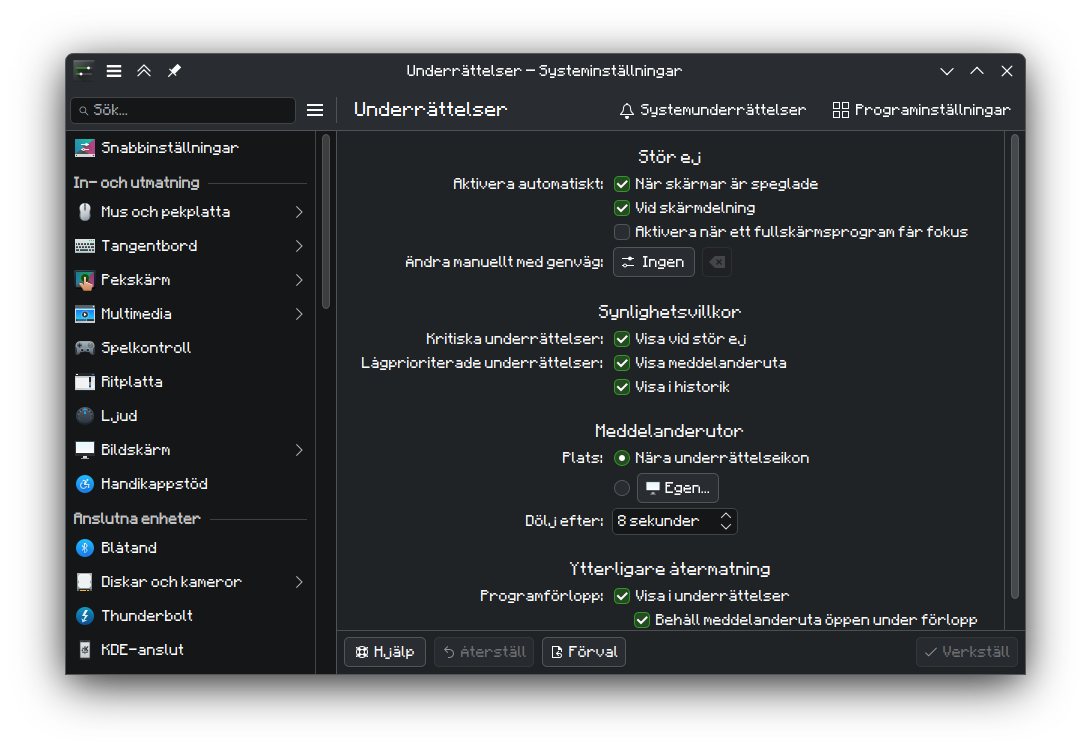
Well, as you can see from my screenshot, I don’t have DND automatically enable when fullscreen, but the notifications still stay invisible. They still appear, just that I cannot see them if the fullscreen window is on the main screen. When I open the start menu or have the fullscreen window on my second monitor, I can see the notifications just fine. Is there a way to make them always display if DND is off?
Interesting. When I tried that it showed up, both above YouTube in Zen and above Gwenview. So are notifications like Gwenview’s “Moving to trash” notification and notifications for when you have lost internet connectivity, and Discover’s “Updates available” set to low-priority?
Not really, as far as I can tell. You can check the “urgency” of notifications by looking at the application’s notifyrc file.
For example, for Plasma Discover its /usr/share/knotifications6/discoverabstractnotifier.notifyrc, so I can do this: (using egrep to hide translations, otherwise its difficult to read the output):
$ egrep -v 'Name\[|Comment' /usr/share/knotifications6/discoverabstractnotifier.notifyrc
[Global]
IconName=plasmadiscover
DesktopEntry=org.kde.discover

[Event/Update]
Name=Updates Are Available
Action=Popup

[Event/OfflineUpdateSuccessful]
Name=Successful Offline Update
Urgency=Low
Action=Popup

...

[Event/UpdateResart]
Name=Restart is Required
Urgency=High
Action=Popup

[Event/DistUpgrade]
Name=Upgrade available
Urgency=High
Action=Popup
So we can see some notifications have Urgency=High and others have Urgency=Low, but “Updates are available” has no Urgency setting - which AFAIK means Normal.
I’m not sure about Gwenview’s “Moving to trash” notification - I haven’t encountered it and Gwenview on my system does not have a notifyrc file and does not have an entry in Systm Settings → Notifications → Applications