I couldn’t find the option anywhere.
Open System Settings, go to Global Theme > Window and Decorations. Click on the little pencil icon in the bottom right hand corner of the selected theme (probable Breeze). In the pop up, you will find the option under the General tab.

5 Likes
I don’t have this option, and it would only affect the bottom corners.
I’d like to keep the Breeze theme but disable rounded corners everywhere else.
2 Likes
Klassy is pretty much an enhanced Breeze theme - with a ton of extra settings… I like it because it’s pretty subtle, and it’s a binary - so performance is not a big issue here, it works really well.
Corner radius is one of many settings I also enjoy slightly different window decorations… with wider spacing and traffic light colours when hovered…

Before Klassy, I enjoyed Darkly (the fork of Lightly) - and those are the only real competitors in my opinion that Breeze should take note of.
3 Likes
f you’re using the git master version of Plasma and Breeze, you’ll want to do what Paul shows in Kde developers - KDE Discuss . If you’re using released software, then you should set the window borders to “None” on the Window Decorations page.
It didn’t help.
Thanks. This theme is decent, but many other elements remain rounded - like the application launcher, widgets, and mouse selection area.
I don’t understand this WinXP-look trend. Why enforce it on a desktop environment? Rounded corners make sense on touchscreen devices, which you interact with using your rounded fingertips. But why make it the default without giving users the option to adjust the radius or disable it completely? KDE is supposed to be highly customizable.
2 Likes
Klassy is not a theme, it’s a decorator. As for the rest, you might wanna have a look at a plasma theme which has sharp corners or edit the svg files of the given plasma theme yourself.

Compared to:

1 Like
It’s such a hassle, and I’m not keen on wasting time on this.
I couldn’t find any in the Discover. Could you point me in the right direction?
1 Like

Discover will probably not cut it. You’ll have a better chance going straight to the kde store. The ones that come to mind are breeze dark/light flat ( https://store.kde.org/p/1215691/), breeze opaque…..old stuff really. Maybe some MX themes.Googling something like “plasma theme with no roundness” or “plasma theme with sharp corners” or something might show up some. Won’t be easy though because the best case scenario would be a color adaptive one.
1 Like
Could someone tell me how to disable rounding in these UI elements?
I have edited all the .svg files (within /usr/share/plasma/desktoptheme/default/) containing filthy rounded corners and installed Klassy, but some areas still remain rounded. 
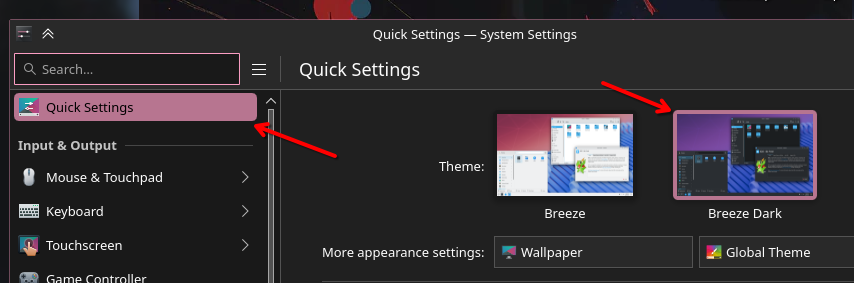


3 Likes
- Set
Kirigami.Units.cornerRadiusto 0 in Kirigami source code. You need to edit line 47 of src/platform/units.cpp, replacingcornerRadius(5)withcornerRadius(0) - Build Kirigami from source
- Build qqc2-desktop-style from source against your modified kirigami
- Build Kirigami Addons from source against your modified kirigami
6 Likes
Oh great heavens. How is this not a setting? 
8 Likes
Klassy is actually quite comprehensive - it offers a few ‘Global Theme’ options too.
But for sure, it’s gonna be tough to wind everything back to ‘Windows 95’ (seeing as we apparently don’t like XP).
I actually miss the skeumorphism, but swimming against the tide gets tiring. Interestingly, it’s the Windows XP colour scheme that got me back into Light themes (as they generally annoy me, seeming too bland/bright) because that was one of the real highlights of MicroSucks design.
1 Like
One of the many reasons I love Klassy is Klassy Settings. Takes care of rounded corners. And a LOT more…

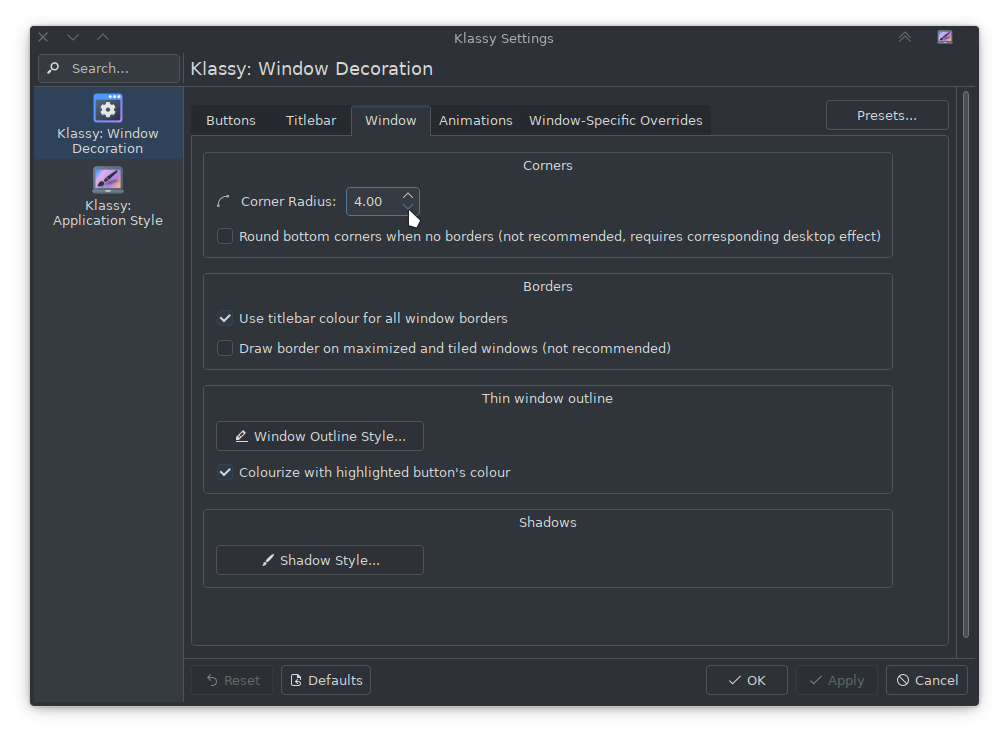
2 Likes
I experimented also with the shadows in Klassy - you can experiment making them into a ‘glow’ for the active window (a little like Oxygen) which works nicely for some dark themes.
Klassy was a nice progression after Lightly (and the attempt that was Darkly) - and I was happy that Plasma style came a touch closer; but OP wants to get rid of all rounding in the OS - that means if you select a file in Dolphin, the highlight must not have rounded corners either… otherwise they could apply Windows XX style.
I should apologise in advance for not having a sharper cursor  that’s part of my Pink Panther thing…


But the selection is still rounded… gotta love those old Amiga drawer icons 
1 Like
@ngraham, is that the URI you meant to post? I don’t see much of relevance there:

2 Likes
This is a bit of an old thread, but I’m still not sure how to disable rounded corners. (I’m using the default Fedora theme which is very close to default Breeze.)
This also doesn’t help me. (Breeze already defaults to “No window borders”.)
Deselecting the “Round bottom corners…” option does unround the bottom corners, but the top ones remain rounded.

Is there any way of setting all corners to be unrounded in Breeze?
No, there isn’t a way to un-round all the corners; just the bottom ones.
2 Likes
Will this be added in the upcoming updates? 
2 Likes