I’ve recently installed archlinux with KDE plasma (installed through archinstall, currently KDE is on version 6.5.1 using wayland.
On all the browsers i’ve tried (vivaldi, firefox, even chrome) i have some issues where some websites have weird looking font. Here’s a screenshot of a google search, for example
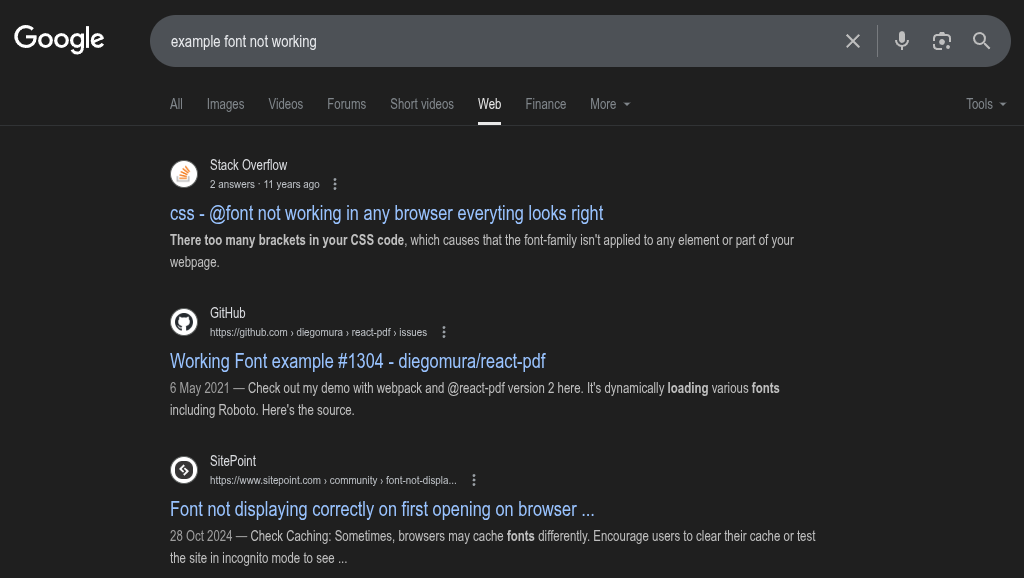
The fonts look off, and it’s definitely not the one i’m supposed to see. Other websites having this issue include (but are not limited to) messenger.com, some forums such as the libretro ones, etc
For example, if i use the firefox options to prevent sites from using their own font, the same page will end up looking like this
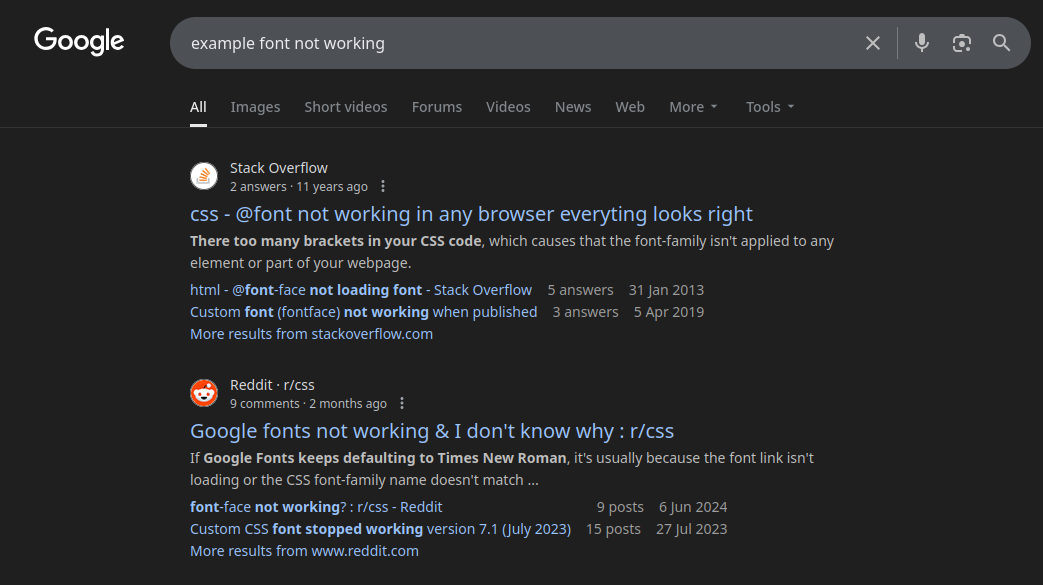
I’ve tried everything i could think off. Using flatpak versions of the browsers instead, running them with arguments such as –force-device-scale-factor=1 etc… Nothing changes it. Thankfully i can kinda work around this issue using extensions to force fonts on the websites that have this issue (some don’t, for example startpage looks normal), but i’d like to know where the issue lies and if there’s a way to fix it. I’m not sure if this is the right forum to ask, but considering the issue isn’t in a single browser (or just in chromium browsers), i’m guessing it’s probably something related either to arch or KDE.
Here are my system font settings
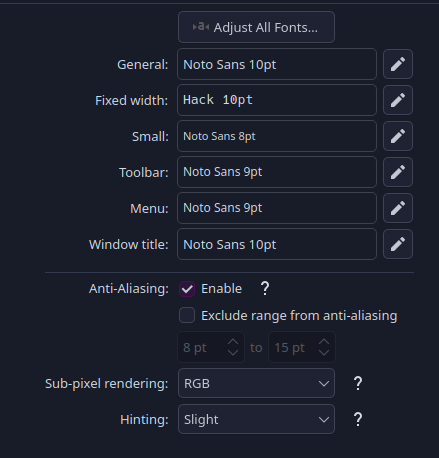
Also i have 3 monitors, 2 of them are in 2560x1440 and the third is in 1920x1080, all at a scale of 100% (not sure if that could be related to the issue)