Hello! I want to change the splash screento my own.
When I click on the “Get new” button and then click “Contribute your own”, the following picture pops up:
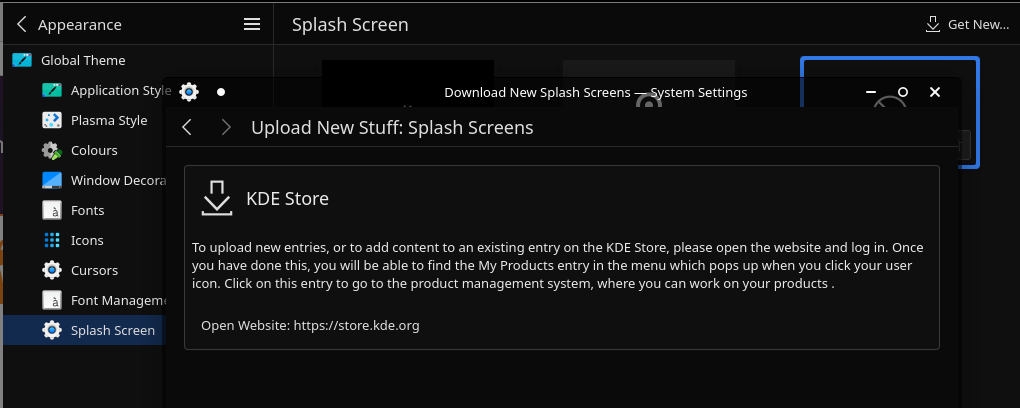
Please tell me how I can install my own image on the splash screen
You can’t…
as easily as select your preferred image and go.
You can find, as a example to work from. the breeze splash screen at:
/usr/share/plasma/look-and-feel/org.kde.breeze.desktop/contents/splash/
with the image(s) inside the images directory and the placing and other definition things inside the Splash.qml file, but I would not guarantee that you can’t break KDE from starting with randomly playing around with that file, handle with caution!
Not sure if there is a official Guide / Howto somewhere, the only thing a quick google found is a “change the logo size” customisation howto.
Personally I would not consider it worth the hassle because that splash screen appears for just a second between SDDM and the Desktop, blink and you will miss it, but if someone knows a more sufficikated guide feel free to do so.
Thanks for the answer.
Looking through the files, I found that the preview for the Splash screen animation with the name Breeze is in the file: /usr/share/plasma/look-and-feel/org.kde.breeze.desktop/contents/previews/splash.png
I looked at a lot of files, but I didn’t find anything similar to animation
Animated as well 
Maybe you can use this
as a example how to do it (or simply replace the fish.gif with your own animated gif).
Not tried myself, though.
I finally figured it out. I rewrote the code in the Splash.qml file, as you said in the first answer
And I uploaded my background with my company logo here
And in general, now I basically understand how to create this
It turned out cool
It turned out that .qml is very similar to CSS and JS
Thanks for the advice
Don’t know if it’s still relevant, but since I had the same question and, one year later, it seems to be no clear solution to this, I want to propose my personal workaround.
First thing I did was downloading a slashscreen from the official KDE online store. The download button provides a .tar.gz file that can be extracted with an extraction software.
The extracted directory contains a .desktop and (usually) a .json file (which contains the metadata of the splashscreen) and a directory, in which you will find the images and the logos used in the splashscreen.
It’s really basic, so far.
Next thing I did was using Kfind to know where was the splashscreens’ directory: for me (KDE Plasma 6.5.4) it’s /home/<username>/.local/share/plasma/look-and-feel/. I pasted the extracted directory here.
Now, “magically”, the theme has appeared in the system settings, and technically you could stop here since it would be fully functional, just by clicking on it and Applying the settings, but in some cases the new spashscreen could have a blank name: that’s because the .json file is not fully configured, or even absent. As a result, the metadata are not read by the settings application, and the name is not displayed: to solve this “problem”, you simply have to create the .json file on your own, maybe copy-pasting it from a working splashscreen directory and adapting it to your own case. It’s, really, as easy as that.
Good luck!