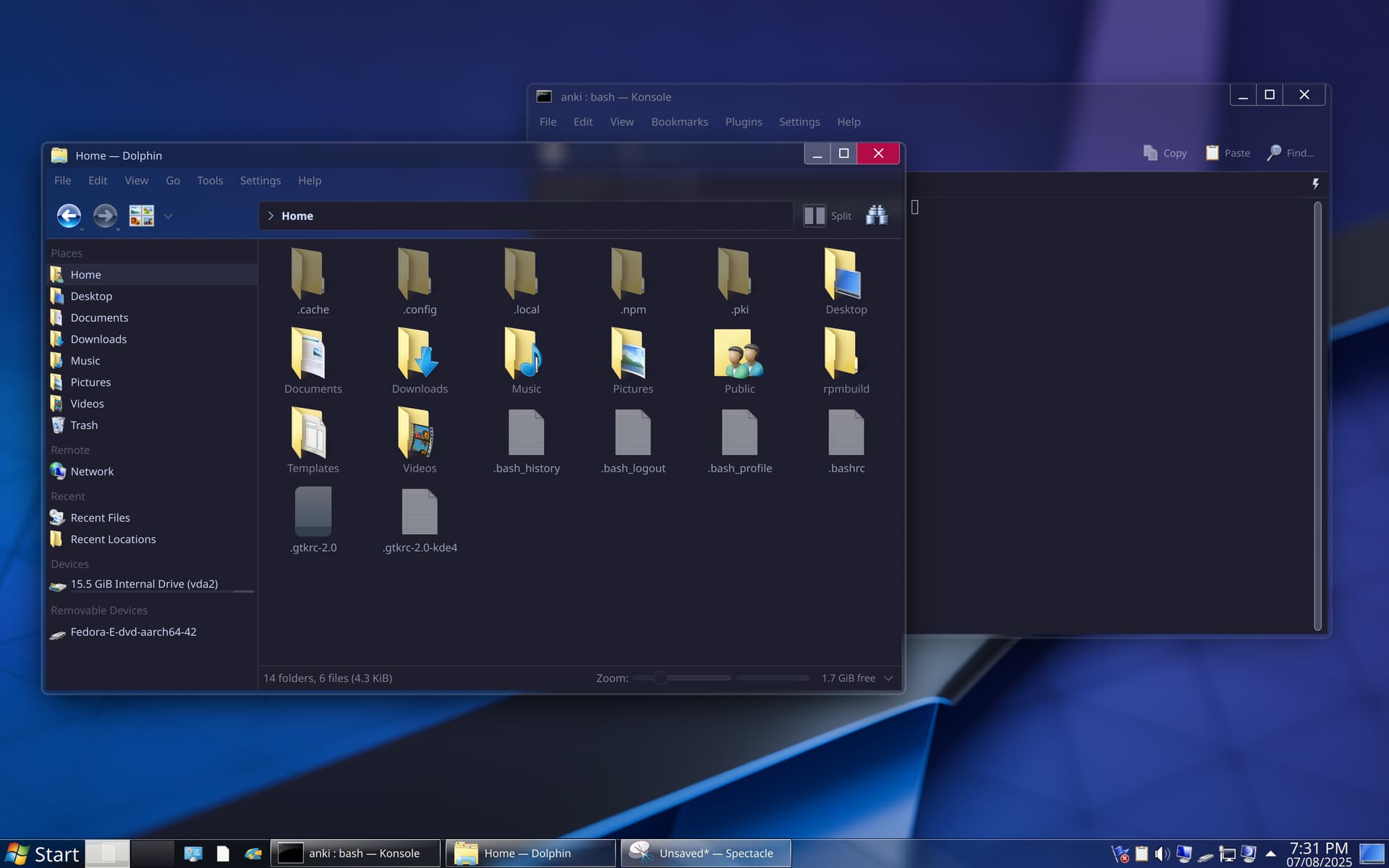
But for every single app, I need to either enable it in the app by pressing Ctrl+M, or edit the rc file (dolphinrc, katerc, etc). Is there a single configuration option somewhere that can enable or disable showing menu bars in all apps?
Agreed, this would be very useful! I also think they should be visible by default. So many times I have installed KDE distros for customers, friends, etc and I get remarks on how the applications seem “simple” and “featureless”, but when I show how to display the menubars people go “Ok, nice!”.
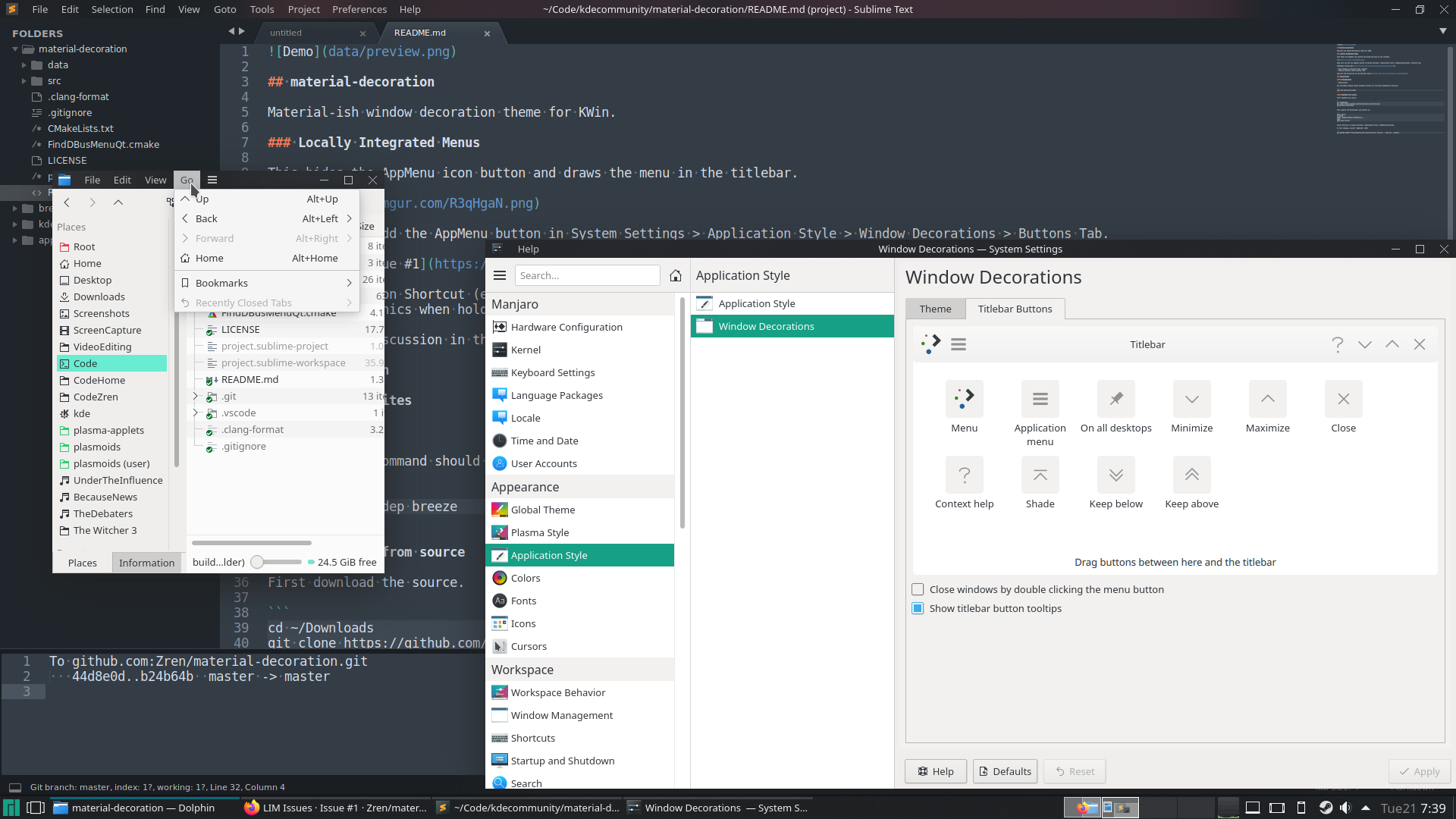
I think there’s a fine balance… I really enjoyed Material window decoration, which gave the option to have the Menu IN the titlebar; either visible, or visible on mouseover - which was awesome…
Otherwise, I really like the way Firefox does this, not with Ctrl_M (which is something you need to learn) but with a touch of the Alt key… but for sure, I think having the menu in the titlebar was really cool, and having it appear on pressing an accelerator or fading in on mouseover was a real highlight.
Used to do that before switching to Wayland. Now non-KDE apps don’t work with global menu. It’s really annoying when some app uses a global menu, some app uses an in-app menu bar, some other app uses hamburger menus and yet some other app uses a weird custom menu/sidebar widget.
If you want a global menu or in-titlebar menu, you have the option to enable application menus daemon in this kcm (enabled by default), then add the appropriate plasmoid or window button.
If you want to enable the menu bar in some apps only, you have the option to enable menus in those apps by pressing Ctrl+M and/or setting the appropriate option in rc files.
All of these have been mentioned in the original post just below the screenshot. There are already the options for these use cases. Where in my original post do I demand removing that ability to decide, or anything that triggered your statement?
The only option I want is an option in System Settings > General Behavior called “Show menu bar in apps”, where I can set the value to something like
Having them in the titlebars is a nice and elegant solution. Would be nice if the option was available in Breeze, but I’ll give this material decoration a try. Thanks for the tip!
It is Qt5-only. Don’t try this. If you try to build it, it fails. If you try to install a prebuilt version, KWin crashes so bad that you need to go to a tty and remove .cache & .config directories. This is coming from a KWin decoration packager, you have been warned.
If they’re not, it’s likely because you experimented with a global menu in the past, then later removed it, and all of this happened before there was a fix to the bug of in-window-menubars failing to re-enable themselves after you removed the global menu.
Today, if you try out a global menu and then remove it, in-window menubars should appear again after apps are restarted.
I’m the one who said this in the original post. What’s your point?
From my previous experience with the Matrix space of Fedora’s KDE Spin, they respect upstream and all upstream design choices should be reported to KDE. Here, one of the upstream KDE + Techpaladin developers said,
If it’s on by default, it should be shown in all apps without any manual intervention. Like, I’ll install Fedora KDE, open dolphin and get a menu bar below the title bar. This is not the case. The toolbar is shown without the menu bar. Is this the default then?
Only Kate shows the menu on a fresh install on Manjaro… the others need it toggled on. I think @ngraham made a confused statement that they’re ON by default, I think they’re available and toggle-able by default… then again, this might be the default for Neon, but not for another distribution…
Either way, I don’t think it rises to the status of ‘bug’.
In-window menubars are on by default at the system level, but individual apps can opt out and display a hamburger menu instead, and some do. Dolphin, Gwenview, and Ark spring to mind.
There’s currently no way to express a blanket systemwide preference for in-window menubars over hamburger menus on the toolbar, for apps that support both.