I have following rather complex issue.
I cannot import a config file which should contain the settings for a Wireguard VPN. So I am instead using the manual setup which is painful but may work?
I enter in all creadentials, also the rather hidden “endpoint” popup window.
Issue
I cannot proceed unless I enter something in this window for IPv4 or set it to “automatic”.
When setting it to automatic, after exiting the edit mode I get the error “wireguard does not support automatic ipv4 detection” and no config is created. Very bad UX poorly.
But if I dont select “automatic”, what should I enter there instead? I dont have more things to enter, I have a DNS server which is an IP so it doesnt need to be resolved, and that DNS should resolve all other things.
The VPN server itself may be an IP or a domain, doesnt matter. What else apart from a DNS server does this window require?
Sorry for german screenshot, I am sure you can easily find this window in your language.
Solution
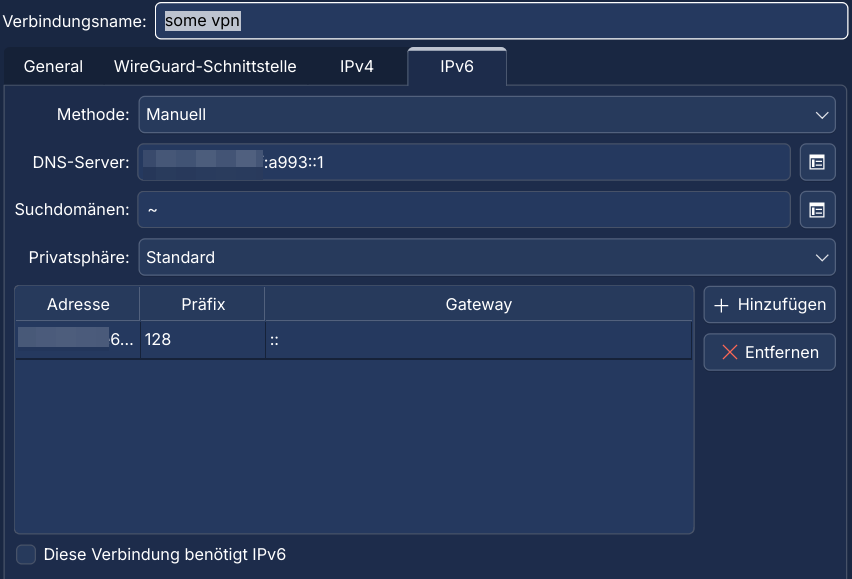
This is how it looked like after importing a configfile with nmcli connection import type wireguard file filename.conf
IPv4:

IPv6:
Turns out PersistentKeepalive caused that issue, I simply removed that parameter. Then import from the KDE GUI should also work