A Quick and Suitable Solving for Markdown Preview in Kate
Yes it is so obvious that Kate’s markdown preview not working for complex files. But previewing with external web browser handy and have more beneficial for productivity. Because you can also work on your other project or research in web browser at the same time. There are lots of options, Quarto and Mdbook is good to go options. I’m using quarto, and like on RStudio with just click I can preview my md or qmd files with my css settings on Konqueror.
Setting up Environment
Install quarto, a md-to-pdf convertor and set them
If your need to or want to see your MD file with your css set your _quarto.yml to your working direcotry.
Type quarto create and follow the the quarto, where you want to put css or what you want. For detailed _quarto.yml settings visit Quarto website (I not allowed here to add link?)
Here is mine
project:
  title: "zmusdostudy"
  output-dir: _output

toc: true
toc-depth: 5
toc-title: İçindekiler
number-sections: false
bibliography: /home/musdo/Templates/references.bib
csl: /home/musdo/Templates/apa.csl
zotero: true

format:
  # html:
  #   style:
  #   css: /home/musdo/Templates/charis-dr.css
  pdf:
    pdf-engine: weasyprint
    css: /home/musdo/Templates/musdo-dr.css
You don't have detailed settings,  but have to add this, I prever Weasyprint,

format:
   pdf:
     pdf-engine: weasyprint
      css: /home/musdo/Templates/musdo-dr.css
Add external tools
-
Open
SettingsConfigure Kate` `Plugins` and activate External Tools -
Go
External Toolsin setting menu -
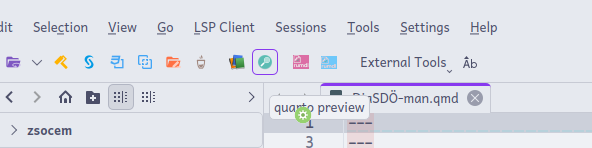
Add Tooland make your tool like this (I add manually the icon, find the location of where quarto installed based on your distro). -
Set your css in workind directory with _quarto yaml
-
And you going to show your files in your web browser. Depends on your preference put at right and make it always top

-
Because of
New Userrules I couldn’t add other pictures. They are in comments. -
Best!!