Kcron / KDE Task Scheduler not working

Hi, I’m trying to use Kcron, a.k.a. KDE Task Scheduler for automated, scheduled shutdowns on Fedora 42 Plasma Desktop. I’ve seemingly configured everything correctly, but it just won’t run the commands at the scheduled times. I need help getting it to work, or recommendations for an alternative GUI that can do regularly scheduled shutdowns.

Screenshots:

When I select a task and click “Run,” it successfully executes a shutdown. But for some reason it won’t do so at the scheduled times.

If I check “When system starts,” it grays out all the scheduling options, so it seems to be in the literal sense where it would shutdown my computer as soon as it starts, lol

I’ve confirmed that the crond daemon is running (as far as I can tell), since the documentation emphasized the importance of that.

crontab -l also correctly shows the tasks created through Task Scheduler.

Any help on this would be greatly appreciated. Thanks!

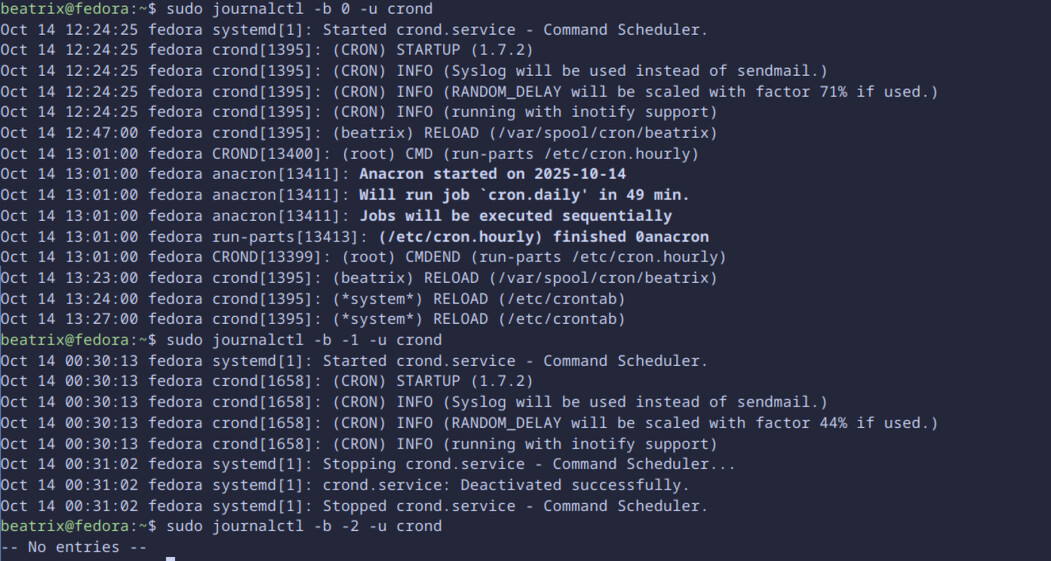
Does crond log anything interesting at the time that the tasks should be running?

Try sudo journalctl -b 0 -u crond and you can see the logs from your current boot. (Or -b -1 for the previous boot, etc).

The shutdown typically requires root privileges, so you’d need to add sudo to the command, or put in the system schedule instead of the user schedule.

(some distros may allow shutdown by users, mine (OpenSUSE) does not)

EDIT: and it definitely requires more parameters, the correct command is:

shutdown -h now

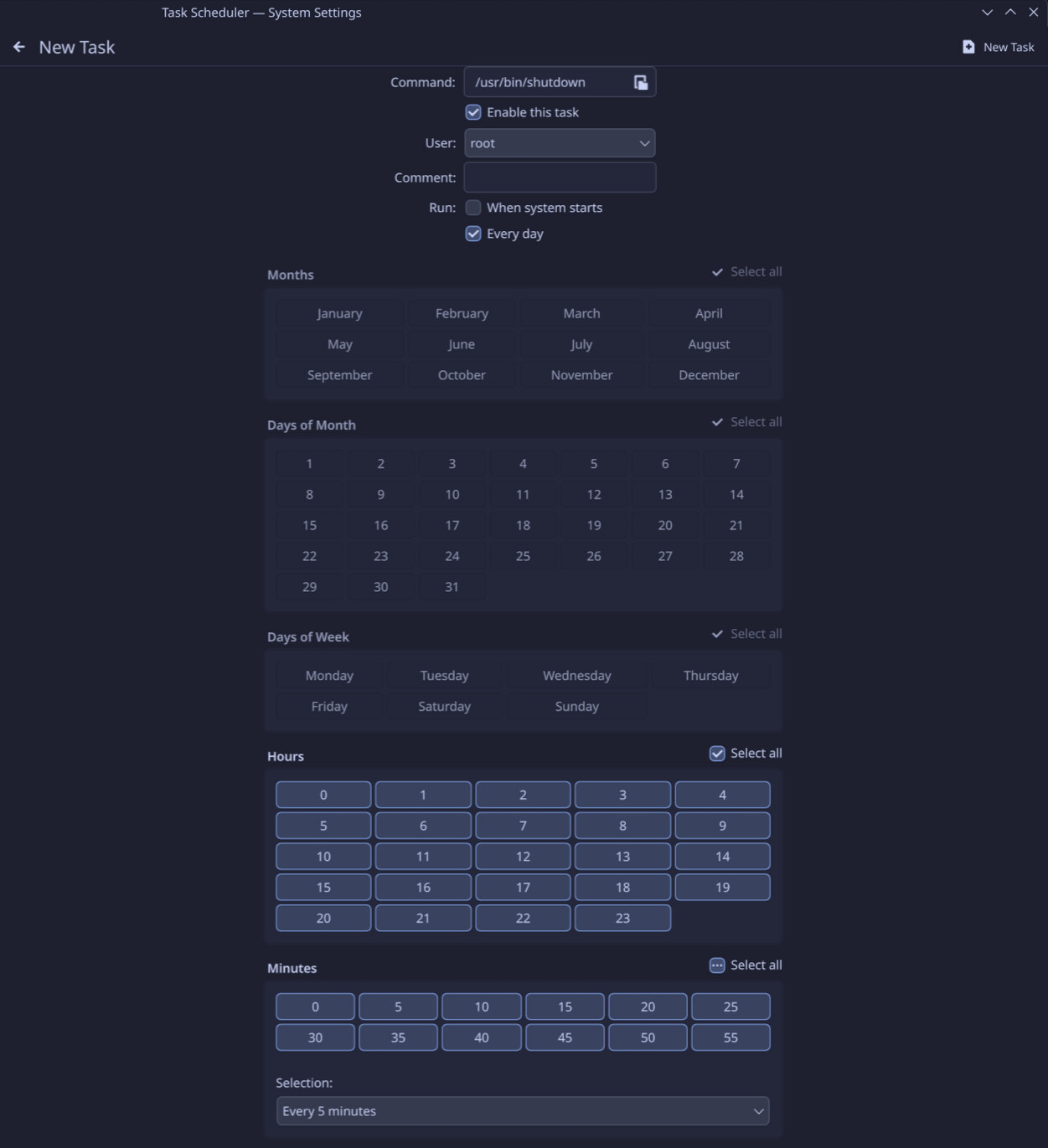
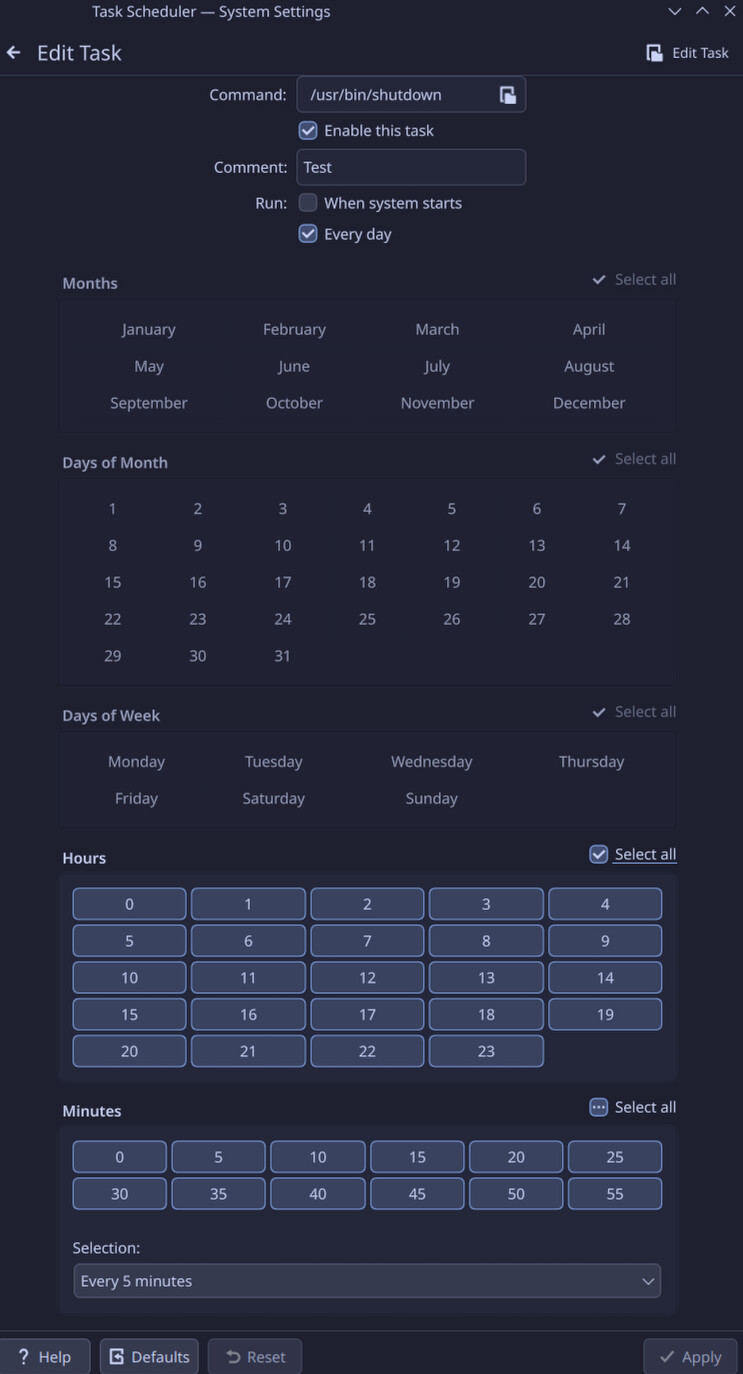
I guess this should show something for the test task I have scheduled to run an automated shutdown every 5 minutes every hour, but I don’t see anything. (This task has existed and been enabled for months)

I have tried running it in the system tab as root, but no dice. But maybe I configured something wrong, so here’s a screenshot. I am not sure how to format adding sudo to a command that’s run from a filepath.

Hmm, so the crond service stops at 00:31:02 - that’s odd.

That’s probably when I shutdown my PC. Pretty sure I went to sleep at 12:31 last night.

Oh :slight_smile: So is there actually a time in those logs when you would have expected the shutdown job to run?

-b 0 wouldn’t have any because it fires every 5 mins between 00:00 and 02:55.

-b -1 probably just missed the 00:30 job and never reached 00:35.

I would have expected the job to run at every 5 minute increment of every hour, no? i.e. 0:05, 0:10, etc

Your job spec in the crontab is */5 0,1,2 * * *

That’s every 5 minutes of only the hours 00:, 01: and 02:

Which matches the first KCron screenshot in your first post?

Seems the GUI doesn’t actually lets you add a command, just a pointer to a file so either you create a script like

#!/bin/bash
sudo shutdown -h now

or you do a crontab -e and do it manually oldskool way.

Or (trigger warning for some people) you do it the modern way by using a systemd timer.

Oh true. I guess I had the test version of that task set to specific times at first, and only changed it to every 5 minutes today.

I think the previous boot is not very helpful here because I had restarted my computer to complete updates before shutting it down, so uptime was only about a minute. As for the boot before that boot, it should have shut down at 12AM and didn’t, but we don’t have logs for that.

Example for the last:

$ cat /etc/systemd/system/systemd-poweroff.timer
[Unit]
Description=Poweroff every work day

[Timer]
# Power off in working days at 23:00
OnCalendar=Mon,Tue,Wed,Thu,Fri *-*-* 23:00:00

[Install]
WantedBy=timers.target

Then do a systemctl enable systemd-poweroff.timer followed by systemctl start systemd-powerff.timer

I tried creating a .sh script using your code, but selecting it in task scheduler grays out the option to apply changes and says “choose a program to run”

did you add the execute bit? (chmod +x file.sh)?

:sweat_smile: Oops, no, how do I go about doing that?

Fedora does. /usr/bin/shutdown in a user session without any parameters schedules a shutdown in 1 minute’s time.

I guess this might rely on the user having some level of admin rights, like being part of ‘wheel’.

1 Like

chmod +x file.sh

Where in the script file do I add it? Or do I add that to the task scheduler command field?

Does this look right?

I guess OpenSUSE is a bit more oldskool here; it has shutdown under /usr/sbin which no regular user has access to without sudo.

1 Like