New to this, installed on Mac and android phone. Hit request pairing on android, get notification on Mac, just times out every time. Probably something dumb – what am I missing?
First, welcome to the KDE Discuss forum.
A couple of questions –
-
Which Apple Mac do you have?
macOS?
ARM or Intel? -
Which Android?
Did you download the KDE Connect App from the Google Play Store?
As far as the Apple world is concerned, you’ll need to download the appropriate version from here –
<Download | KDE Connect>
For the case of macOS, you’ll need to take a look at how you installed the appropriate downloaded .dmg file.
And, the macOS security settings concerning the KDE Connect App also need to be checked – KDE Connect needs to be able to access your private LAN – the same applies to the KDE Connect App installed on the Android mobile telephone.
I’ve just now checked on my Apple M3 MacBook Air – KDE Connect is in the Apple Store.
Installed it – connected to my Android mobile telephone – it connected and “ping” & Co. functioned as expected – but –
- I couldn’t find where the supposedly transferred files had landed – neither on the Mac nor, on the mobile telephone.
I’ll take a closer look at some time in the next day or two.
Macbook Pro,
Sequoia 15.6
Intel I9
Samsung Zfold
KDE connected downloaded and installed on both devices
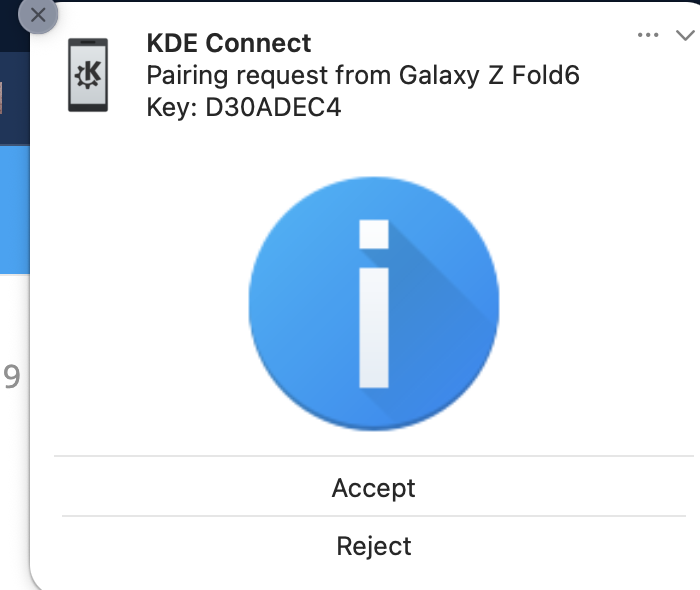
When I hit pair on the phone, notification pops up on the macbook immediately but when I hit accept the notification goes away and – I get a timed out message on the android after a while. So they can talk to each other, but the pairing never finishes
From the KDE Connect download Web Page, for an Intel macOS you could try to install this .dmg file –
<https://origin.cdn.kde.org/ci-builds/network/kdeconnect-kde/master/macos-x86_64/>
<https://origin.cdn.kde.org/ci-builds/network/kdeconnect-kde/master/macos-x86_64/kdeconnect-kde-master-5273-macos-clang-x86_64.dmg>
This one –
<https://origin.cdn.kde.org/ci-builds/network/kdeconnect-kde/master/macos-arm64/>
is for ARM (M2/M3/M4) Macs only.
In my case, I’ll try removing the Apple Store version and, installing the version from the KDE site – I have a sneaky suspicion that, the version at the Apple Store may be having issues with the newest Sequoia version … 