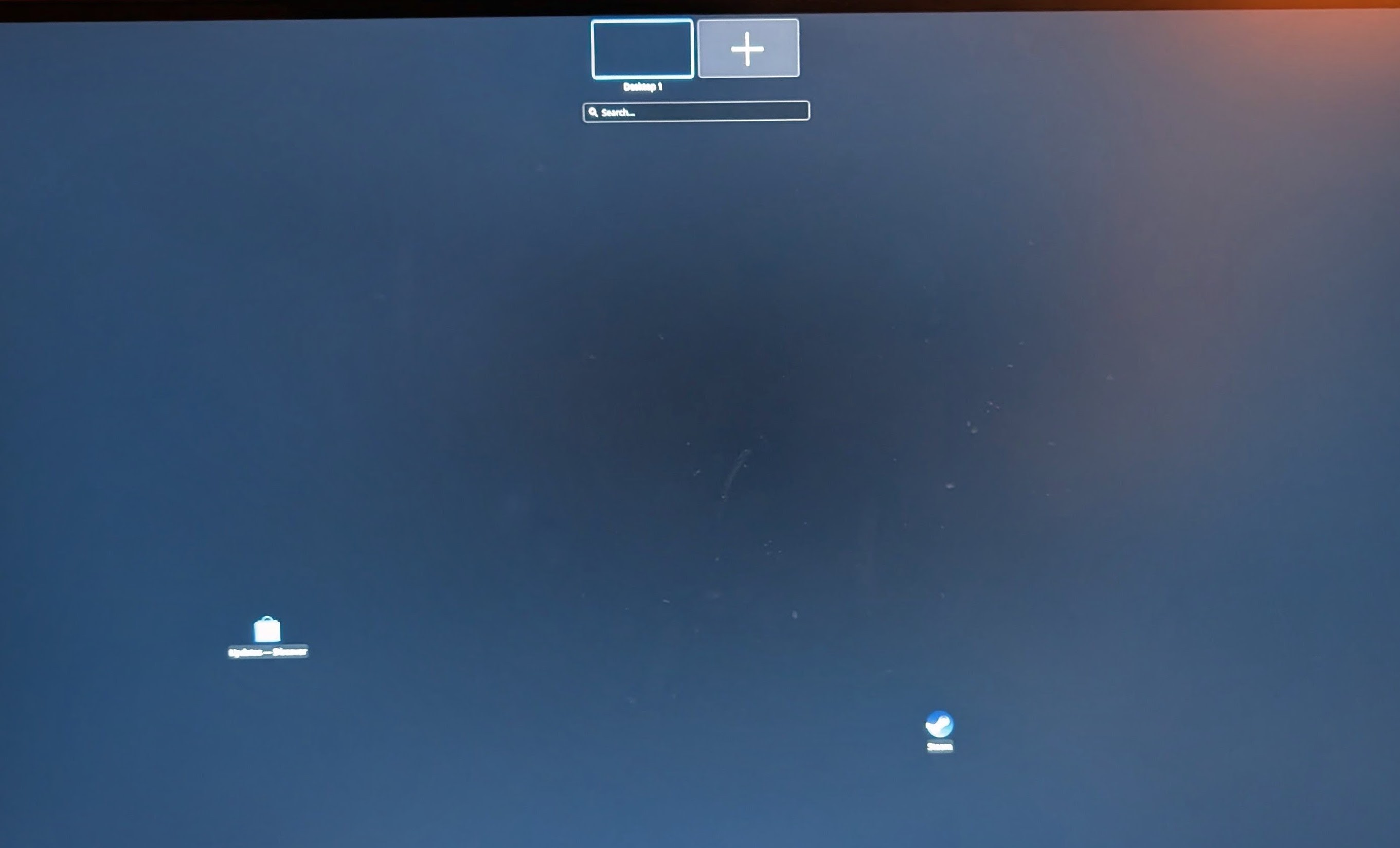
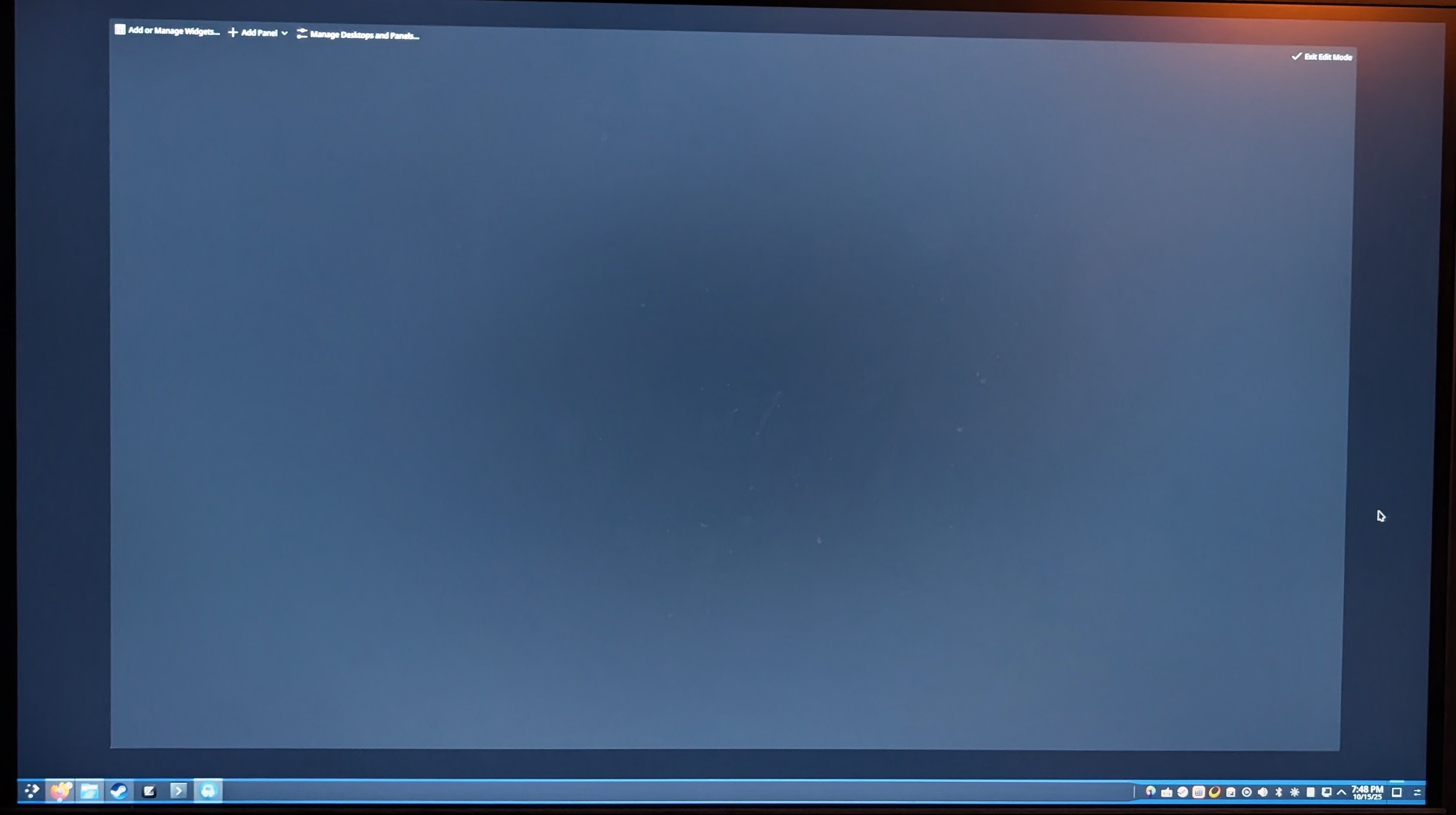
I have been having this weird issue with KDE Plasma 6 on my Arch Machine in which my KDE widget screens and window/desktop select are just completely blank. I can’t create a new panel, time widget, or even customize my desktop to any reasonable degree due to this bug. I can’t even pinpoint when it happened either, which is my initial method of tracking down bugs like this.
In the event that I need to, I am willing to uninstall KDE plasma entirely and then reinstall it. I never did customize the desktop because of lack of time, so it is prime time to reinstall if needed. I just wanted to avoid purging my /home directory, so no OS flash to fix the issue.
System Info:
                   -`                    hutchm6@MoonGPC
                  .o+`                   ---------------
                 `ooo/                   OS: Arch Linux x86_64
                `+oooo:                  Host: B650M Pro RS WiFi
               `+oooooo:                 Kernel: 6.17.1-arch1-1
               -+oooooo+:                Uptime: 9 mins
             `/:-:++oooo+:               Packages: 1347 (pacman), 31 (flatpak)
            `/++++/+++++++:              Shell: zsh 5.9
           `/++++++++++++++:             Resolution: 2560x1440
          `/+++ooooooooooooo/`           DE: Plasma 6.4.5
         ./ooosssso++osssssso+`          WM: kwin
        .oossssso-````/ossssss+`         Theme: Breeze-Dark [GTK2], Breeze [GTK3]
       -osssssso.      :ssssssso.        Icons: breeze-dark [GTK2/3]
      :osssssss/        osssso+++.       Terminal: konsole
     /ossssssss/        +ssssooo/-       Terminal Font: FiraCode Nerd Font Mono 12
   `/ossssso+/:-        -:/+osssso+-     CPU: AMD Ryzen 9 7950X3D (32) @ 5.763GHz
  `+sso+:-`                 `.-/+oso:    GPU: AMD ATI 0e:00.0 Raphael
 `++:.                           `-/+/   GPU: NVIDIA GeForce RTX 3080 Lite Hash Rate
 .`                                 `/   Memory: 7431MiB / 63364MiB
Package List:
❯ pacman -Q | grep -E 'plasma|kde|kwin|qt6|qt5'

kde-cli-tools 6.4.5-1
kde-gtk-config 6.4.5-2
kdeclarative 6.19.0-1
kdeconnect 25.08.2-2
kdecoration 6.4.5-1
kded 6.19.0-1
kded5 5.116.0-1
kdenlive 25.08.2-1
kdeplasma-addons 6.4.5-1
kdesu 6.19.0-1
kdsoap-qt6 2.2.0-1
kwin 6.4.5-4
kwindowsystem 6.19.0-1
kwindowsystem5 5.116.0-1
libblockdev 3.3.1-1
libblockdev-crypto 3.3.1-1
libblockdev-fs 3.3.1-1
libblockdev-loop 3.3.1-1
libblockdev-mdraid 3.3.1-1
libblockdev-nvme 3.3.1-1
libblockdev-part 3.3.1-1
libblockdev-swap 3.3.1-1
libdbusmenu-qt5 0.9.3+16.04.20160218-7
libplasma 6.4.5-2
libqaccessibilityclient-qt6 0.6.0-1
phonon-qt6 4.12.0-5
phonon-qt6-vlc 0.12.0-5
plasma-activities 6.4.5-1
plasma-activities-stats 6.4.5-1
plasma-browser-integration 6.4.5-1
plasma-desktop 6.4.5-4
plasma-disks 6.4.5-1
plasma-firewall 6.4.5-1
plasma-integration 6.4.5-4
plasma-meta 6.4-4
plasma-nm 6.4.5-1
plasma-pa 6.4.5-1
plasma-systemmonitor 6.4.5-1
plasma-thunderbolt 6.4.5-1
plasma-vault 6.4.5-1
plasma-welcome 6.4.5-1
plasma-workspace 6.4.5-3
plasma-workspace-wallpapers 6.4.5-1
plasma5support 6.4.5-1
polkit-kde-agent 6.4.5-1
polkit-qt5 0.200.0-1
polkit-qt6 0.200.0-1
poppler-qt6 25.09.1-1
python-pyqt6 6.9.1-3
python-pyqt6-sip 13.10.2-1
python-pyqt6-webengine 6.9.0-1
qca-qt5 2.3.10-3
qca-qt6 2.3.10-3
qt5-base 5.15.17+kde+r123-2
qt5-declarative 5.15.17+kde+r21-1
qt5-multimedia 5.15.17+kde+r2-1
qt5-speech 5.15.17+kde+r1-1
qt5-svg 5.15.17+kde+r5-1
qt5-tools 5.15.17+kde+r3-2
qt5-translations 5.15.17-1
qt5-wayland 5.15.17+kde+r57-1
qt5-x11extras 5.15.17-1
qt6-5compat 6.10.0-1
qt6-base 6.10.0-1
qt6-connectivity 6.10.0-1
qt6-declarative 6.10.0-1
qt6-imageformats 6.10.0-1
qt6-location 6.10.0-1
qt6-multimedia 6.10.0-1
qt6-multimedia-ffmpeg 6.10.0-1
qt6-networkauth 6.10.0-1
qt6-positioning 6.10.0-1
qt6-quick3d 6.10.0-1
qt6-quicktimeline 6.10.0-1
qt6-scxml 6.10.0-1
qt6-sensors 6.10.0-1
qt6-shadertools 6.10.0-1
qt6-speech 6.10.0-1
qt6-svg 6.10.0-1
qt6-tools 6.10.0-1
qt6-translations 6.10.0-1
qt6-virtualkeyboard 6.10.0-1
qt6-wayland 6.10.0-1
qt6-webchannel 6.10.0-1
qt6-webengine 6.10.0-1
qt6-websockets 6.10.0-1
qt6-webview 6.10.0-1
qt6pas 6.2.10-1
qtkeychain-qt6 0.15.0-3
quazip-qt6 1.5-1
xdg-desktop-portal-kde 6.4.5-2

❯ pacman -Q | grep -E 'mesa|egl|vulkan|nvidia|wayland|xorg'

bambustudio-nvidia-bin 02.02.02.56-1
bambustudio-nvidia-bin-debug 02.02.02.56-1
egl-gbm 1.1.2.1-1
egl-wayland 4:1.1.20-1
egl-x11 1.0.3-1
eglexternalplatform 1.2.1-1
freeglut 3.6.0-2
kwayland 6.4.5-2
lib32-mesa 1:25.2.4-2
lib32-nvidia-cg-toolkit 3.1-10
lib32-nvidia-utils 580.95.05-1
lib32-vulkan-icd-loader 1.4.328.1-1
lib32-wayland 1.24.0-1
linux-firmware-nvidia 20251011-1
mesa 1:25.2.4-2
mesa-utils 9.0.0-7
nvidia 580.95.05-2
nvidia-cg-toolkit 3.1-8
nvidia-utils 580.95.05-1
opencl-nvidia 580.95.05-1
qt5-wayland 5.15.17+kde+r57-1
qt6-wayland 6.10.0-1
vulkan-icd-loader 1.4.328.1-1
vulkan-tools 1.4.328.1-1
wayland 1.24.0-1
wayland-protocols 1.45-1
wayland-utils 1.2.0-2
xorg-fonts-encodings 1.1.0-1
xorg-server 21.1.18-2
xorg-server-common 21.1.18-2
xorg-setxkbmap 1.3.4-2
xorg-xauth 1.1.4-1
xorg-xdpyinfo 1.4.0-1
xorg-xkbcomp 1.4.7-1
xorg-xmessage 1.0.7-1
xorg-xprop 1.2.8-1
xorg-xrandr 1.5.3-1
xorg-xrdb 1.2.2-2
xorg-xset 1.2.5-2
xorg-xwayland 24.1.8-1
xorgproto 2024.1-2
 ) and something having access to an incomplete config state that it shouldn’t have could be one of like. MANY things that can cause something like this.