I am using v5.2.0 built on Arch. In previous versions, I was able to specify the conversion rate when entering a transaction between accounts of different currencies. A window asking for the conversion rate no longer appears in v5.2.0. What is the new workflow?
When you enter the transaction in account denominated in currency A and select a category or account denominated in currency B then the currency symbol in the amount edit widget is enabled. Clicking on it switches between to the currency B and allows to modify the amount in that currency. Clicking again switches back to currency A.
No category selected or category with same currency selected, currency disabled
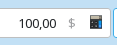
Category or account with different currency selected, currency symbol enabled
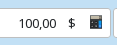
After click on the currency symbol
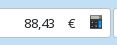
1 Like
Thank you @ipwizard this was useful to me, I couldn’t figure it out either. But, I’d just like to add a few details which may help others: After clicking the currency symbol and entering the desired target currency amount, it’s important to press Tab which brings up the price editor, enabling a conversion rate to be stored. At first, I was pressing Enter, which actually crashes KMM.