what’s adding to the confusion (for me at least) is that the features of the bar shown in the original image by OP (the two < > nav arrows and the two icons on the right) will appear if EITHER the tab bar OR the nav bar are enabled.
with two files open and kwrite configured to use tabs i get these results (plasma 5)…
both Show Tabs and Show Navigation enabled:
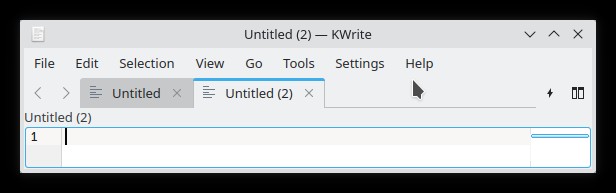
only Tabs enabled:
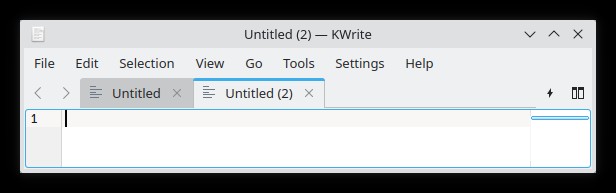
only Nav enabled:

neither Tab nor Nav enabled:
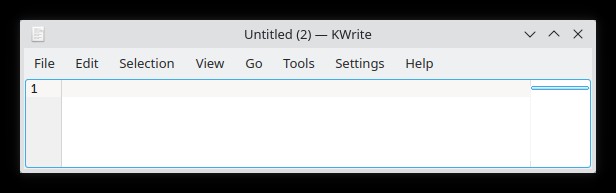
worth noting is that under no conditions is the bar shown with only the <> nav buttons and the two icons… there is always either tabs or the path shown as well.
the plasma 6 glitch must have something to do with this duality behavior and the case of neither tabs nor nav being enabled has somehow defaulted to still showing the buttons.
edit: added a comment to the bug report pointing this out.