How can I Login to KDE-Linux? I only get a black Screen but can change to a Terminal that asks me for a User and a Password which I can´t find anywhere.
When you install operating system the installing process asks you to write username and password to your account. Use them to login to your account.
And if you are not receiving graphical display on your screen your drivers of graphical card are not valid. You can fix them on Terminal.
If you only get a black screen (besides the Terminal on another TTY) from the Live ISO something is broken that you probably can not fix because of its “immutable base” nature anyway, i would think. So what do you want to do from the Terminal exactly?
If you post your more information about the system you try to run KDE-Linux on someone with more knowledge about that distro maybe can point out the/a possible compatibility issue (and how likely that can get fixed).
I wish to see dmesg, ps, top and so on.
live as a username will get you in without asking for a password, no root privileges (as that is beyond my short try in a VM) but access to the kernel messages, ps, top … as far as a user can get.
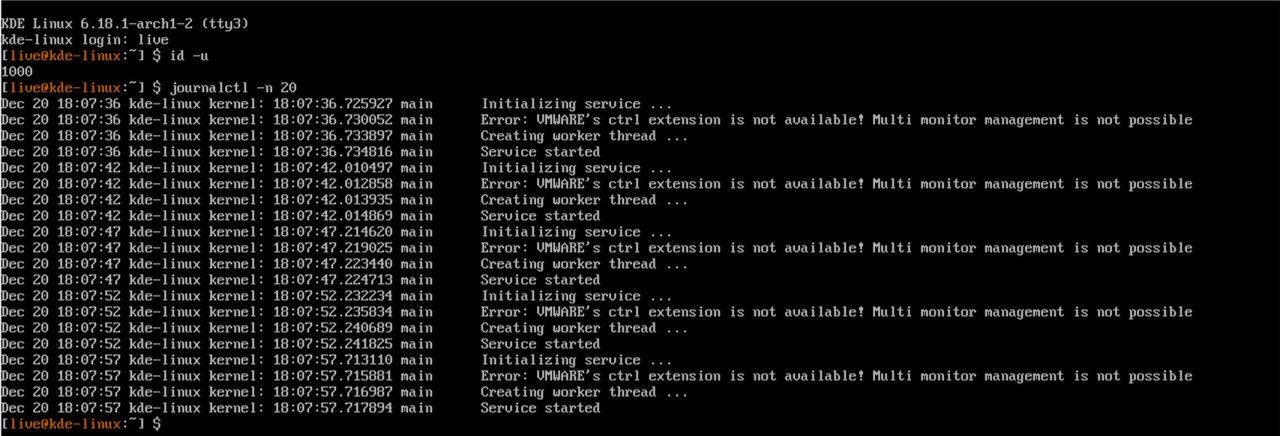
(not sure why it complains about a missing VMWARE extension in VirtualBox, though
 )
)
Thanks, that worked.
I have two Thinks why I think it wont work.
I get one error in the Kernel Messages. “faux driver Regulatory: Direct Firmware load for regulatory.db failed with error -2”
And that the i915 Driver is in use (KDE NEON uses llvm).
By the Way The EFI Shell is not working too (Black Screen).
Thanks,
1 Like
The aktual Version 20.12.2025 Works fine. Only the EFI-Shell still gives only a black Screen.