Been trying to configure the lock screen to my liking but my options to do so out of the box seem limited. My main issue is that I can’t find a setting to change the clock from am/pm to 24hr. More infuriating for me at least is not being able to change the date format from MM/DD/YYYY to DD/MM/YYYY.
On my system (with the Fedora theme which is lightly customised Breeze) the lock screen clock matches the date and time formats I set in Region & Language. I don’t think I needed a separate setting to make that happen.
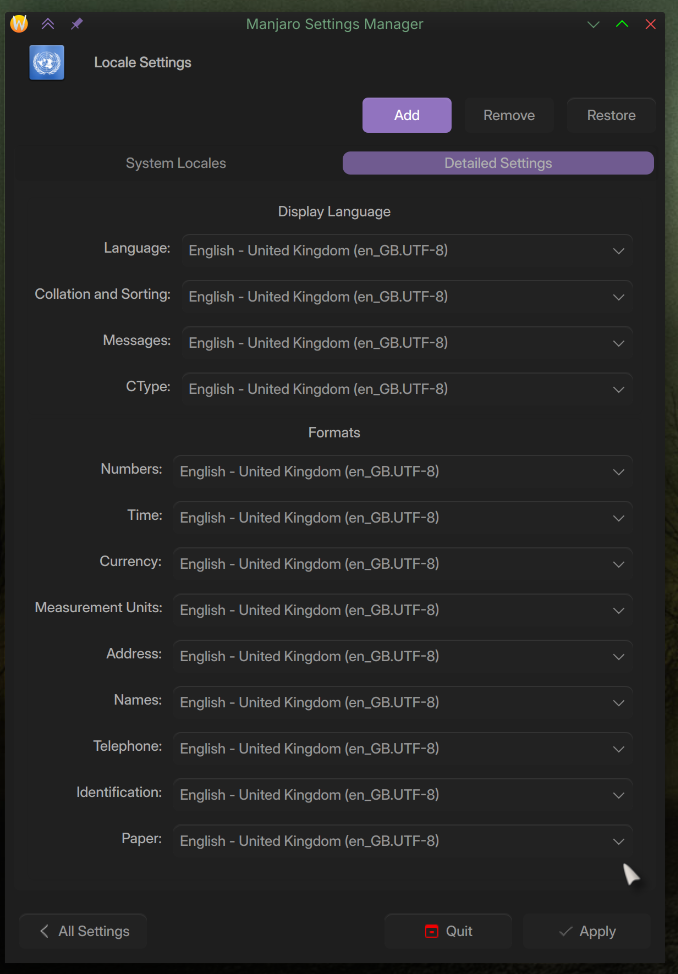
I would definitely be looking at the locale and regional settings… there are some fine tuning options, meaning that they can be mixed, and one of those is likely off kilter.
I have Time set to Tuesday, 19 August 2025 18:49:18 Indochina Time 19/08/2025 (Standard format for British English).
How about the login screen when you’ve just booted up? Mine is in the 24hr format and I’d like it to be in the 12hr if possible, but haven’t found a way to change it. Is this something you know how to do?
In the default theme, this is driven by the systemwide locale config. You can make the time 12-hour by editing the file /etc/locale.conf to add:
LC_TIME="en_US.UTF-8"
(or some other locale which uses 12-hour time would work).
Then on a reboot you should see the time in 12-hour format. I found I needed to reboot, just logging out of my session wasn’t enough to pick up the change.
Some themes may hardcode the format rather than taking it from the systemwide locale, for example in a random search I found this “Astronaut” theme that hardcodes HourFormat=“HH:mm”.