Low Rendering speed on high-end pc

Hi Kdenlive.

My rendering speed is quite low. 4k 9:16 aspect ratio 60fps is the project settings. The edit is 14 min long.
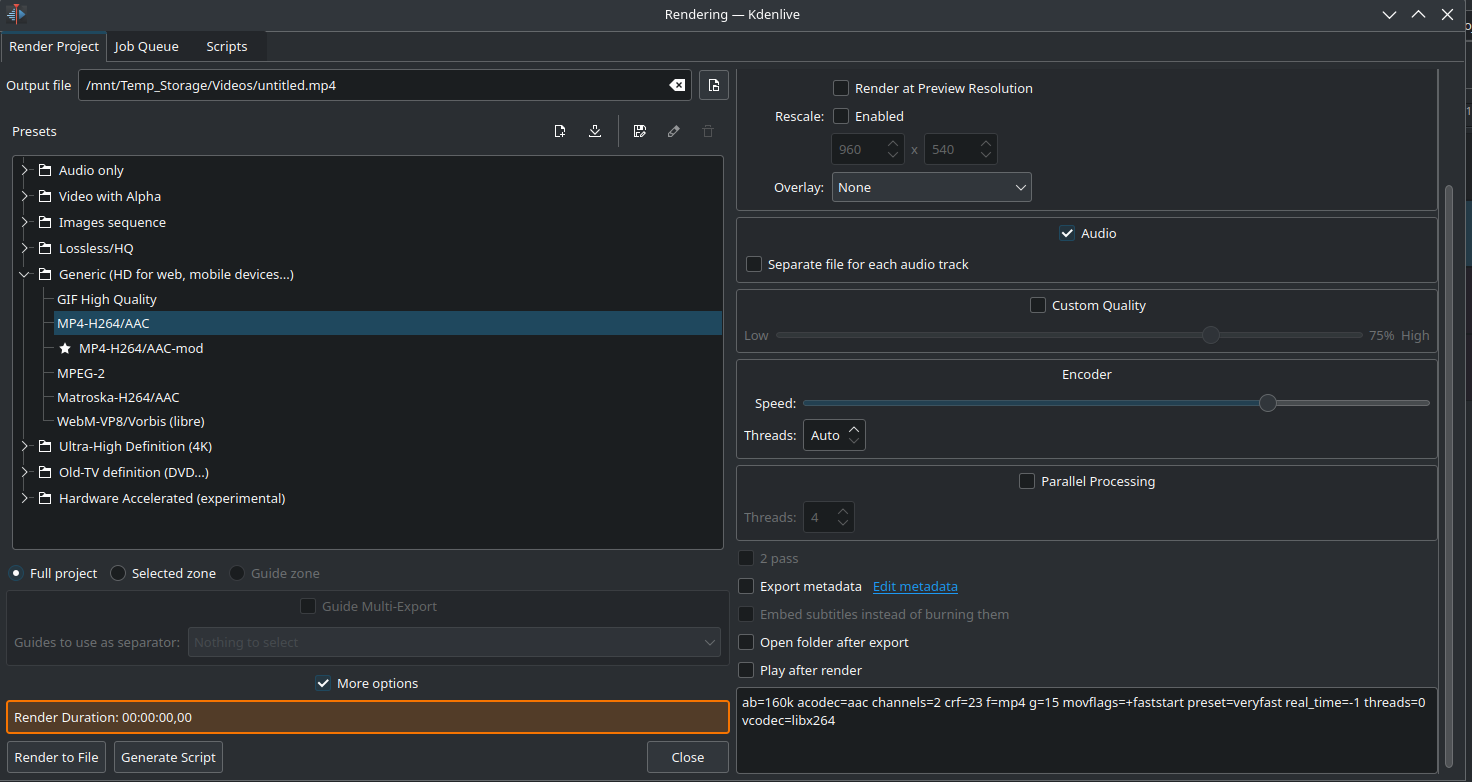
I tried using parralel -16 and -1 threads. Encoder speed ultrafast with 16 threads.

The render time is 1h20min at 4-6 fps.

Version 23.08.5

I use a i7 13700kf with an rtx 4090. 64gb ram and using m.2 as ssd.

I saw a video on youtube, he was using a gtx 970 his project was 8 minutes long and it took him 4 min to render.

The only effects i used on the project is position and scale movement. The rush video is 60fps 4k 16:9 from a gameplay

With all said i wonder why it render that slow?

Have you tried changing the number of threads under the encoder options? There is a more settings section you can check box to see more options

you might try parallel processing too but im not sure of the specifics regarding either of these settings. Changing encoder threads seemed to help with my 5900x

EDIT: Just noticed you mentioned the threads my bad

Thats gonna be a tough encode either way on CPU, if you want it to be fast you can try using GPU encoding but be aware its technically lower quality. The hardware encoding options might be what youre looking for to render “quickly” in 4k. The NVENC encoder should be quick about it and has a few options in the HW accelerated section.

I just did a quick test with my RX6800 and can render a 1min 4K 60fps H264 video at 32fps with VAAPI. NVENC should do it even faster as the AMD H264 encoder isnt nearly as good.

EDIT: Reading this thread https://www.reddit.com/r/kdenlive/comments/ka0aak/kdenlive_gpucpu_use_threads_mlt_and_ffmpeg_tips/

I set Threads and Parallel threads higher (between 8-12 for each one seemed ok) and that doubled my vaapi encode speed to 60fps. Seems that MLT tends to be the bottleneck here and that it generally uses a single thread

EDIT: Just tried a CPU render on my 5900x and i get about 4-8fps so no real difference from you. I think the YT video you watch either had a very powerful CPU or used GPU encoding

No nothing has changed. I tried Hardware Accelerated. I tweek Parralel on off -1/-16. I tried also to put it in 16:9 with no effect, still 1h30 for 14 min long.

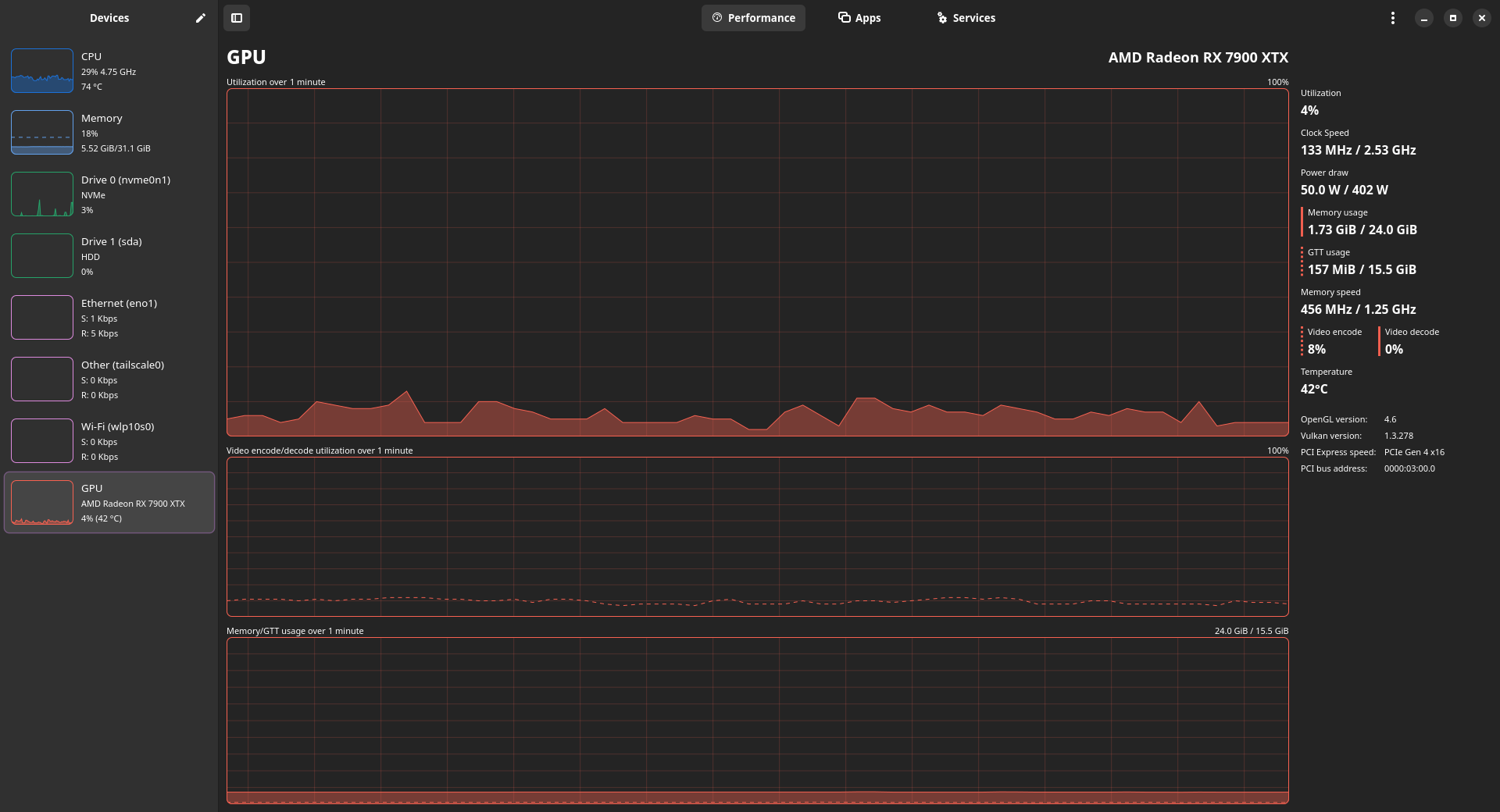
My cpu and gpu works at 5-10%.

hmm…strange, honestly beyond that we might need someone more experienced with kdenlive to chime in with their thoughts :face_with_diagonal_mouth:

Same, having an issue that the rendering is slow when trying to use hardware encoding.

Running a 7800X3D and a 7900XTX.

I’m rendering a 1080p@60FPS video with av1_vaapi (hevc_vaapi was even slower) and it’s between 70-80FPS while encoding.

(encoding,parallel) = (16,8) and that yielded the most results. I tried 16/16 but no change.

CPU is at around 38% while GPU is at around 10%:

Might help if I post about my environment?

My host system is Fedora Kinoite and I’m running kdenlive inside of an archlinux container via distrobox.

Hi, and welcome to the forum and community.

For starters: 4K @ 60fps is huge! That’s a lot to handle for any video editor.

Secondly, the render process takes two steps: applying all the effects, compositions, transitions, and filters, and encoding each frame into the selected format and container. The first step is handled by MLT (or melt), the second one by ffmpeg. Only the encoding part is currently using GPU support via the corresponding encoder (NVENC or VAAPI). The MLT part does not use the GPU at all, but is where the heavy lifting need to be done.

Enabling parallel processing speeds up the rendering (done by MLT) but can introduce artifacts. It is also recommended to set the number of threads at cores/2.

BTW, I wouldn’t necessarily trust YT videos where ppl show their render speed.

It is a very common misconception that with all these beefed up GPUs creating videos is a breeze. None of the editor applications out there (even the paid ones) take full potential of a GPU yet. Some have better rendering modules than others but there is not yet widespread outsourcing of the render task to GPUs. Games are optimized for GPUs, and GPUs are optimized for gaming because this is where the money is.

I’m experiencing some similar issues. I have in the past seen Kdenlive run at over 100fps when rending videos using the H264_NVEVC profile.

I’ve recently done a fresh install of CachyOS (Arch-based) and have the Nvidia Drivers and ffmpeg codecs installed.

Unigine Superposition averages over 200fps on 1080p Medium and ffmpeg converts usint ahtt code at over 400fps:
```
❯ ffmpeg -hwaccel cuda -hwaccel_output_format cuda -i Hot\ Loads\ -\ 17-556\ KAK.mp4 -c:v h264_nvenc -c:a aac Test_Conversion_1.mp4
ffmpeg version n8.0 Copyright (c) 2000-2025 the FFmpeg developers
built with gcc 15.2.1 (GCC) 20250813
configuration: --prefix=/usr --disable-debug --disable-static --disable-stripping --enable-amf --enable-avisynth --enable-cuda-llvm --enable-lto --enable-fontconfig --enable-frei0
r --enable-gmp --enable-gnutls --enable-gpl --enable-ladspa --enable-libaom --enable-libass --enable-libbluray --enable-libbs2b --enable-libdav1d --enable-libdrm --enable-libdvdnav
–enable-libdvdread --enable-libfreetype --enable-libfribidi --enable-libglslang --enable-libgsm --enable-libharfbuzz --enable-libiec61883 --enable-libjack --enable-libjxl --enable-
libmodplug --enable-libmp3lame --enable-libopencore_amrnb --enable-libopencore_amrwb --enable-libopenjpeg --enable-libopenmpt --enable-libopus --enable-libplacebo --enable-libpulse
–enable-librav1e --enable-librsvg --enable-librubberband --enable-libsnappy --enable-libsoxr --enable-libspeex --enable-libsrt --enable-libssh --enable-libsvtav1 --enable-libtheora
–enable-libv4l2 --enable-libvidstab --enable-libvmaf --enable-libvorbis --enable-libvpl --enable-libvpx --enable-libwebp --enable-libx264 --enable-libx265 --enable-libxcb --enable
-libxml2 --enable-libxvid --enable-libzimg --enable-libzmq --enable-nvdec --enable-nvenc --enable-opencl --enable-opengl --enable-shared --enable-vapoursynth --enable-version3 --ena
ble-vulkan
libavutil 60. 8.100 / 60. 8.100
libavcodec 62. 11.100 / 62. 11.100
libavformat 62. 3.100 / 62. 3.100
libavdevice 62. 1.100 / 62. 1.100
libavfilter 11. 4.100 / 11. 4.100
libswscale 9. 1.100 / 9. 1.100
libswresample 6. 1.100 / 6. 1.100
Input #0, mov,mp4,m4a,3gp,3g2,mj2, from ‘Hot Loads - 17-556 KAK.mp4’:
Metadata:
major_brand : isom
minor_version : 512
compatible_brands: isomiso2avc1mp41
encoder : Lavf61.7.100
Duration: 00:02:50.01, start: 0.000000, bitrate: 2698 kb/s
Stream #0:0[0x1](und): Video: h264 (Main) (avc1 / 0x31637661), yuv420p(tv, bt709, progressive), 1080x1920 [SAR 1:1 DAR 9:16], 2529 kb/s, 30 fps, 30 tbr, 15360 tbn (default)
Metadata:
handler_name : VideoHandler
vendor_id : [0][0][0][0]
Stream #0:1[0x2](und): Audio: aac (LC) (mp4a / 0x6134706D), 48000 Hz, stereo, fltp, 159 kb/s (default)
Metadata:
handler_name : SoundHandler
vendor_id : [0][0][0][0]
Stream mapping:
Stream #0:0#0:0 (h264 (native) → h264 (h264_nvenc))
Stream #0:1#0:1 (aac (native) → aac (native))
Press [q] to stop, [?] for help
Output #0, mp4, to ‘Test_Conversion_1.mp4’:
Metadata:
major_brand : isom
minor_version : 512
compatible_brands: isomiso2avc1mp41
encoder : Lavf62.3.100
Stream #0:0(und): Video: h264 (Main) (avc1 / 0x31637661), cuda(tv, bt709, progressive), 1080x1920 [SAR 1:1 DAR 9:16], q=2-31, 2000 kb/s, 30 fps, 15360 tbn (default)
Metadata:
encoder : Lavc62.11.100 h264_nvenc
handler_name : VideoHandler
vendor_id : [0][0][0][0]
Side data:
cpb: bitrate max/min/avg: 0/0/2000000 buffer size: 4000000 vbv_delay: N/A
Stream #0:1(und): Audio: aac (LC) (mp4a / 0x6134706D), 48000 Hz, stereo, fltp, 128 kb/s (default)
Metadata:
encoder : Lavc62.11.100 aac
handler_name : SoundHandler
vendor_id : [0][0][0][0]
[out#0/mp4 @ 0x559e7215d480] video:40440KiB audio:2648KiB subtitle:0KiB other streams:0KiB global headers:0KiB muxing overhead: 0.427840%me=00:00:15.33 bitrate=2188.4kbits/s speed=1
frame= 5100 fps=494 q=24.0 Lsize= 43272KiB time=00:02:49.90 bitrate=2086.4kbits/s speed=16.5x elapsed=0:00:10.32
[aac @ 0x559e7410ae40] Qavg: 1943.946

```

However, when I try to render my video projects, they are running at under 20fps.

I’m not sure what else I could be missing?
Probably all of the previous discussions on this forum about what things in your project may or may not benefit from a fast GPU or be particularly expensive to perform.

And mentioning what version and build of kdenlive you are using.

Or anything about your actual project.

Without any of that, all we can say is:

  • under 20fps for some projects is perfectly normal.
  • over 100fps, even without using an nvenc or vaapi profile, for some projects, on the same hardware, is also perfectly normal.

Being able to run fast doesn’t mean you can swim fast. And even a slow runner is likely to be faster than even the fastest swimmer. What you’re doing and how you’re trying to do it matters.