Hello,
I’m trying out Linux (Fedora) with KDE on my Lenovo Yoga convertible and was checking out the Maliit virtual keyboard, when I came across a function that I couldn’t figure out how it worked. I have also been unable anything about it online for some reason, so I’m curious whether anyone here has an answer.
I’m talking about this:
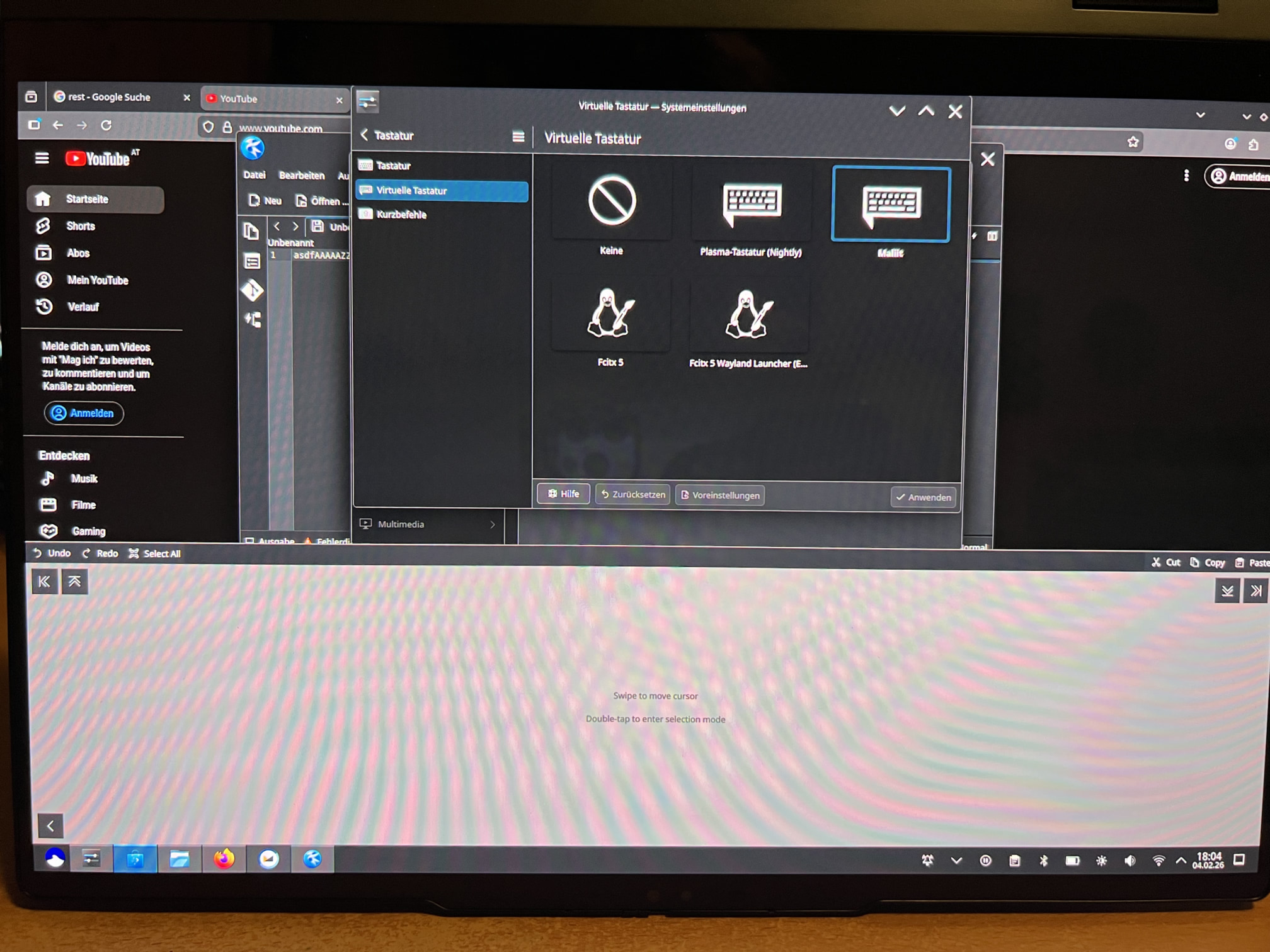
It appears when you press and hold the Space key on the virtual keyboard. It seems like a tool to navigate text easier and provide text selection and some functions like Copy/Paste/Cut.
However, I can’t seem to get it to work properly. When I try to select something on their selection mode, it just moves the cursor without selecting. Trying Cut/Copy/Paste instead prints the letter of the keyboard shortcut (“X” / ”C” / ”V”).
Is anyone here familiar with these functions, and can tell me if they are just broken, or I need to change a config somewhere for them to be working? It seems like the keyboard can’t send modifier keys.