I’m running Operating System: openSUSE Leap 15.6
KDE Plasma Version: 5.27.11
KDE Frameworks Version: 5.115.0
Qt Version: 5.15.12
Kernel Version: 6.4.0-150600.23.65-default (64-bit)
Graphics Platform: X11
Processors: 4 × Intel® Core™ i5-5200U CPU @ 2.20GHz
Memory: 15.5 GiB of RAM
Graphics Processor: Mesa Intel® HD Graphics 5500
Manufacturer: Medion
Product Name: E7416 MD99371
System Version: 1.0
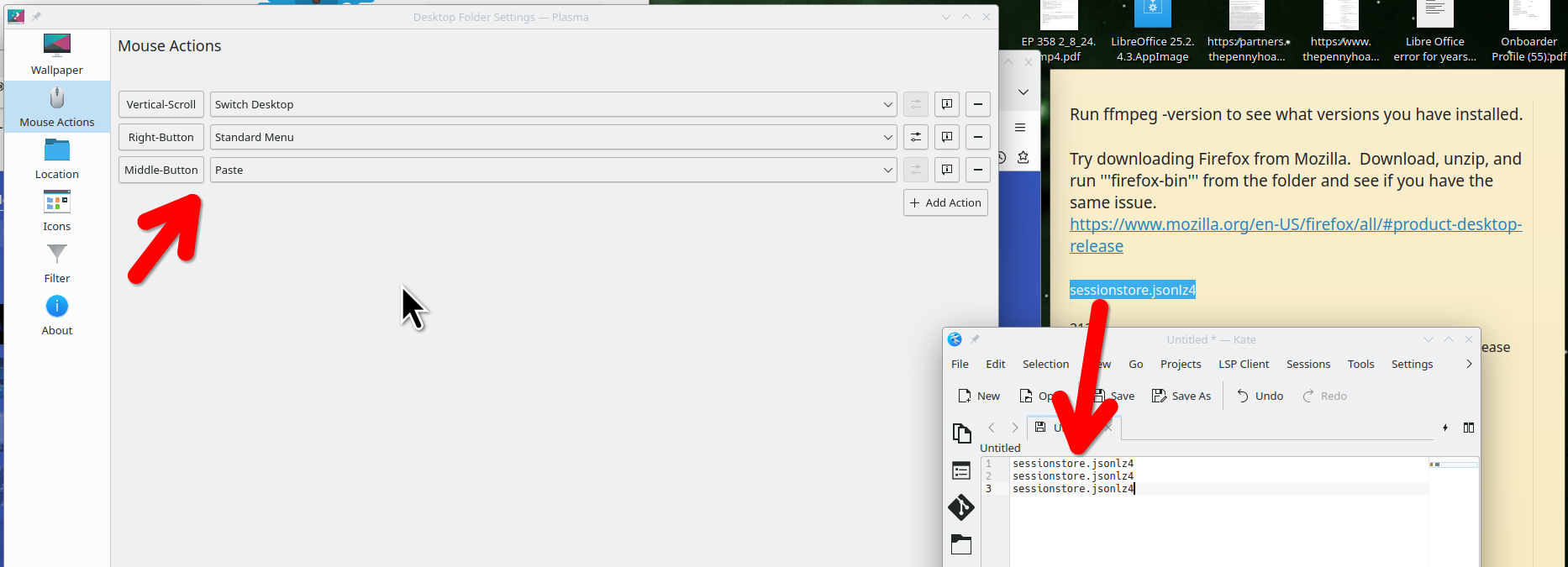
I installed the current system as an upgrade from Leap 15.5. Already in the previous system I was missing the extremely useful middle-button function on my mouse to copy and paste. In the menu ‘Configure Desktop and Wallpaper/Mouse Actions’ only two buttons were recognized, left and right. Clicking on ‘+ Add Action’ and then on the middle button didn’t yield anything. While the left button was defined as ‘Paste’ it didn’t paste what was on top of my clipboard. Is this a bug?